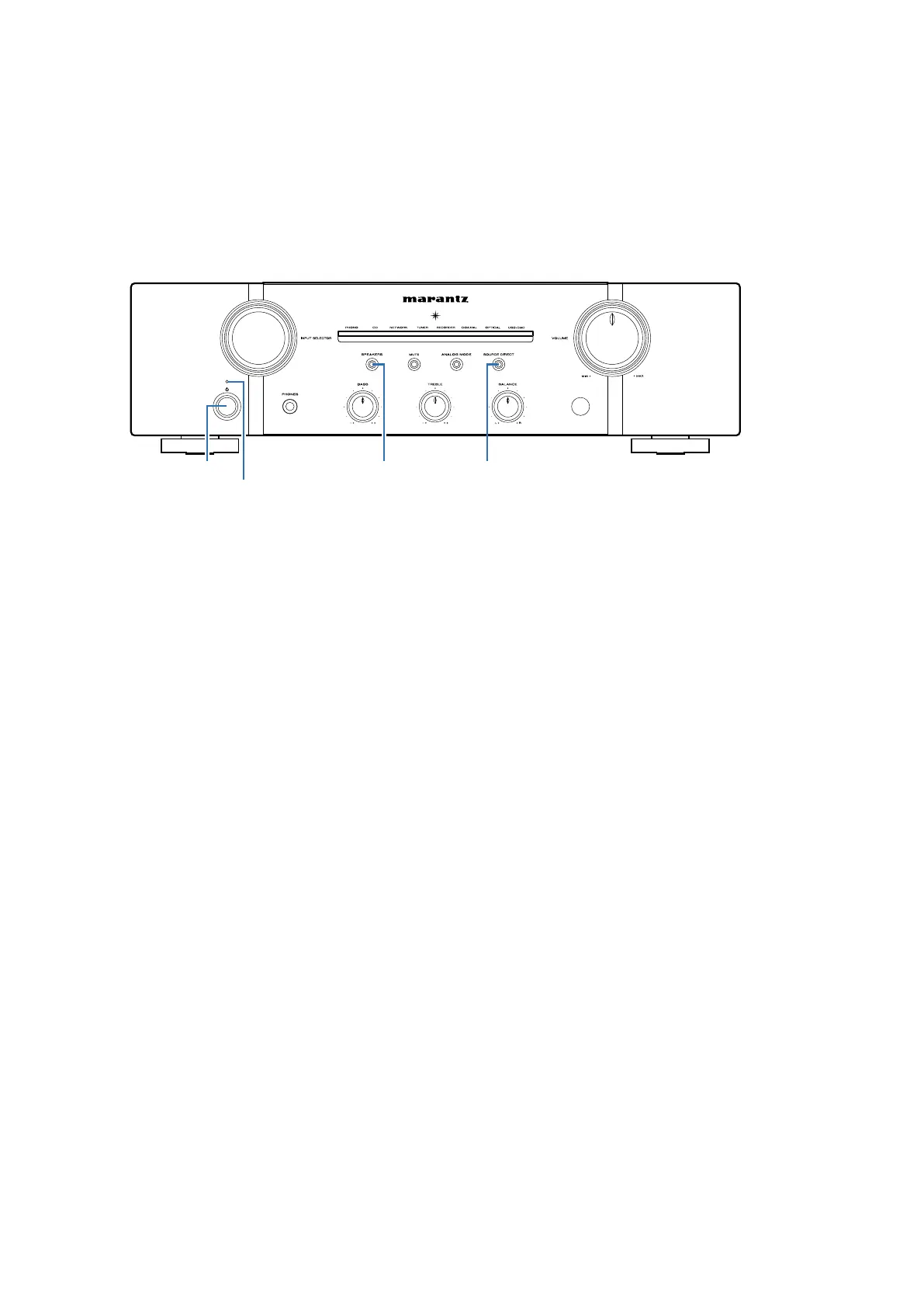
Initializing This Unit
Initialize this unit if you have replaced the microcomputer, one of the parts around the microcomputer.
1. Press the
"POWER"
button to turn off the power.
2. Hold down buttons "
SOURCE DIRECT
" and press the power button to turn on the power.
3. Check the set entered the service mode.( See 18 page
SPECIAL MODE)
Cautions:
If replace the DIGITAL PCB of this unit for F, U and K Region, you remove the R0166 (1k ohm).
This resistance is set for the destination settings, and uses the default value of Auto Standby mode.
N Region : Tuning Auto Standby mode OFF by default. F/U/K Region
:
Tuning Auto Standby mode OFF by default.
Note : 18 page 2. How to change the Auto Standby Mode
Service Jigs
The following jigs are used when updating the rmware
(RS232C → connector conversion PCB in this product + 7P cable kit).
Order the jigs from your dealer if necessary
00DSPK-581 : WRITING KIT. 1
606050028012P : 7P FFC (Straight) 1
See : 22 page FIRMWARE UPDATE PROCEDURE
SPEAKERSPOWER SOURCE DIRECT
Power indicator
PRECAUTIONS DURING SERVICE
10


 To Next Page