2. Connecting the WRITING KIT to the unit
Disconnect the AC plug of this unit to turn the power off.
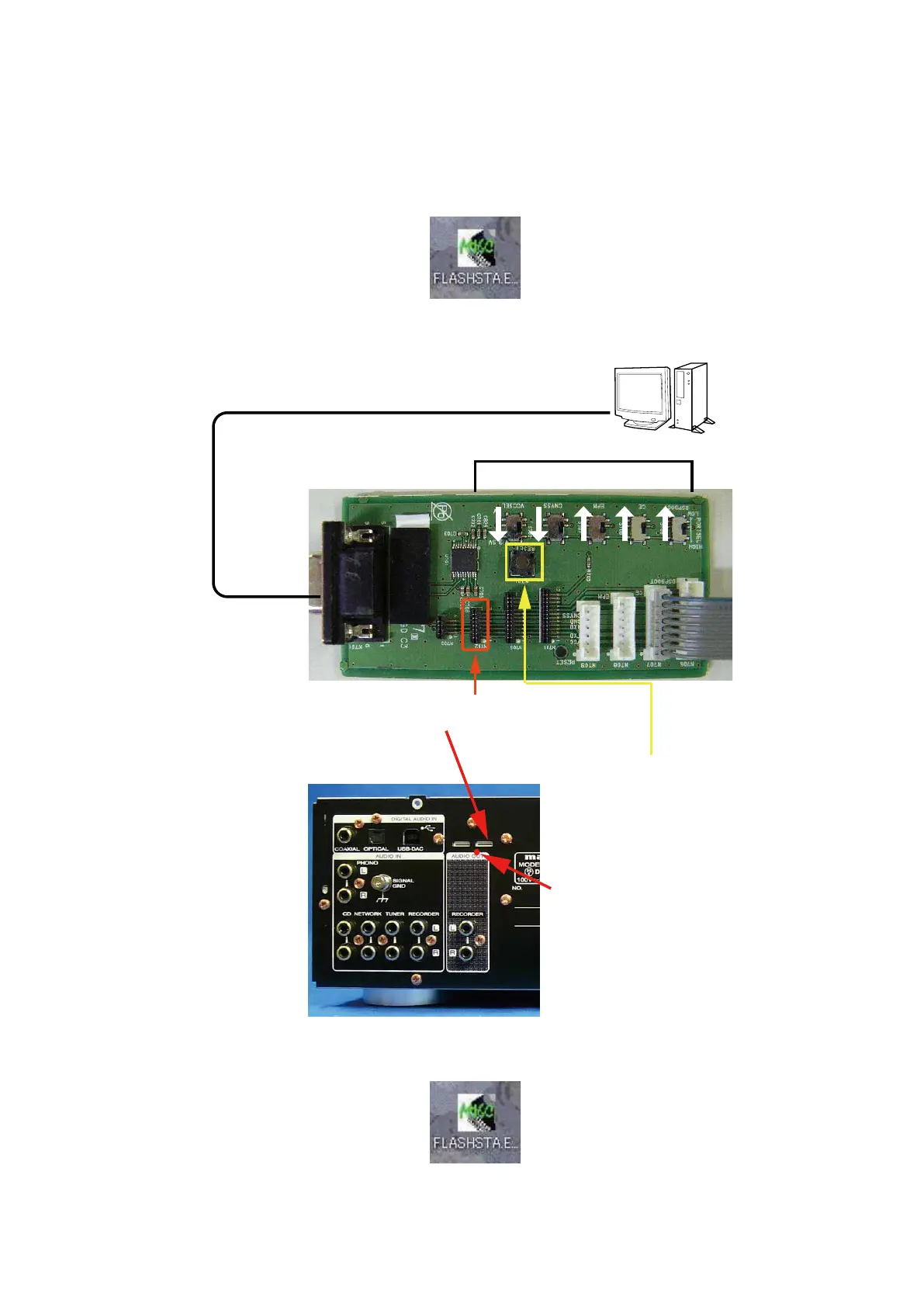
Connect the RS-232C cable from PC with the WRITING KIT.
Connect the WRITING KIT to the update terminal of the unit.
(1) Prepare the windows PC that installed the FLASHSTA.EXE.
(2) Connect SPK-581 as follows.
(3) Double click the FLASHSTA.EXE. And launch the M16 Flash Start.
PC
①Connect windows PC with RS-232C cable.
②Switch to the direction of the arrow.
③Connect N702 on the 8U-310151 PCB
with 7P FFC
④Turn on this unit.
N702
⑤Press the RESET button.
N103(1pin)
23


 To Next Page