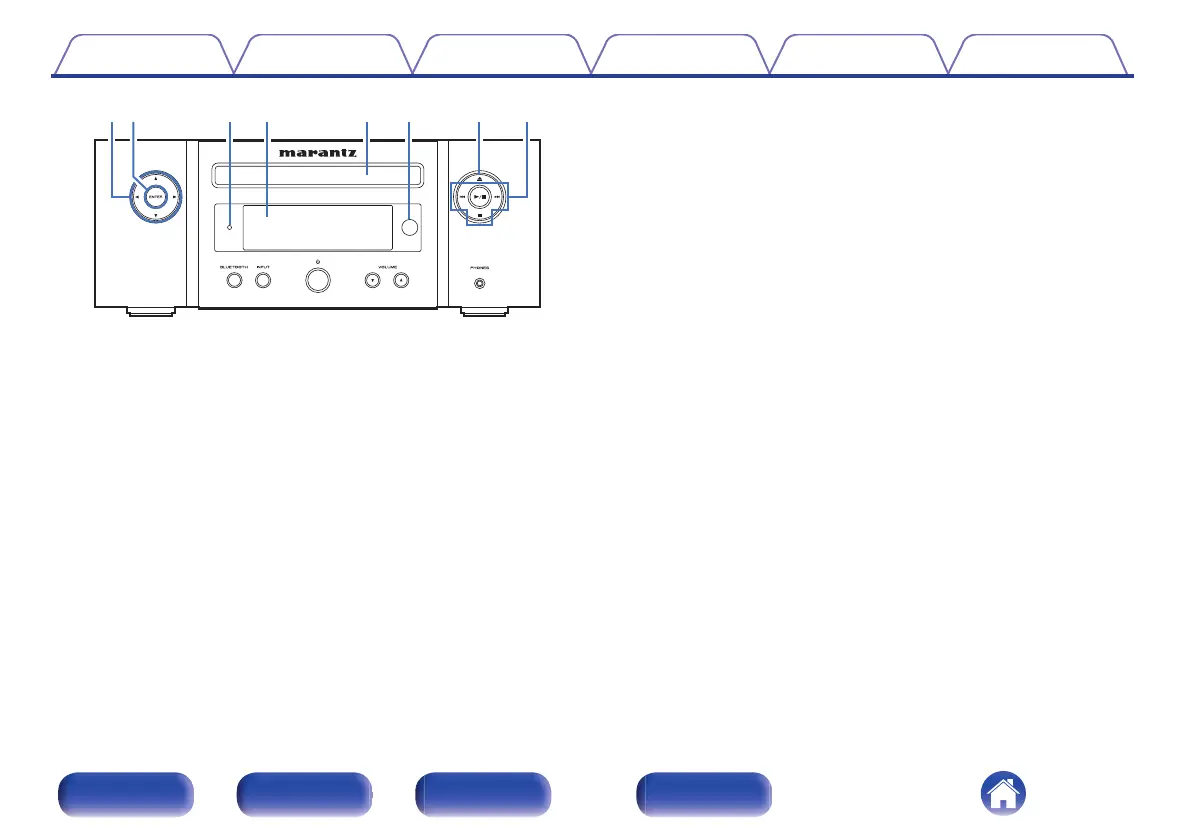
.
A
Cursor buttons (uio p)
These select items.
B
ENTER button
This determines the selection.
C
Standby indicator
Lights as follows according to unit status:
0
Not lit:
0
When powered on
0
During normal standby (“TV Auto-Play”-“Off” (v p. 69))
0
Green: When display brightness is off (v p. 57)
0
Orange: During alarm standby (v p. 67)
0
Red:
0
During normal standby
(“TV Auto-Play”-“Optical In 1/Optical In 2” (v p. 69))
0
When Bluetooth is on standby (v p. 71)
D
Display
This displays various pieces of information.
E
Disc tray
Used to insert a disc. (v p. 91)
F
Remote control sensor
This receives signals from the remote control unit. (v p. 7)
G
Disc tray open/close button (5)
Opens and closes the disc tray. (v p. 32)
H
System buttons
These perform playback related operations.
Contents
Connections Playback Settings Tips Appendix
11
Front panel Rear panel
Remote control
unit
Index















 To Next Page