Front panel Rear panel IndexRemote
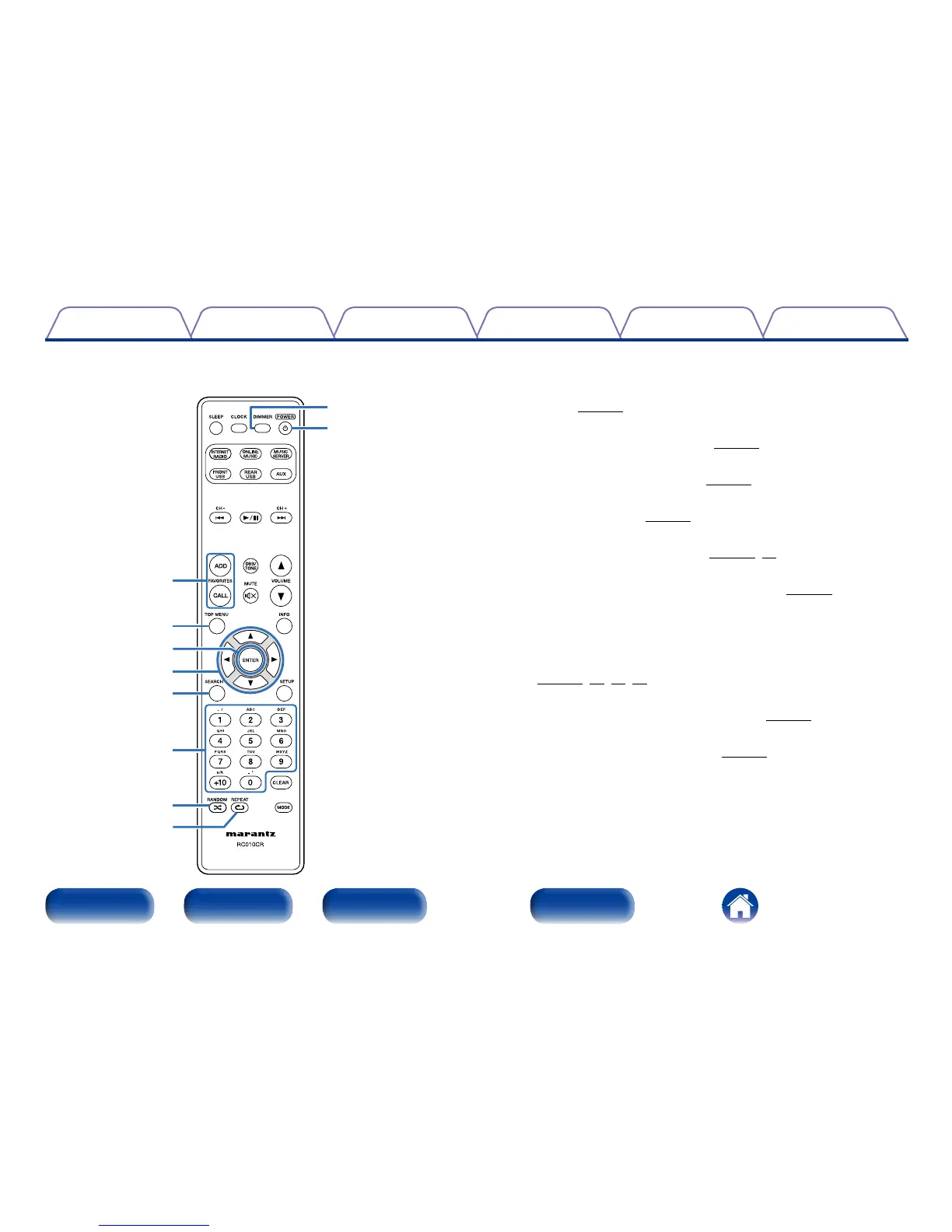
u FAVORITES ADD / CALL buttons
•To add radio stations or files to the favorite list, press ADD.
•To call up a radio station or file registered in the favorite list, press
CALL (vpage43).
i TOP MENU button
To back to the top of the menu (vpage67).
o ENTER button
This determines the selection (vpage67).
Q0 Cursor buttons (uio p)
These select items (vpage67).
Q1 SEARCH button
This displays the search menu (vpage28, 50).
Q2 Number buttons (0 – 9, +10)
These enter letters or numbers into the unit (vpage68).
Q3 RANDOM button
Switches the random playback.
Q4 REPEAT button
Switches the repeat playback
(vpage32, 40, 47, 50).
Q5 DIMMER button
Adjust the display brightness of this unit (vpage64).
Q6 POWER button (X)
This turns the power on/standby (vpage25).
Q6
Q5
u
i
Q0
o
Q1
Q2
Q3
Q4



 To Next Page