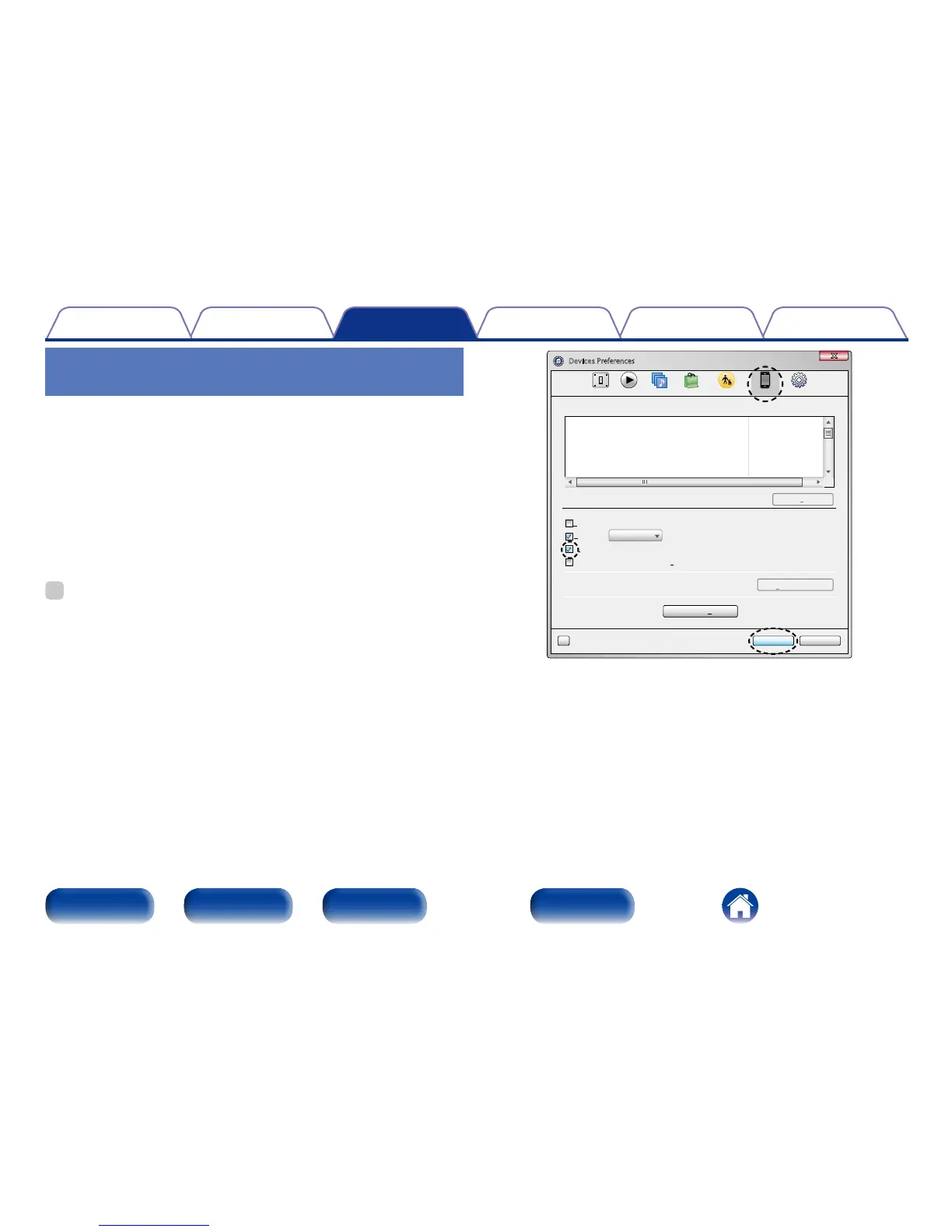
Perform iTunes playback operations
with the remote control unit of this unit
With this unit’s remote control unit, you can perform iTunes song play,
pause, and auto search (cue) operations.
1
Select “Edit” – “Preferences...” on the menu.
2
Select “Devices” in the iTunes setting window.
3
Check “Allow iTunes audio control from remote
speakers”, and then click “OK”.
%
•Source input will be switched to “AirPlay” when AirPlay playback is started.
•You can stop AirPlay playback by pressing o or choosing other input source.
•To see artist name or album title together, press INFO.
•For information about how to use iTunes, also see the Help for iTunes.
•The screen may dier depending on the OS and software versions.
OK Cancel
?
Devices Preferences
General Playback Sharing Store Parental Advanced
more than 5%Warn when
Delete Backup ...
Device backups:
Forget All Remotes
Reset Sync History
of the data on this computer will be changed
Prevent iPods, iPhones, and iPads from syncing automatically
Allow iTunes audio control from remote speakers
Only allow paired or Home Sharing Remotes to control iTunes
iTunes is not paired with any Remotes
Devices



 To Next Page