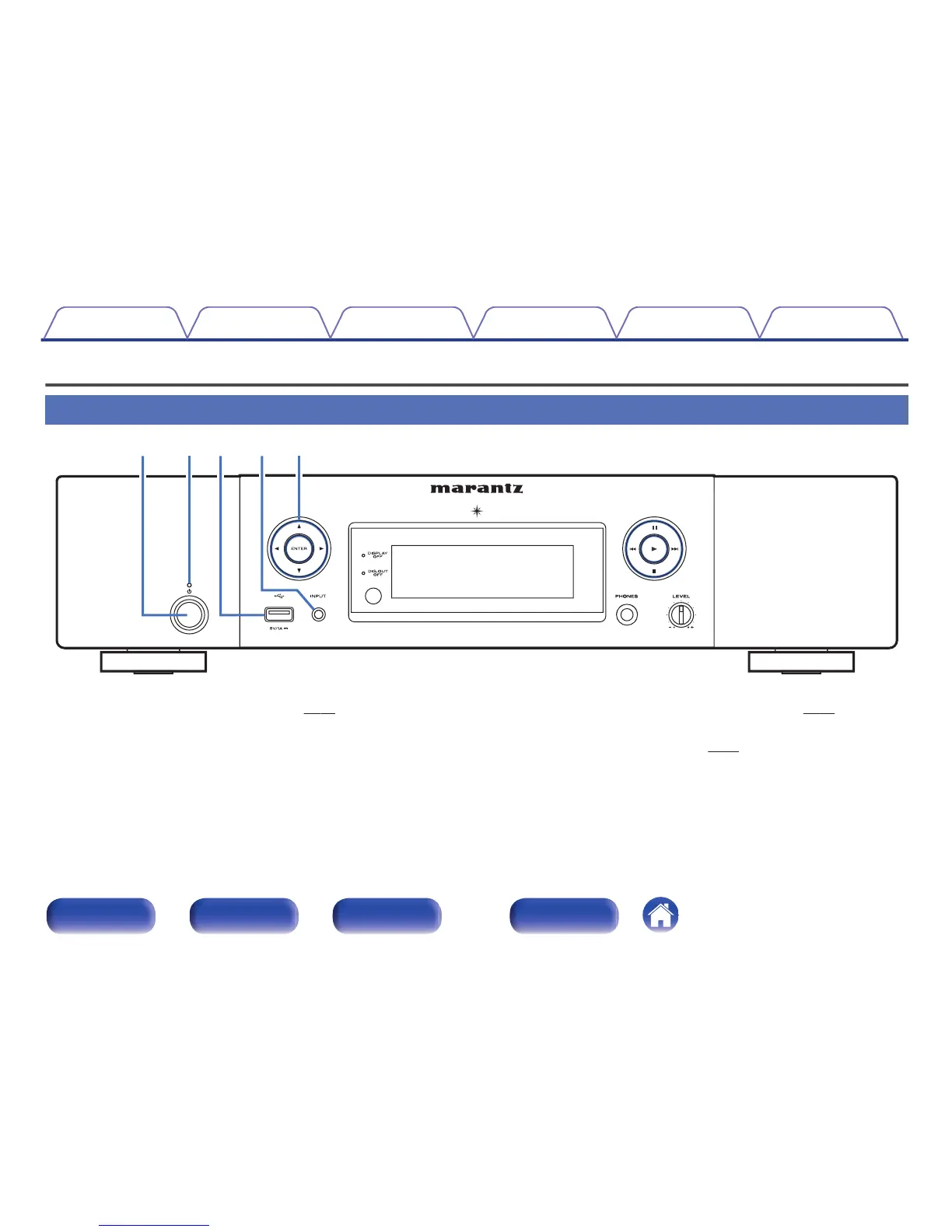
A
Power operation button (X)
This turns the power on/off (standby). (v p. 35)
B
Standby indicator
The standby indicator changes as shown below according to the status
of the unit.
0
Power on : Off
0
Normal standby : Red
0
When “Network Control” is set to “On” : Orange
0
iPod charge standby : Orange
C
USB port
Used to connect iPod or USB memory devices. (v
p. 24)
D
Input source select button (INPUT)
These select the input source. (v p. 36)
E
Cursor buttons (uio p)
These select items.
Contents Connections Playback Settings Tips Appendix
12
Front panel Rear panel
Remote control
unit
Index



 To Next Page