o
Operating this unit
A
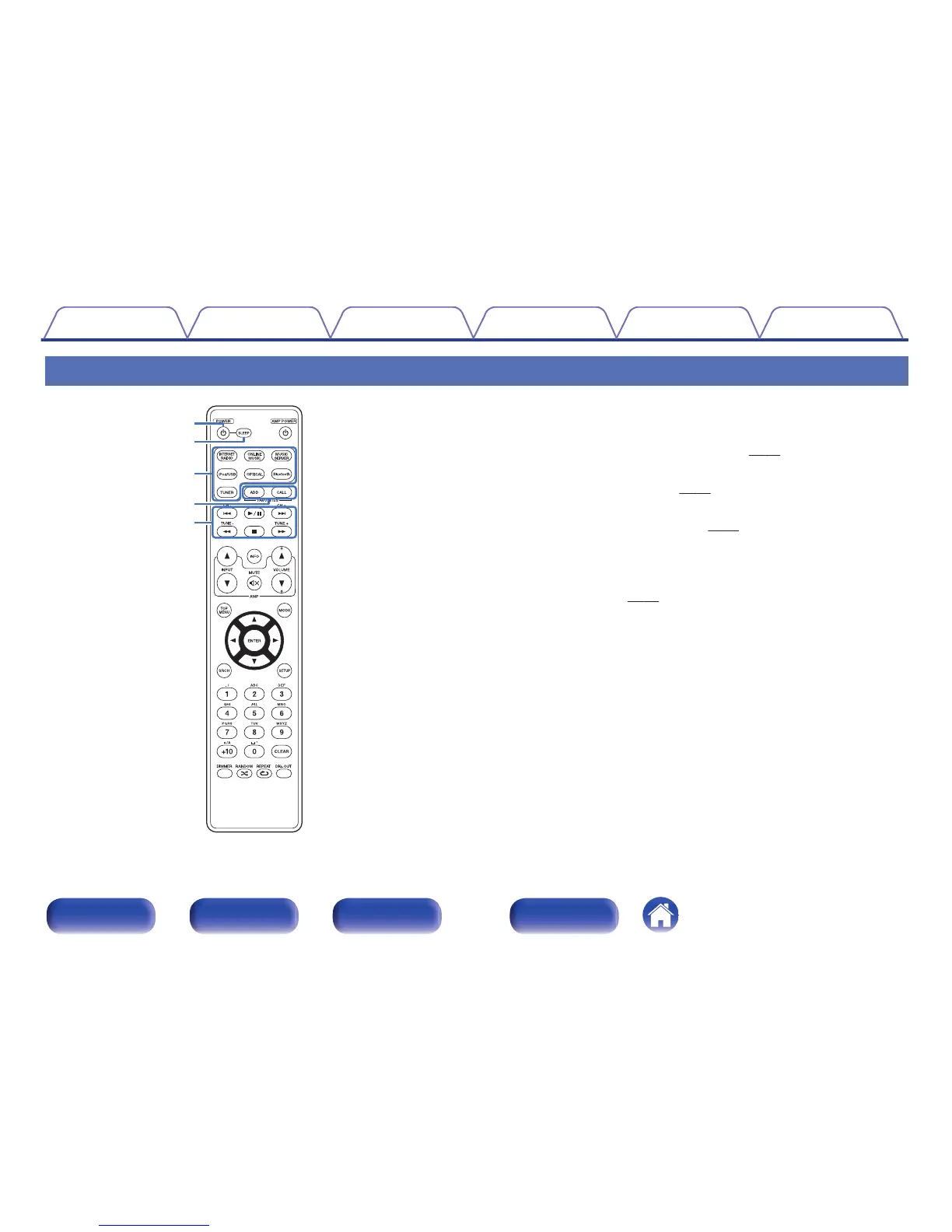
POWER button (X)
This turns the power on/off (standby). (v p. 35)
B
SLEEP button
This sets the sleep timer. (v
p. 37)
C
Input source select buttons
These select the input source. (v
p. 36)
D
FAVORITES ADD / CALL buttons
0
To add radio stations or files to the favorite list, press ADD button.
0
To call up a radio station or file registered in the favorite list, press
CALL button. (v
p. 50)
E
System buttons
These perform playback related operations.
0
Skip buttons (8, 9)
0
Play/pause button (1/3)
0
Fast-reverse / Fast-forward buttons (6, 7)
0
Stop button (2)
0
Channel buttons (CH +, –)
These operate the Favorite function.
0
Tuning buttons (TUNE +, –)
These operate the tuner.
Contents
Connections Playback Settings Tips Appendix
16
Front panel Rear panel
Remote control
unit
Index



 To Next Page