32
ENGLISH
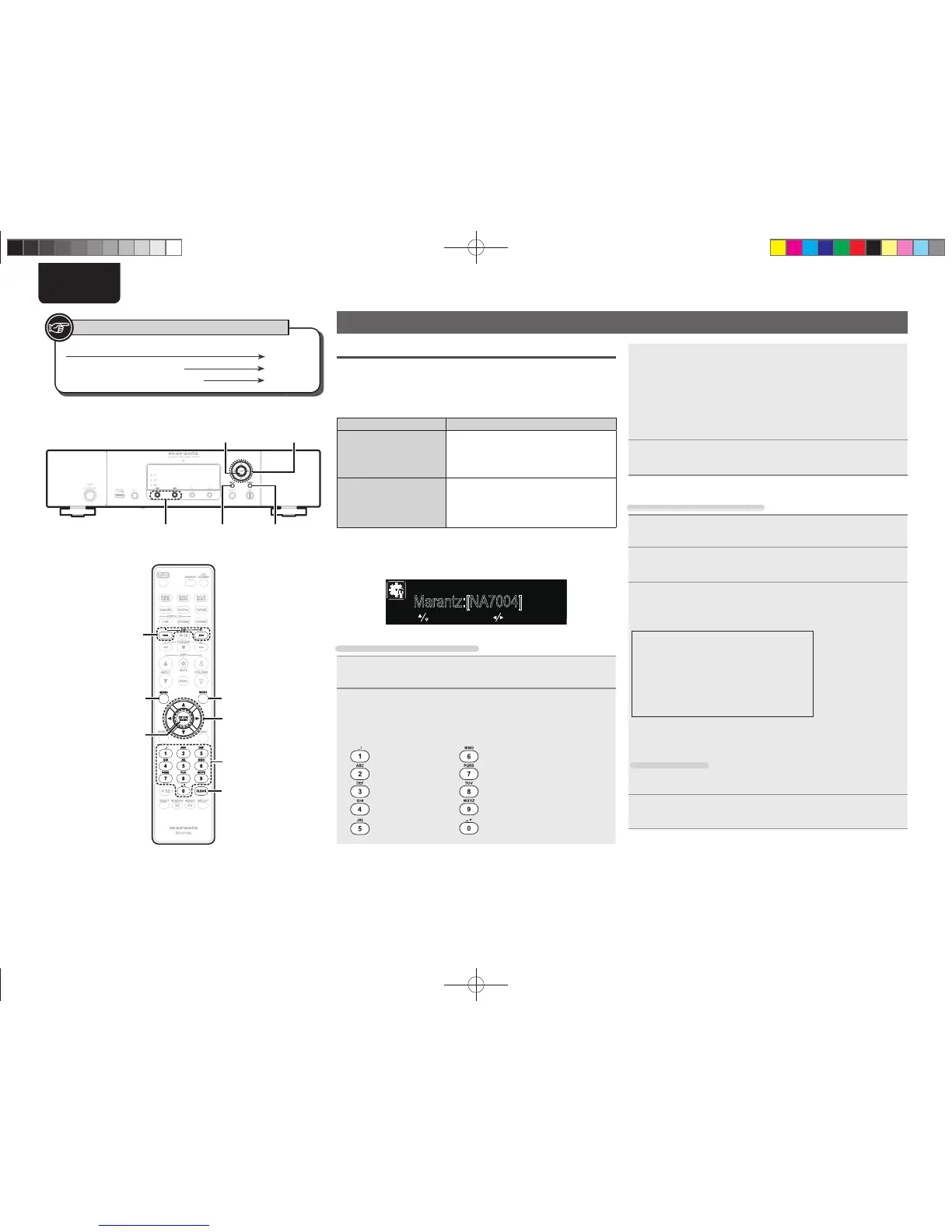
Button located on both the main unit and the remote control
BUTTON
Button only on the main unit
<BUTTON>
Button only on the remote control
[BUTTON]
Symbols used to indicate buttons in this guide
8 、 9
[MENU]
[ENTER/MEMO]
u
,
i
,o,p
[NUMBER]
(0
-
9)
<ENTER>
u
,
i
,o,p
[CLEAR]
8,9
[MODE]
<M-DAX><DISPLAY>
Other functions
Inputting characters
You can change the names as desired using the “Preset Name”
(vpage 12), “Napster Account” (vpage 18), “Last.fm account”
(vpage17) and character input for the network functions.
For inputting characters, there are two methods, as shown below.
Method Operations
Using the number
buttons
• Operating with the remote control unit.
• Multiple characters are assigned to
a button, and each time the button is
pressed, a character is switched.
Using the cursor
buttons
• Operating with the remote control unit
or the main unit.
• Use uio p and [ENTER/MEMO] or
<ENTER> to input characters.
n Display of an input screen
GFriendly Name EditH
: select : move
Marantz:[NA7004]
[Frienly Name Edit]
Using the number buttons
1
Display the screen for inputting characters
.
2
Place the cursor at the character to be changed with
o p and press [NUMBER] (0 – 9) until the desired
character is displayed.
• The types of characters that can be input are as shown below.
1 . @ - _ / : ~ m n o M N O 6
a b c A B C 2 p q r s P Q R S 7
d e f D E F 3 t u v T U V 8
g h i G H I 4 w x y z W X Y Z 9
j k l J K L 5
0 (Space) ! “ # $ % & ‘ ( )
z
+ ,
; < = > ? [ \ ] ^ ` { | }
• The input character type can be switched by pressing [MODE] while
the display name is being changed.
• For entering the characters assigned to one number button
continuously, press p to move the cursor to the right after entering
a character then enter the next character.
• For entering characters assigned to separate buttons, press the
number button continuously. The cursor automatically moves to
the next position, and the entered character is registered.
3
Repeat step 2 to change the name then press [ENTER/
MEMO]
or <ENTER> to register it.
Using the cursor buttons
1
Display the screen for inputting characters
.
2
Use o p to set the cursor to the character you want
to change.
3
Use ui to change the character.
• The types of characters that can be input are as shown below.
G Upper case charactersH
ABCDEFGHIJKLMNOPQRSTUVWXYZ
GLower case charactersH
abcdefghijklmnopqrstuvwxyz
GSymbolsH ! “ # $ % & ‘ ( )
z
+ , - . / : ; <
= > ? @ [ \ ] ^ _ ` { | } ~
GNumbersH
0123456789 (Space)
• The input character type can be switched by pressing [MODE] while
the display name is being changed.
Other buttons
• Press 8 or [CLEAR] to delete the character.
• Press 9 to insert a space.
4
Repeat steps 2 and 3 to change the name then press
[ENTER/MEMO] or <ENTER> to register it.
1.NA7004NENG30A0714.indd321.NA7004NENG30A0714.indd32 2011/07/1411:37:232011/07/1411:37:23



 To Next Page