.
o
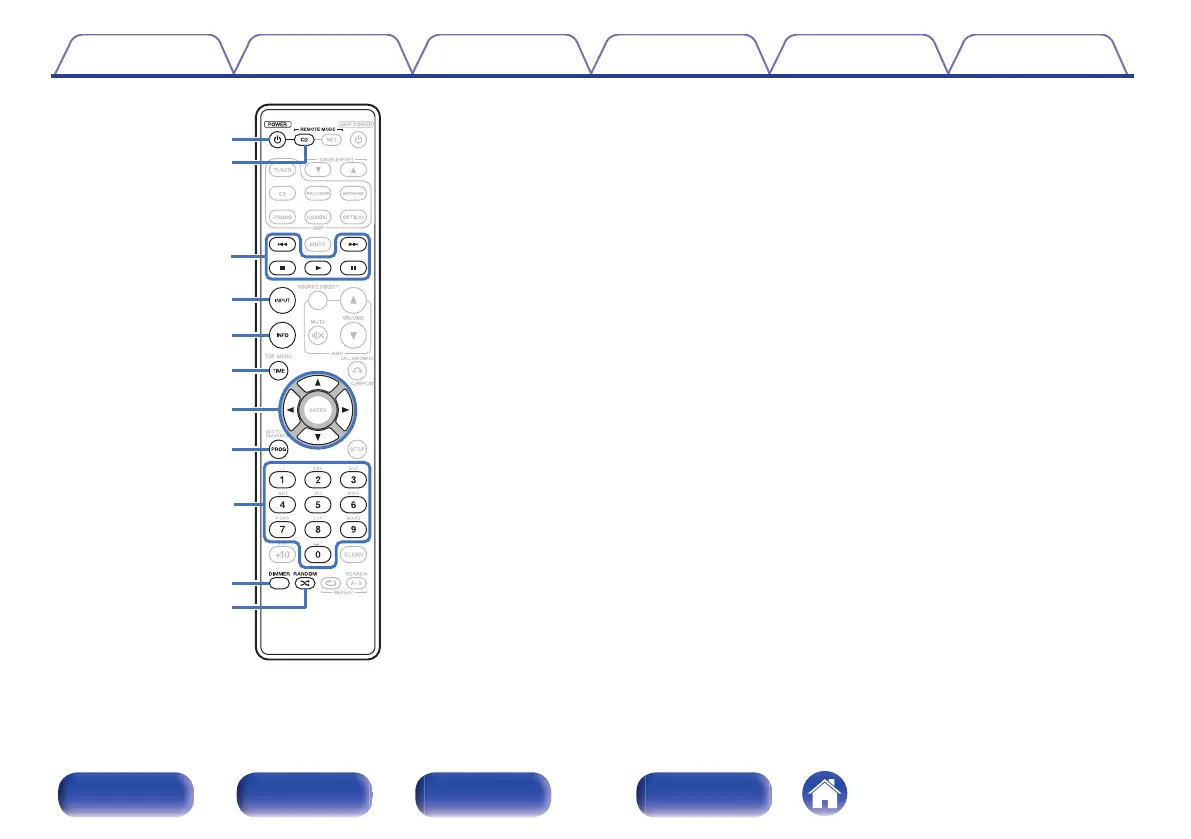
CD player operations
The supplied remote control can be used to control a Marantz CD player in
addition to this unit. To operate a Marantz CD player, press the REMOTE
MODE CD button to switch the remote control to the CD player operation
mode.
0
REMOTE MODE CD button lights for approximately two seconds.
A
POWER button (X)
B
Remote mode select button (REMOTE MODE CD)
C
System buttons
0
Skip buttons (8 / 9)
0
Stop button (n)
0
Play button (1)
0
Pause button (3)
D
Input source select button (INPUT)
E
Information button (INFO)
F
TIME button
G
Cursor buttons (uio p)
H
Program button (PROG)
I
Number buttons (0 – 9)
J
DIMMER button
K
RANDOM button (P)
Contents
Connections Playback Settings Tips Appendix
12
Front panel Rear panel
Remote control
unit
Index



 To Next Page