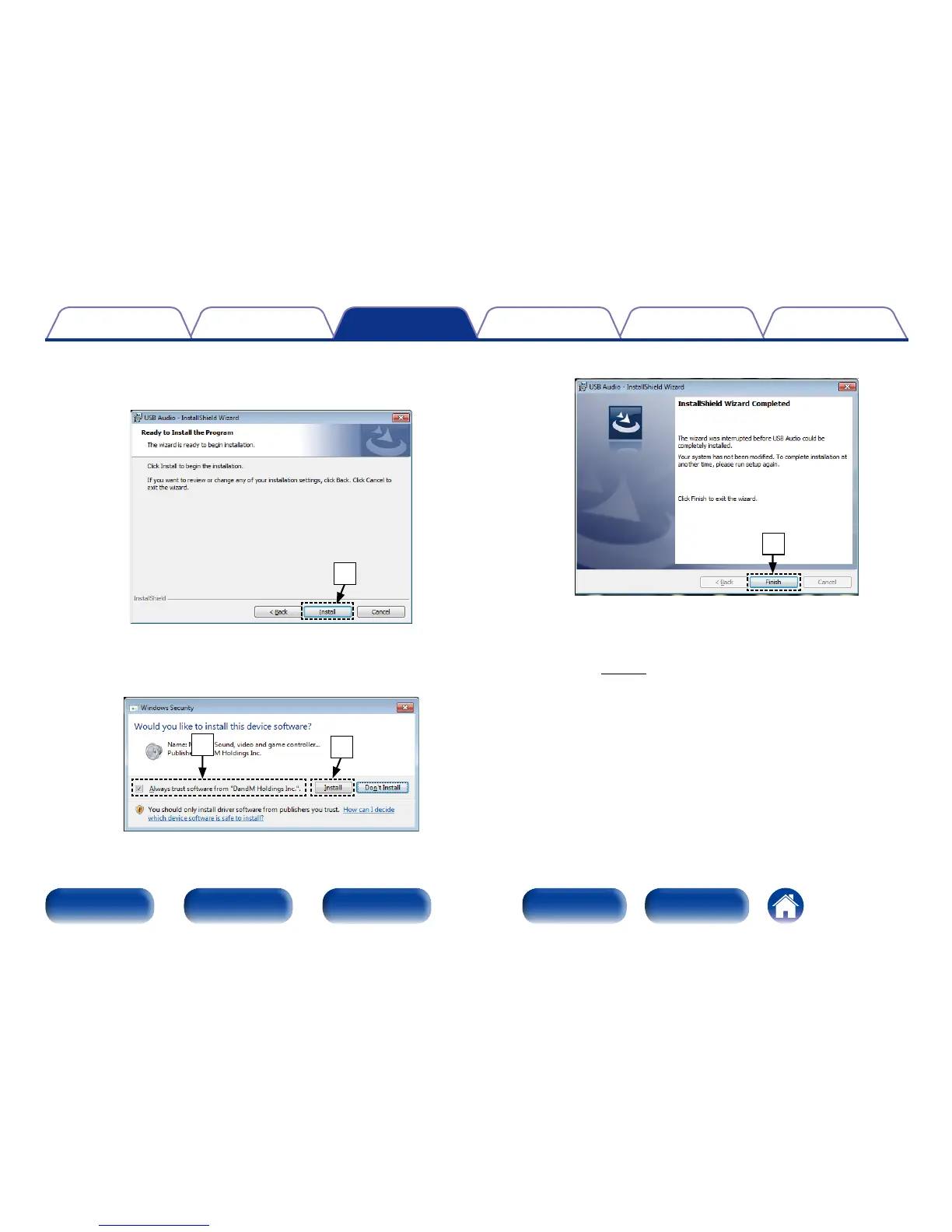
o When the installation is completed, click “Finish”.
o
5
With the unit power o, connect the unit and computer
using a USB cable (sold separately).
• For the connection procedure, refer to the “Connecting a PC or
Mac” (vpage21) section.
6
Press POWER X.
• When the unit power is turned on, the computer automatically
finds and connects to the unit.
7
Press INPUT to change the media mode to “USB-DAC”.
y Click “Install” on the installation start dialog.
• The installtion starts. Do not perform any operation on the
computer until the installation is completed.
y
u In the Windows security dialog, select “Always trust software
from DandM Holdings Inc.”.
i Click “Install”.
i
u



 To Next Page