J
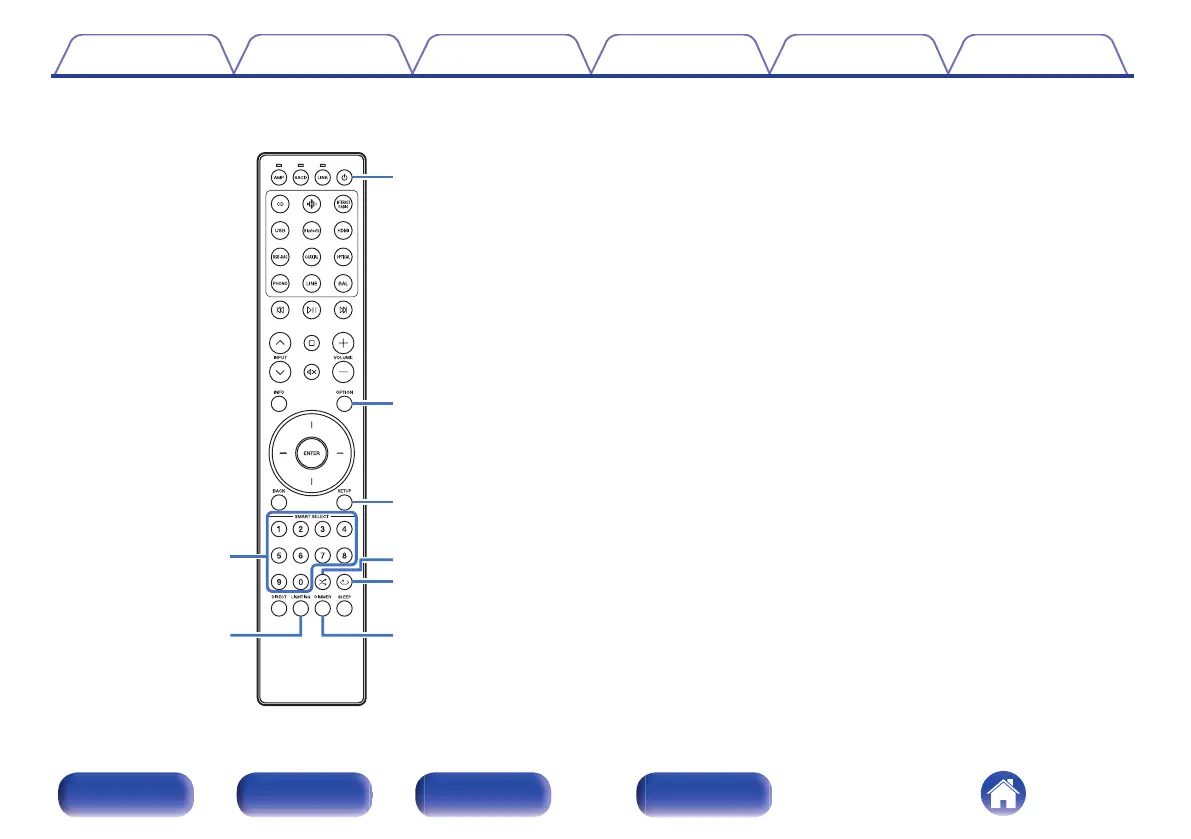
Number buttons (0 – 9)
These enter numbers into the unit.
K
LIGHTING button
This turns the illumination and display on/off. (v p. 32)
L
Power (X) button
This turns the power on/off (standby). (v p. 30)
M
OPTION button
0
Selects the top priority playback layer for Super Audio CDs.
(v p. 36)
0
Selects the playback range of the data CD/DVD. (v p. 39)
0
Selects the playback range of the USB flash drive. (v p. 42)
N
SETUP button
The setting menu is displayed on the display. (v p. 54)
O
Random button (s)
Switches the random playback.
P
Repeat button (r)
Switches to the repeat playback.
Q
DIMMER button
Adjust the display brightness of this unit. (v p. 31)
Contents
Connections Playback Settings Tips Appendix
14
Front panel Rear panel Remote control
unit
Index



 To Next Page