1.4. Error display
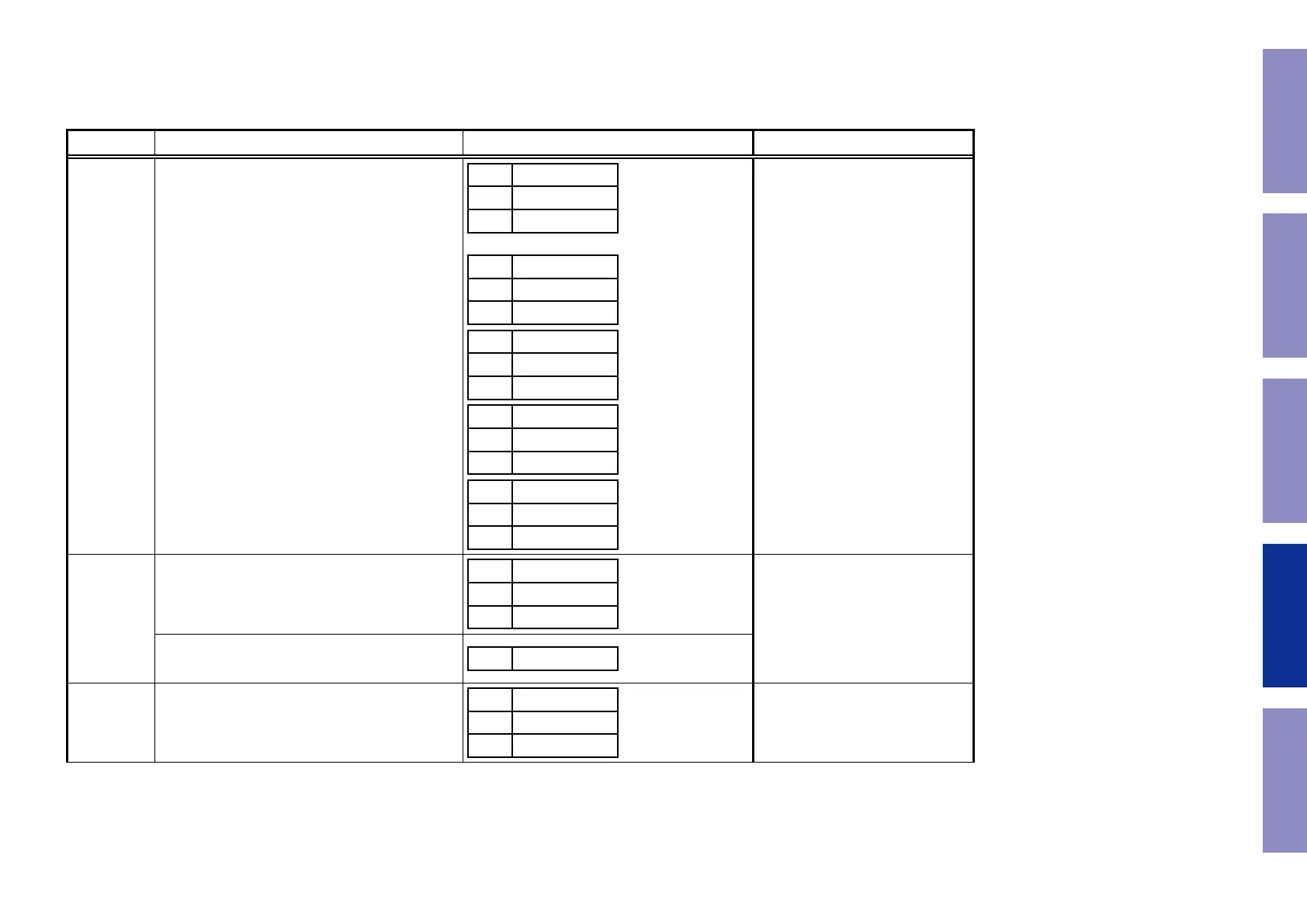
See the table below for descriptions of the displayed errors and countermeasures for these.
If multiple errors occur, only one item is displayed.
The priority order is
w
,
e
,
r
,
t
,
y
,
q
.
Condition States Display TROUBLE SHOOTING
q
Firm Check
NG
The model name, brand name and region information
written in the rmware are compared to the region
settings in the PCB. This error is displayed if the infor-
mation does not match.
" ▲ " or " ▼ " is displayed as the rst character if the
rmware is not correct (see the illustrations on the
right).
L1
FIRM
L2
ERROR
L3
L1
MAIN
–
L2
********
L3
BL-**.**
L1
DSP
–
L2
L3
**.**
L1
A.PLD
–
L2
L3
**.**
L1
GUI
–
L2
L3
**.**
• Check the resistor for setting the
region(R1524 / 1525 HDMI PCB).
• Write the rmware for the correct
region.
w
IP SCALER NG
An error occurs in Loop back Test of the DDR memory
which is performed during the initial setting of i/p
Scaler(ADV8003).
L1
IP
L2
SCALER
L3
ERR 01
• Check the circuits around the IP
SCALER (U1026, HDMI PCB) and
DDR2 (U1028/1029).
If there appear to be no problems,
U1026 or U1028/1029 is faulty.
During the initial setting of i/p Scaler ( ADV8003 ) ,
there is not the reply of the Loop back Test result of
the DDR memory .
L3
ERR 02
e
GUI Serial
Flash NG
If the Main CPU version is not supported by the GUI
Serial Flash (ADV8003),
L1
GUI VER.
L2
ERROR
L3
• Check the rmware version.
Go to next page.
115
Caution in
servicing
Electrical Mechanical Repair Information Updating



 To Next Page