2-1. Necessary devices
1) Check the product settings.
2-a) Player with an HDMI terminal
2-b) TV with an HDMI terminal (* NOTE : Do not use a computer monitor.)
3) Windows PC
4) Serial communication software "termite.exe"
(Download the software from http://www.compuphase.com/software_termite.htm and install
it.)
5) HDMI cable
6) RS-232C Straight cable
7) 8U-2120100S WRITING KIT
8) oscilloscope
2-2. Device Connection Method
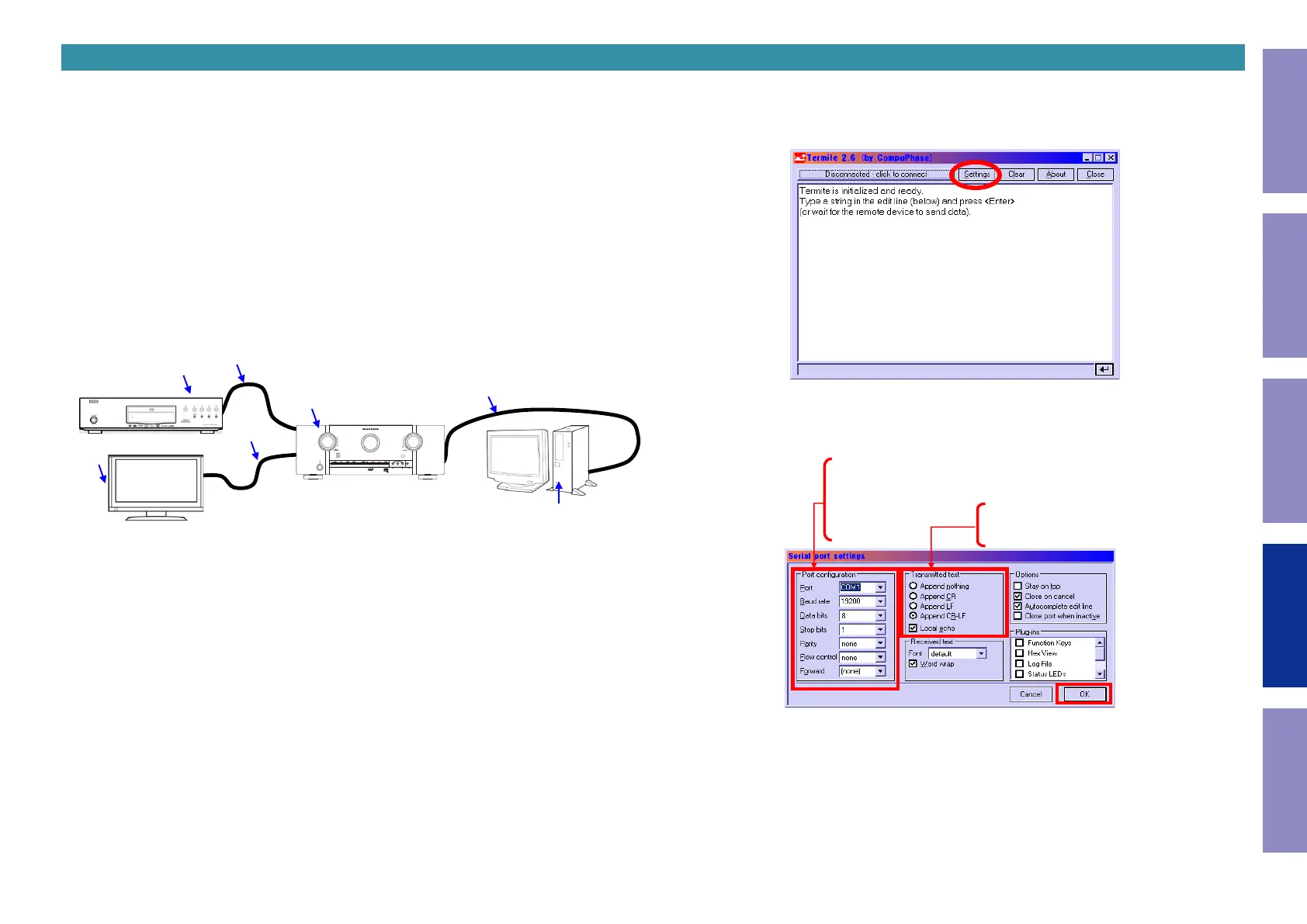
Connect the TV and the AVR to the player using an HDMI cable and connect the AVR to the PC through
an RS-232C cable as shown in Figure 1.
6)
3)
1)
5)
5)
2-a)
2-b)
Figure 1 Device Connection Method
2. Preparations for checking HDMI Switcher reception/transmission register
2-3. Device conguration method
PC settings : Execute the serial communication program, Termite.exe.
The serial port setup screen will be displayed.
Congure the settings as shown in Figure 3 and click the [OK] button.
After executing Termite.exe, click [Settings].
Figure 2 Screen After Executing Termite.exe
Port Configuration
Port: Select COM port of PC
Baud rate: 19200bps
Data bits: 8
Stop bits: 1
Parity: none
Flow control: none
Forwad: (none)
Transmitted text
Select Append CR-LF
Check the Local Echo check box.
Figure 3 Serial Port Setup Screen
85
Caution in
servicing
Electrical Mechanical Repair Information Updating



 To Next Page