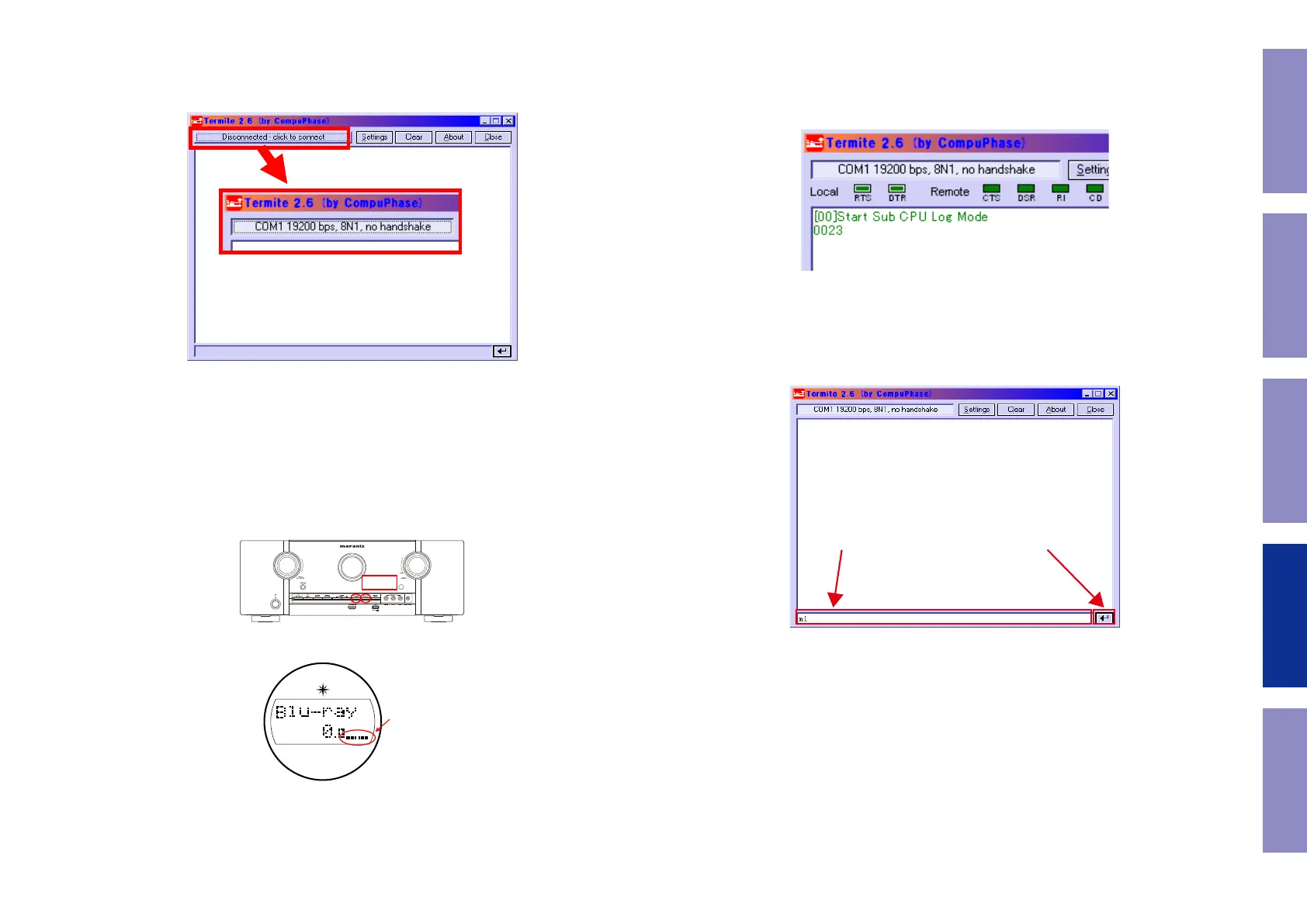
Click the [click to connect] button to start communication.
After a connection is established successfully, the display of the button name will change as
shown in Figure 4.
TV settings : Switch to the HDMI input in the AVR connection.
Player settings : Turn the unit power on and congure it to play disks.
AVR settings : Turn on the power while holding the [DIMMER] button and [STATUS].
(Continue to press and hold the buttons until all segments of the FLD volume illuminate.)
※ When the power is turned on after initialization, "Setup Assistant" will be displayed.
After exiting "Setup Assistant,” execute the above.
Display changes.
Figure 4 Change of the Display of the Communication Start Button Name
Press
Figure 6-1. AVR settings (SR5011)
indicator Lights
Figure 6 FLD Display When Set
When the settings are correct, the following message will be displayed in the window of
Termite.
[00]Start Sub CPU Log Mode
****
(**** is a version of Sub CPU.)
The setup is now complete.
Method for sending commands
Enter the command in the transmission command entry section, click the [Send] button and
send the command.
Figure 7 Display of Termite When AVR is Set
1. 送信するコマンドを入力します。 2. 送信ボタンをクリックします。
Figure 8 Method for Sending Termite Commands
86
Caution in
servicing
Electrical Mechanical Repair Information Updating



 To Next Page