92
Set up speakers
7
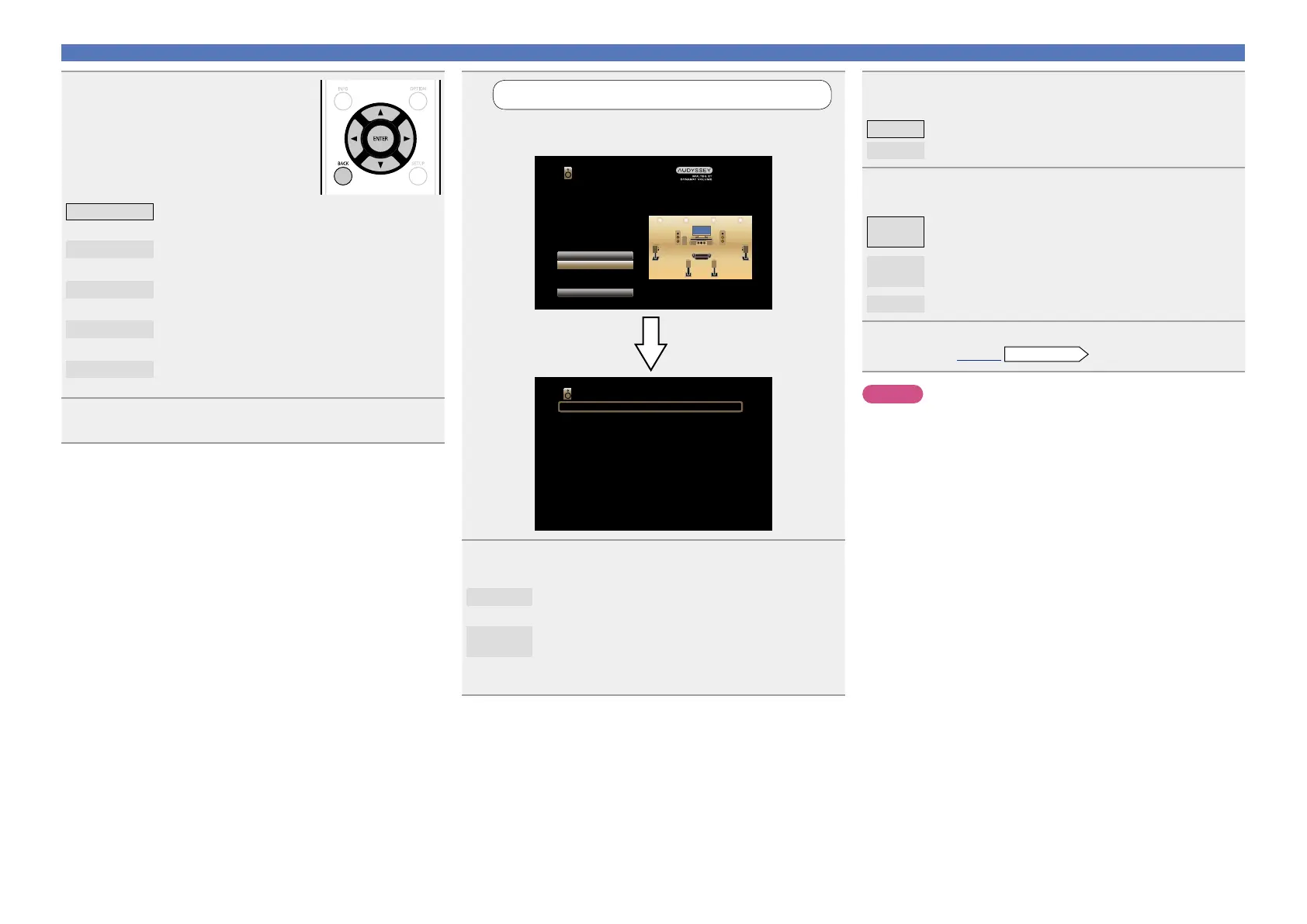
Set up “Channel Select”
Use ui to select “Channel Select”, and then press
ENTER.
Channel Select
Subwoofer Measure
Surround Back Measure (2 spkrs)
Audyssey Setup
Amp Assign
Channel Select
Start
Your AV receiver can automatically measure the acoustics of
your room then optimize your speakers using the included
microphone.
Set the following items
if necessary.
8
Use ui to select a channel, and then press ENTER.
Subwoofer
Select for no subwoofers to be used. In this case, go
to step 9.
Surround
Back
Select the number of surround back speakers to be
used. In this case, go to step 10.
•“Surround Back” can be set when “Assign Mode” is
set to “Surround Back”.
9
Use o p to set whether or not a subwoofer channel is
measured, and then press ENTER.
Measure Set for measuring a subwoofer.
Skip
Set for no measuring of a subwoofer.
10
Use o p to set whether or not a surround back
channel is measured, and then press ENTER.
Measure
(2spkrs)
Set for measuring two surround back speakers.
Measure
(1spkr)
Set for measuring a surround back speaker.
Skip
Set for no measuring of a surround back speaker.
11
Press o or BACK.
Proceed to page30
Preparation
step 5.
NOTE
After performing “Audyssey
®
Setup”, do not change the speaker
connections or subwoofer volume. In event of a change, perform
“Audyssey
®
Setup” again.
5
Use o p to select the
conguration of the connected
speakers, and then press
ENTER.
Surround Back
Setting for 7.1-channel playback using surround
back speakers.
ZONE2
Setting to assign the unit’s built-in power amplifier
for ZONE2 and output the audio in stereo.
Bi-AMP
Setting to use the front speakers via the bi-amp
connection.
Front Height
Setting for 7.1-channel playback using front height
speakers.
Front Wide
Setting for 7.1-channel playback using front wide
speakers.
6
Press o or BACK to exit the “Amp Assign” setting.



 To Next Page