Front panel Display Rear panel IndexRemote
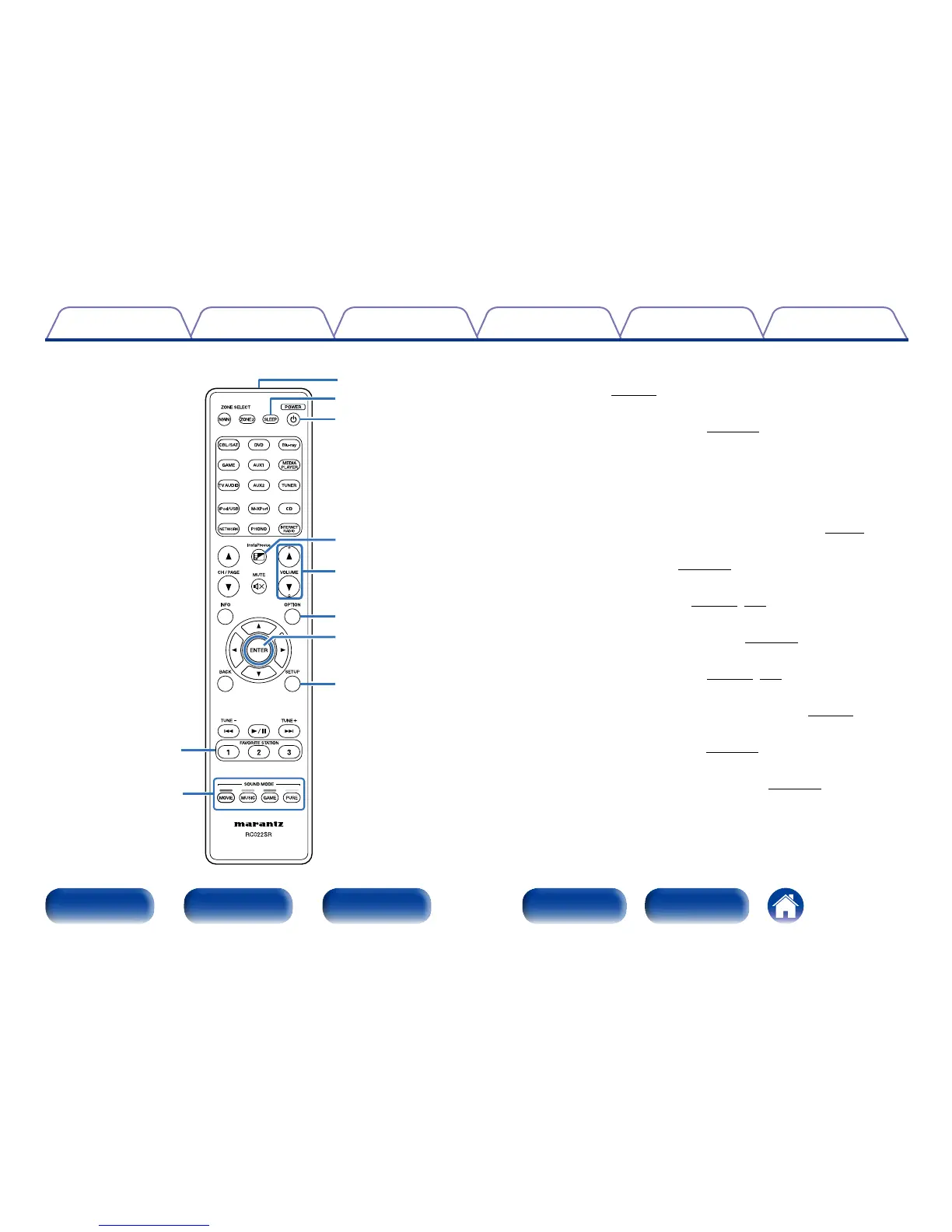
o FAVORITE STATION buttons (1 – 3)
With a single press of these, you can call up registered radio stations
and contents (vpage93).
Q0 SOUND MODE buttons
These select the sound mode (vpage106).
•MOVIE button
•MUSIC button
•GAME button
•PURE button
Q1 Remote control signal transmitter
This transmits signals from the remote control unit (vpage8).
Q2 SLEEP button
This sets the sleep timer (vpage123).
Q3 POWER button (X)
This turns the power on/o (vpage53, 132).
Q4 InstaPrevue button
This displays the InstaPrevue screen (vpage121).
Q5 VOLUME buttons (df)
These adjust the volume level (vpage54, 132).
Q6 OPTION button
This displays the option menu on the TV screen (vpage98).
Q7 ENTER button
This determines the selection (vpage141).
Q8 SETUP button
This displays the menu on the TV screen (vpage141).
Q3
Q5
Q4
Q2
Q8
Q6
Q7
Q0
Q1
o



 To Next Page