45
ENGLISH
RDS OPERATION
Now in use in many countries, RDS (Radio Data System) is a
description of the station's programming hidden space in the FM
signal.
SR8200 is equipped with RDS to assist in the selection of FM stations
using station and network names, rather than broadcast frequencies.
Additional RDS functions include the ability to search for program
types.
RADIO TEXT
Some RDS stations broadcast RADIOTEXT, which is additional
information on the station and program being broadcast.
RADIOTEXT information appears as 'running' text in the display.
RADIOTEXT is transmitted character-by- character by the radio
station. As a result of that it may take some time until the entire text
has been completely received.
RDS DISPLAY
When a receiver is tuned to an FM station that is transmitting RDS
data, the Front Panel Information Display will automatically show the
station name or RDS TEXT in place of the typical display of the
station's broadcast frequency.
To change the display, tap RDS-Display button in screen of 2/3
TUNER.
PROGRAMME TYPE (PTY) DISPLAY
The RDS system categorizes program according to their genre into
different program type (PTY) groups. To display the program type
information of the current station, tap PTY button in screen of 2/3
TUNER.
SORTING PRESET STATIONS
Stored preset stations number can be kept line.
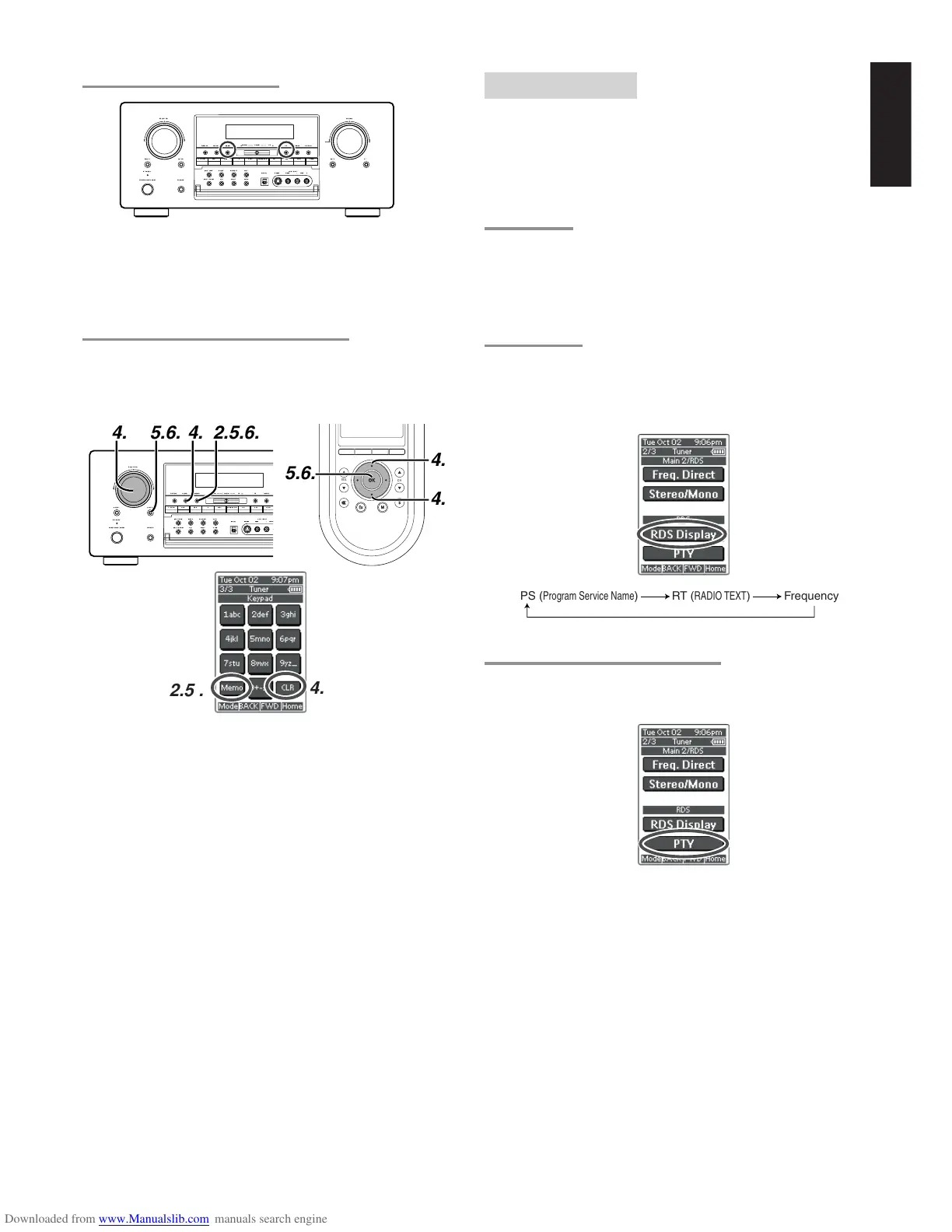
To sort the numbers, press and hold the MEMO and the F/P buttons.
“PRESET SORT” will appear on the display and sorting will be done.
NAME INPUT OF THE PRESET STATION.
This function allows the name of each preset channel to be entered
using alphanumeric characters.
Before name inputting, need to store preset stations with the preset
memory operation.
1.
Recall the preset number to be inputted name with the method
described in “Recalling” a preset station.
2.
Press the MEMO button on the front panel or touch Memo on the
remote for more than 3 seconds.
3.
The left most column of the station name indicator flashes,
indicating the character entry ready status.
4.
When the SELECT knob is turned or press Up / Down button on
the remote alphabetic and numeric characters will be displayed in
the following order:
A → B → C ...Z → 1 → 2 → 3..... 0 → – → + → / → (Blank) → A
UP →
← DOWN
To fill blank, press CLEAR button or tap CLR on the remote.
5.
After selecting the first character to be entered, press the MEMO
or ENTER buttons, press OK button on the remote.
The entry in this column is fixed and the next column starts to
flash. Fill the next column same as.
To move back and forth between the characters, press the
TUNING UP / DOWN button or press Left / Right buttons on the
remote.
Note:
Unused columns should be filled by entering blanks.
6.
To save name, press the MEMO or ENTER button, press OK
button on the remote for more than 2 seconds.
POWERON/STANDBY
STANDBY
VOLUME
UPDOWN
PHONES
SELECT MUTE ATTENTER
SELECTOR
NIGHT
7.1CH-IN DSS TAPE CD-R TUNERCDTV VCR1 VCR2/DVD-R
MULTI-SPK
MULTIROOM
AUX1S-DIRECT
AUX2A/D
SLEEP
T-MODE P-SCANF/P
AUX1INPUT
R
AUDIO
L
VIDEO
S-VIDEO
DIGITAL
MEMO
CLEARDISPLAY
DVD
TUNINGDOWN UP
POWERON/STANDBY
STANDBY
PHONES
SELECT ENTER
SELECTOR
NIGHT
7.1CH-IN DSS TAPE CD-RCDTV VCR1 VCR2/DVD-R
MULTI-SPK
MULTIROOM
AUX1S-DIRECT
AUX2A/D
SLEEP
T-MODEF/P
AUX1INPUT
AUDI


 To Next Page