EasyManua.ls Logo

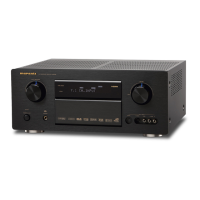
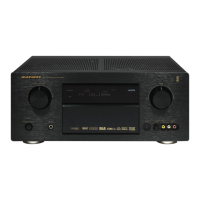
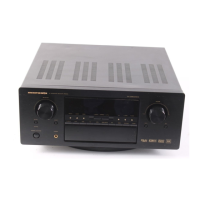
Marantz SR8200 - User Manual

Marantz SR8200
54 pages
Print Icon
To Next Page IconTo Next Page
Loading...
Model SR8200 User Guide
AV Surround Receiver
R

Table of Contents

Other manuals for Marantz SR8200

Questions and Answers

  • T
    tanner54Sep 10, 2025
    Why surround mode cannot be changed on Marantz SR8200 Receiver?
    • J
      Jennifer GonzalesSep 10, 2025
      If you cannot change the surround mode on your Marantz Receiver, disconnect the headphones. When headphones are connected, Surround mode will be fixed to STEREO.
  • A
    anthony37Aug 22, 2025
    What to do if no sound and picture are output even when power is on in Marantz Receiver?
    • P
      Paul SanchezAug 23, 2025
      If there's no sound or picture when your Marantz Receiver is on, first, check if mute is enabled and disable it using the remote. Then, verify that all input cables are correctly connected according to the connection diagram. Make sure the master volume isn't turned all the way down, and the function selector is in the correct position.
  • L
    Lisa GriffinAug 25, 2025
    Why is there no sound output from the surround back speaker in my Marantz SR8200?
    • T
      Tammy YoungAug 25, 2025
      If you're not getting any sound from the surround back speaker on your Marantz Receiver, check the speaker cable connection to ensure it's correctly connected. Note that surround back channel is only active in THX surround EX mode, so set THX Surround EX mode. In other Surround modes, no sound will be output from the surround speaker. Also, verify that “Surr. Back = NONE” hasn't been selected in SETUP mode.
  • M
    Margaret KellyAug 26, 2025
    Why is there no sound from the center speaker on my Marantz SR8200 Receiver?
    • B
      Brittany HernandezAug 26, 2025
      If there's no sound coming from the center speaker of your Marantz Receiver, first, ensure the center speaker cable is correctly connected. If STEREO is selected for Surround mode, no sound will be output from the center speaker, so select another Surround mode. Also, check that “Center = NONE” hasn't been selected in SETUP mode, and if it has, make the correct setting.
  • R
    Robert JacobsAug 27, 2025
    Why is there no sound coming from the surround speaker on my Marantz Receiver?
    • L
      Laura AdkinsAug 27, 2025
      If you're not hearing sound from the surround speaker on your Marantz Receiver, check that the surround speaker cable is correctly connected. If STEREO is selected for Surround mode, no sound will be output from the surround speaker, so set another Surround mode. Also, ensure that “Surround = NONE” hasn't been selected in SETUP mode, and if it has, make the correct setting.
  • W
    williamlopezAug 29, 2025
    What causes noise during DTS-encoded CD or laser disc play in Marantz SR8200 Receiver?
    • T
      tiffany35Aug 29, 2025
      If you're experiencing noise during DTS-encoded CD or laser disc playback on your Marantz Receiver, it might be because analog input is selected. Ensure you're using a digital connection, select digital input, and then try playing the source again.
  • C
    Colleen RivasSep 18, 2025
    What to do if a Dolby Digital signal cannot be played on Marantz SR8200 Receiver?
    • L
      Laura TaylorSep 18, 2025
      If a Dolby Digital signal cannot be played on your Marantz Receiver, it may be because Surround mode is set to DTS-cinema, DTS-music or DTS- ES. Select another mode.
  • M
    millerpatriciaSep 12, 2025
    What to do if nothing appears on the remote commander display of Marantz SR8200 Receiver?
    • S
      sextontiffanySep 12, 2025
      If nothing is appearing on the remote commander display for your Marantz Receiver, the batteries are likely consumed. Replace all the batteries with new ones.
  • B
    briannagarciaSep 8, 2025
    What to do if I cannot get programmed station when the PRESET button is pressed on Marantz Receiver?
    • A
      Alexis CraigSep 8, 2025
      If you can't get a programmed station when pressing the PRESET button on your Marantz Receiver, it's possible the preset data has been erased. Disconnecting the power plug for long periods can erase this data. If this happens, input the preset data again.
  • J
    Jason BrownSep 5, 2025
    What to do if player skips during play of a DTS source and produces noise on Marantz SR8200?
    • J
      Jacob AdamsSep 5, 2025
      If your player skips and produces noise while playing a DTS source on your Marantz Receiver, it may be due to a data error during the skip. Set Surround mode to DTS-cinema or DTS-music.

Summary

FOREWORD

PRECAUTIONS

General safety guidelines and connection advice for operating the equipment.

INSTALLATION

Guidance on setting up the unit to prevent potential interference or noise.

COPYRIGHT

Information regarding recording and playback consent, citing relevant acts.

ABOUT THIS USER GUIDE

Instructions on how to use the user guide, referencing figures and controls.

FEATURES

AMPLIFIER FEATURES

Details on the power output, discrete stages, and current feedback design of the amplifier.

AUDIO;VIDEO FEATURES

Overview of supported audio formats like THX, DTS, Dolby Digital, and Pro Logic II.

FLEXBILITY FEATURES

Describes future-proofing options like RS232 port and multiroom capabilities.

OTHER FEATURES

Highlights additional features such as AM/FM tuner and learning remote control.

DESCRIPTION

FRONT PANEL

FL DISPLAY

REAR PANEL

REMOTE CONTROL UNIT RC3200 A

LOADING BATTERIES

Steps for inserting AA batteries into the remote control unit.

ACTIVATING THE RC3200 A

How to turn on the remote and navigate its interface.

REMOTE-CONTROLLABLE RANGE

Information on the effective distance and angle for remote operation.

OPERATING AMP & TUNER

INPUT SELECT 2

Selecting audio/video sources using the remote control's input buttons.

TONE ADJUST

Adjusting bass and treble levels for desired sound characteristics.

SURROUND MODES

SURROUND MODE SELECTION

How to choose between various surround sound processing modes.

MULTI ROOM

BASIC OPERATION (TUNER)

LISTENING TO THE TUNER

Basic steps for tuning into radio stations.

AUTO TUNING

Using the automatic tuning function to find stations.

PRESET MEMORY

Storing and recalling favorite radio stations using memory slots.

CHECKING THE PRESET STATIONS

How to view the list of stored radio stations.

SHOW THE STATUS OF SR8200 ON THE LCD OF RC3200 A

STATUS DISPLAY MODES

Different screens showing unit status, input, and volume on the remote.

WORKING WITH MODES

ADJUSTING THE SETTINGS

SETUP PAGES

Navigating and adjusting system settings through multiple setup pages.

LEARNING COMMANDS

THE LEARN SEQUENCE

Step-by-step guide to programming remote commands from other devices.

RECORDING MACROS

RC3200 EDIT

MINIMUM SYSTEM REQUIREMENTS

PC specifications needed to use the RC3200edit software.

IMPORTANT NOTICES

CLEANING RC3200 A

Instructions for safely cleaning the remote control unit.

HOW TO RESET THE RC3200 A

Procedure to reset the remote to its default configuration.

CONNECTING

CONNECTING THE AUDIO COMPONENTS

Guidance on connecting sources like CD players and tape decks.

CONNECTING THE VIDEO COMPONENTS

Instructions for connecting video sources like TVs and DVD players.

CONNECTING THE SPEAKERS

How to connect front, center, surround, and surround back speakers.

SETUP

INPUT SETUP

Assigning digital input jacks to desired input sources.

SPEAKER SETUP

Configuring speaker sizes, distances, and levels for optimal sound.

SURROUND

Adjusting surround sound modes, effects, and parameters for immersive audio.

MULTI ROOM

Configuring multi-room audio playback and speaker output settings.

BASIC OPERATION (PLAY BACK)

SELECTING AN INPUT SOURCE

Choosing the desired audio/video source for playback.

ADJUSTING THE MAIN VOLUME

How to control the overall sound level.

SELECTING THE SURROUND MODE

Choosing the desired surround sound effect.

ADJUSTING THE TONE(BASS & TREBLE) CONTROL

Fine-tuning audio frequencies.

TEMPORARILY TURNING OFF THE SOUND

USING THE SLEEP TIMER

NIGHT MODE

SURROUND MODE

CIRCLE SURROUND

MULTI CH. STEREO

VIRTUAL

OTHER FUNCTION

TV AUTO ON;OFF FUNCTION

Enables TV to control receiver power automatically.

DISPLAY MODE

Selecting the display mode for the front panel.

RECORDING AN ANALOG SOURCE

RECORDING A DIGITAL SOURCE

7.1 CH INPUT.

AUX2 INPUT

RDS OPERATION

RDS DISPLAY

Displaying station name or text information from RDS data.

PTY AUTO SEARCH

Searching for radio stations based on program type.

MULTI ROOM SYSTEM

MULTI ROOM PLAYBACK

Listening to different sources in multiple rooms or zones.

TROUBLESHOOTING

GENERAL MALFUNCTION

HOW TO RESET THE UNIT

TECHNICAL SPECIFICATIONS

FM TUNER SECTION

Technical details of the FM tuner's performance and capabilities.

AUDIO SECTION

Specifications for power output, frequency response, and sensitivity.

ACCESSORIES

List of items included with the SR8200 unit.

Marantz SR8200 Specifications

General IconGeneral
Channels7.1
Total Harmonic Distortion (THD)0.08%
Input Sensitivity200 mV
Signal-to-Noise Ratio100 dB
Tuner SectionAM/FM
Power Output110W per channel (8 ohms, 20Hz-20kHz, 0.05% THD)
Frequency Response10 Hz - 100 kHz
Digital Inputs2 x Coaxial, 2 x Optical
Digital Outputs1 x Optical
Surround Sound FormatsDolby Digital, DTS
Video Inputs3 x Composite
Video Outputs2 (composite)

Related product manuals