S
ection
4
2000E connections are dependent on the application. Incorrect wiring may damage the unit.
2000E is hard-wired to earth ground with no smaller than 12 AWG copper
wire attached to the ground terminal on the rear of the unit case. When the unit is confi gured in
a system with other devices, it is recommended to use a separate lead to the ground bus from
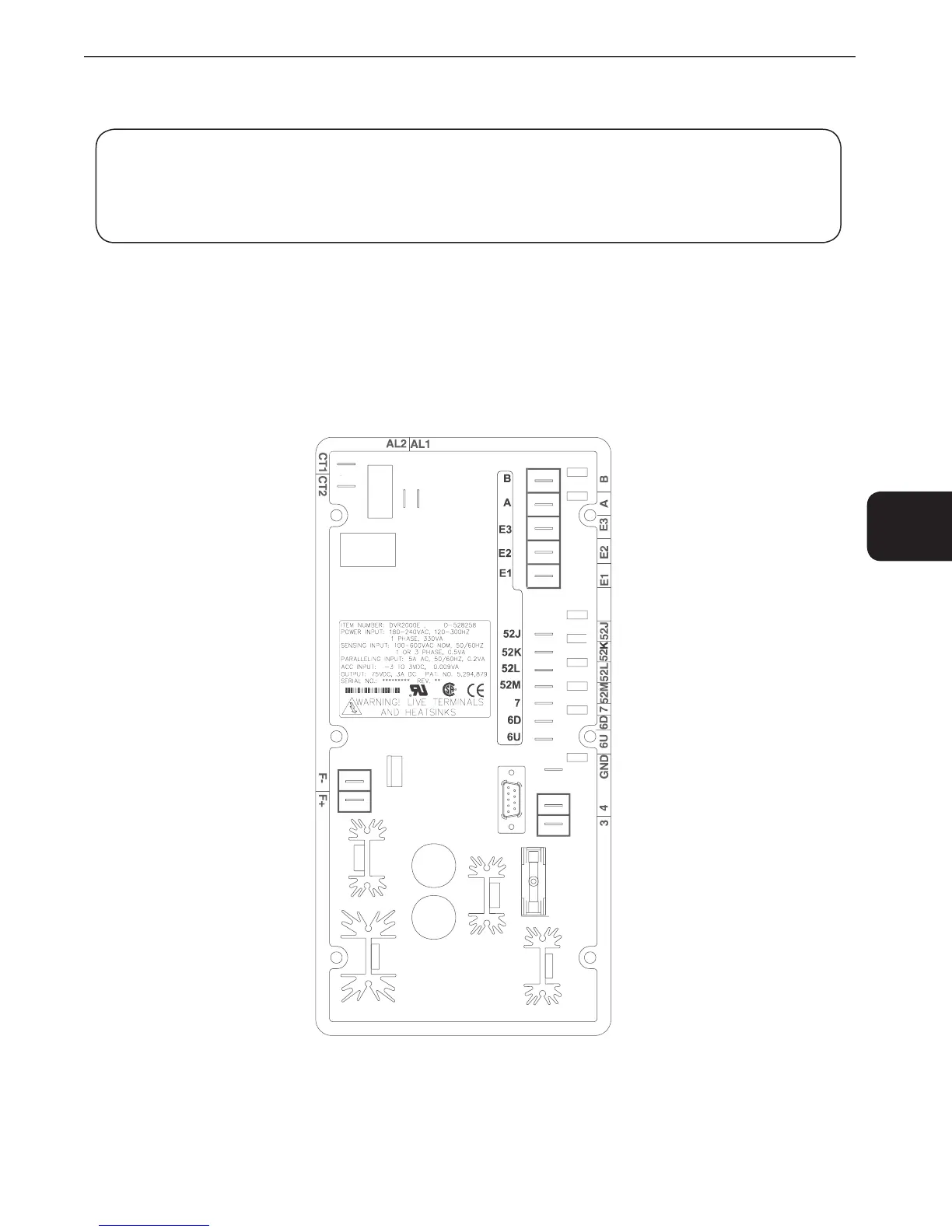
2000E units have two types of interface terminals (Figure 4-3). One type is quarter-inch, quick-connect
terminals and the other is a 9-pin DB9 connector. All terminals are located on the rear of the unit. The quarter-inch,
quick-connect terminal labels are located on the rear of the case. Wires performing common functions, such as
voltage sensing leads, should be grouped together. The 9-pin DB-9 type connector is used for temporary interface
with both IBM compatible PCs and hand-held computers.
Figure 4-3 shows the terminal connections located on the rear panel of the DVR
2000E. Except as noted above,
connections should be made with minimum wire size of 14 AWG.
2000E Rear Panel Terminals



 To Next Page