[Store Tones] Up to 20 sequence
set-ups can be stored. Use the keypad
to
enter
the store location,
number and
press
[enter].
[Recall Tones
]
To recall
a
tone
sequence, use the key pad to select the required
store location
and press [enter].
[Start Delay] The delay
before the tone sequence starts and the gap between
sequences can be
adjusted
by pressing this soft key, entering
the required delay time on the keypad and pressing
[ms].
[Mode Control] Pressing this enables
the user to assign the calling tones to a selected
type of
modulation, see
Fig.
3-1-15.
Modulation, on the selected channel, is turned
off when the tones
are
triggered and restored after the tones have
been sent. Modulation on other channels is
not
affected by the calling tones and
this allows sequential signalling tones
to be combined with sub-
audible
tones. [NO mod] This option effectively inhibits sequential
tones. The tone sequence can
be sent between 1 and 9 times,
set by
[No.
of
Repeats], every time the [Send Tones]
key is
pressed. Setting the number
of repeats to 10 allows the tones to be sent
continually under control
of the
[Send Tones[/[Stop Tones] key at the main menu.
LOCAL
Mode
Control
Select
Standard
Store
Tones
Recall
Tones
Sequential
Calling Tones Utilty
Current Standard: DTMF
Mode: TOTAL FM
-
SINGLE SHOT
Tone Seq,
################
4-by-4
CCITT Touch-Tone
Standard
Tone Duration
Tone
Gap
Start delay
70
ms
70 ms
200 ms
Tone
Sequence
Tone
Duration
Tone
Gap
Start
Delay
C0046
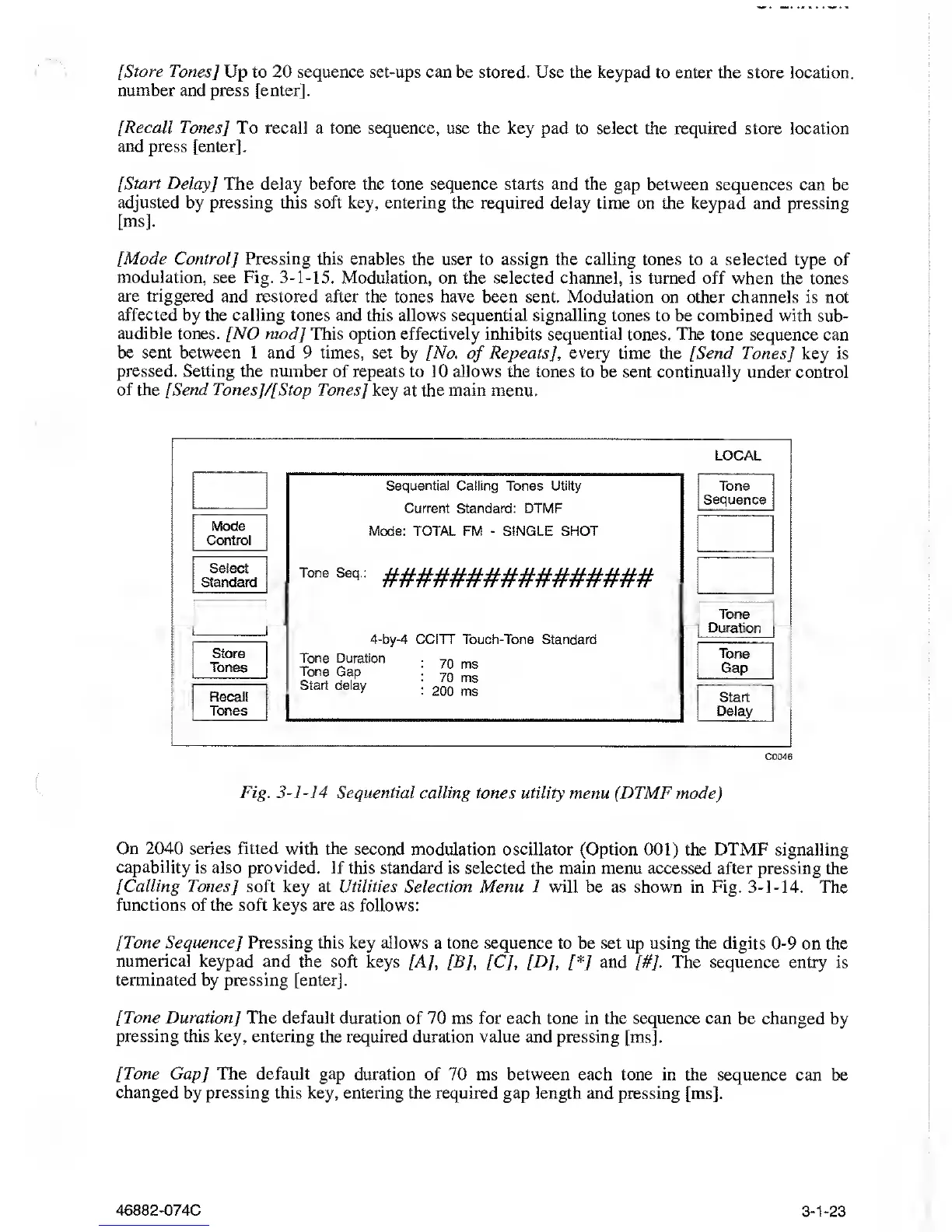
Fig.
3-1-14
Sequential calling
tones utility menu (
DTMF
mode
)
On
2040
series fitted with the
second modulation oscillator (Option
001)
the DTMF
signalling
capability is also provided.
If this standard is selected the main
menu accessed after pressing the
[Calling Tones
]
soft key at Utilities
Selection Menu 1 will be as shown in Fig.
3-1-14.
The
functions of the soft
keys are as follows:
[Tone Sequence
]
Pressing this
key allows a tone sequence to be set up using
the digits
0-9
on the
numerical keypad
and the soft keys [A], [B],
[C],
[D], [*]
and
/#7-
The sequence entry is
terminated by pressing [enter].
[Tone
Duration
]
The default duration
of 70 ms for each tone in the sequence can
be changed by
pressing this key, entering
the required duration value and pressing [ms].
[Tone Gap] The default gap
duration of 70 ms between each tone in the
sequence can be
changed
by pressing this key, entering the required gap length and
pressing [ms].
46882-074C 3-1-23



 To Next Page