- 11
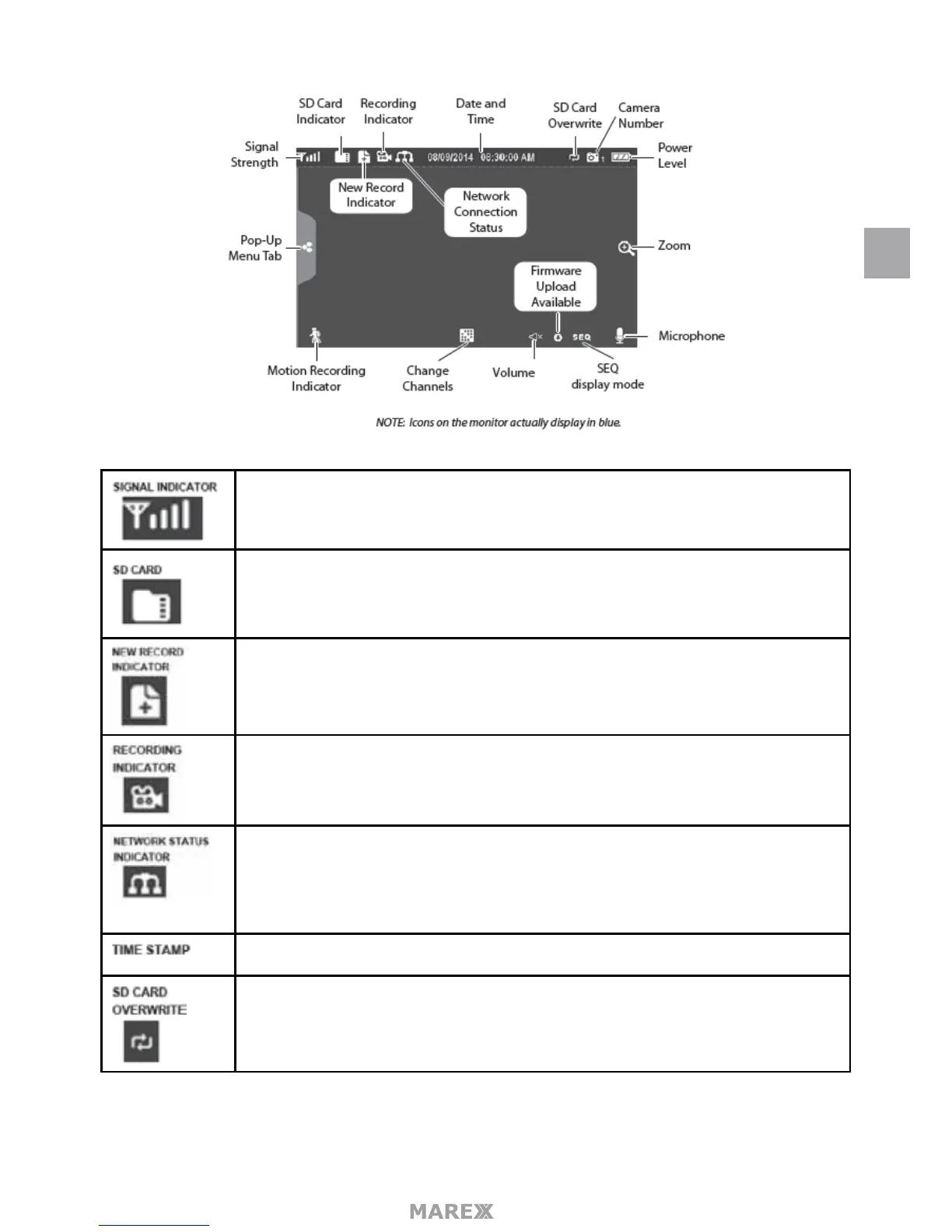
Shows how strong the camera’s signal is. Signal ranges from 4 bars down to 0 bars (out
of range).
This graphic displays if an SD card is inserted into the monitor.
• If blue, recording space is available.
• If red, the SD card is full.
Tap this icon to view recorded les.
New recordings are saved on the SD card.
When this icon ashes red, it indicates that recording is in progress.
• Green, system is connected to the internet and the monitor is connected with
internet mode.
• Yellow, system is connected to internet and the monitor is connected with
intranet mode.
• Red, connection has failed or system is not connected to a network.
Current date/time in month/day/year, hour/minute/second format.
Displays if the SD card is allowed to overwrite les when it is full.
EN


 To Next Page