- 19
1. Tap Paring on the Camera Setup screen.
2. Tap the channel number you want to pair the camera to.
3. A message displays with instructions to press the PAIR button on the camera. Press and release the PAIR
button on the front of the camera. A 30-second countdown begins.
4. The system displays live video 3 seconds after the camera is successfully paired.
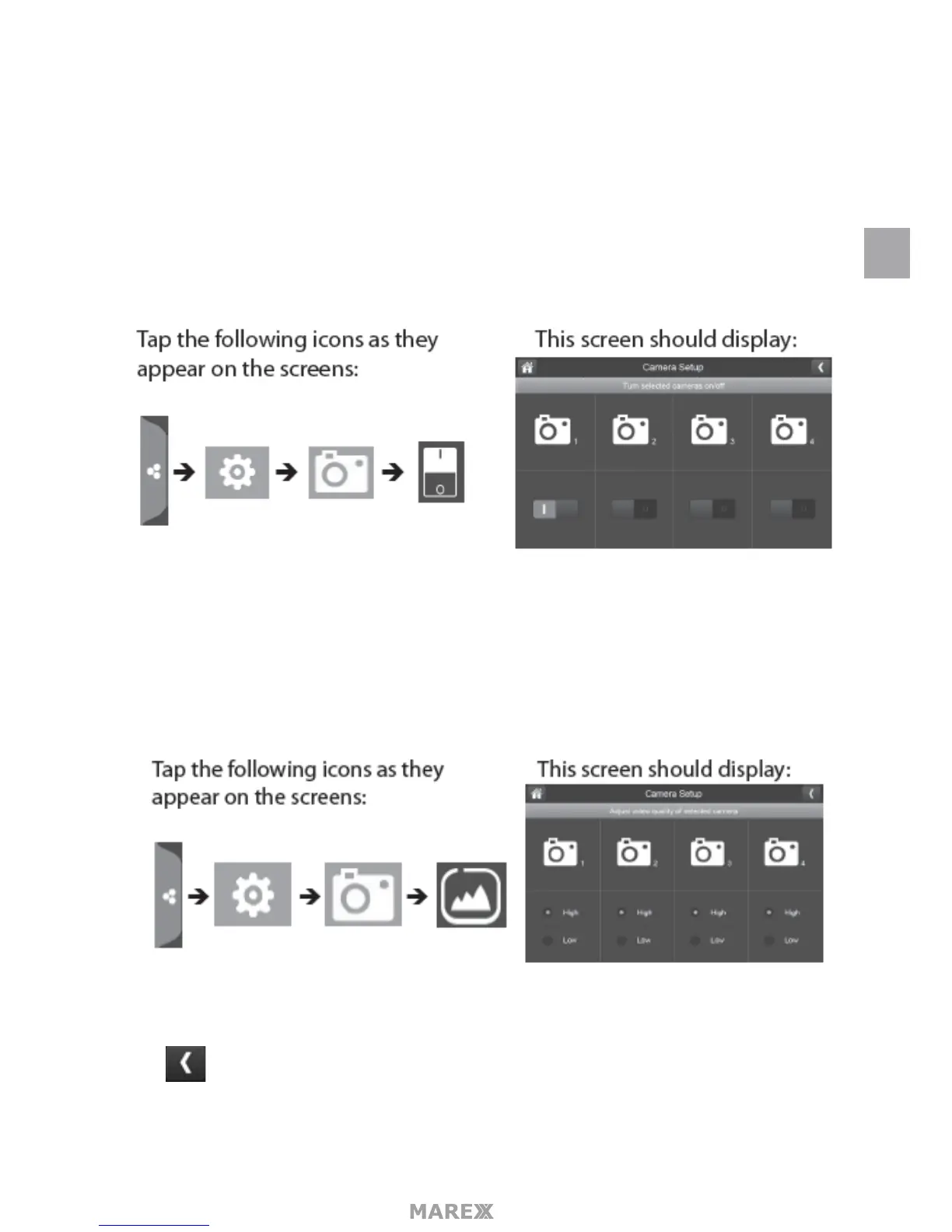
ON/OFF
When you add a camera to your system, pair up the camera with the monitor and the system will automati-
cally turn it on.
1. Tap the switch bar under the camera you want to turn on or o.
2. The switch bar indicator turns green when the camera is on. It is greyed out when the camera is o.
3. Tap to return to the previous screen.
RESOLUTION
1. Tap High or Low to set the frame rate for each camera.
2. Tap to return to the previous screen.
EN


 To Next Page