- 20
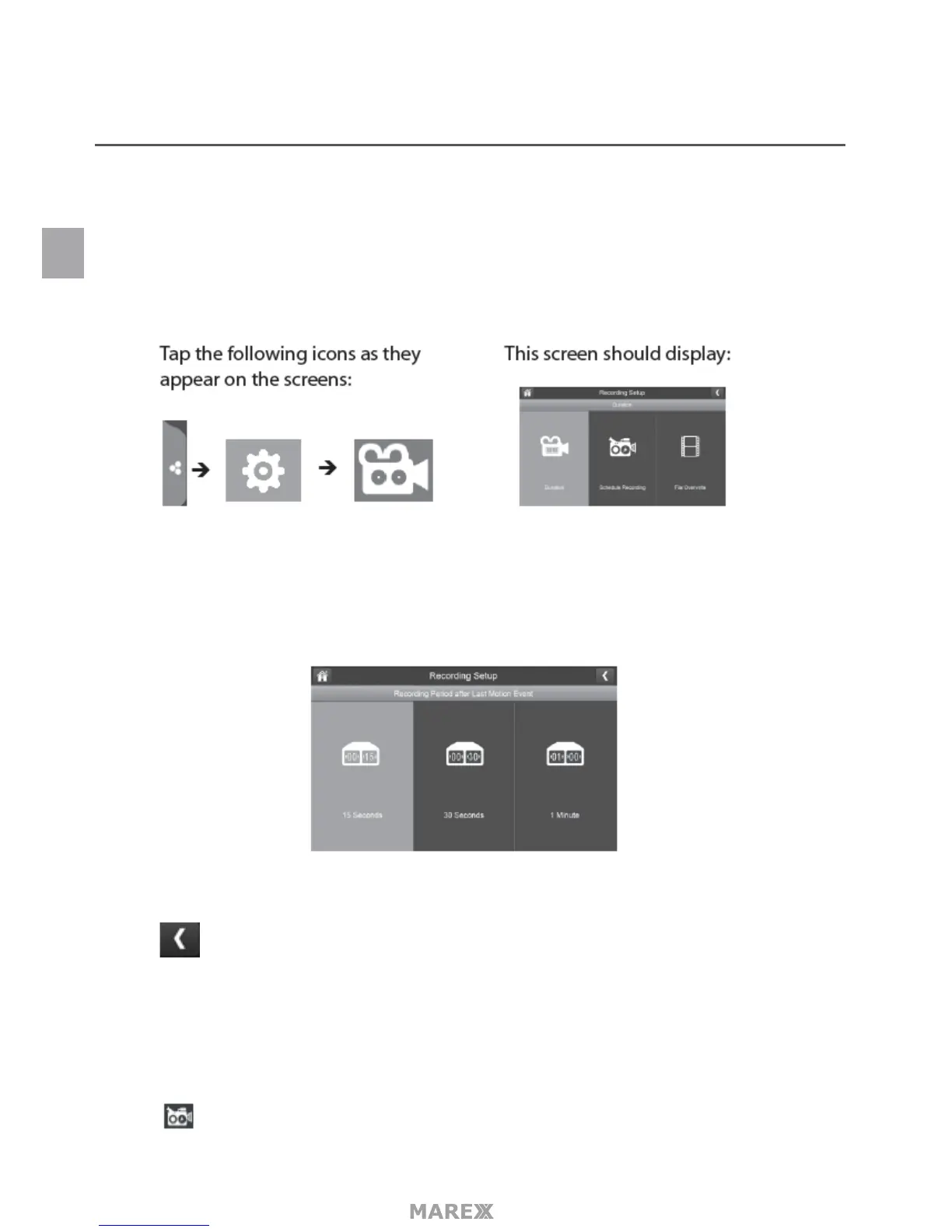
RECORDING SETUP MENU
Use the Recording Setup menu to:
• Set the length of time the system will automatically record when something triggers motion sensitivity.
• Schedule a set time and duration to automatically record when something triggers motion sensitivity.
• Schedule a set time and duration to automatically record from a specic camera.
• Set up le retention requirements.
DURATION
You can set how long the camera keeps recording after motion detection triggers it. The options are 15 sec-
onds, 30 seconds, or 1 minute. (Default = 15 seconds).
1. Tap the duration you wish to set.
2. Tap to return to the previous screen.
SCHEDULE RECORDING
This feature lets you set up a block of time for a camera to record on a weekly schedule. You can set up multi-
ple cameras to record at the same time and the recording times can overlap between cameras.
1. Tap the Schedule Recording Overview menu will appear.
EN


 To Next Page