8. Tablet holder install
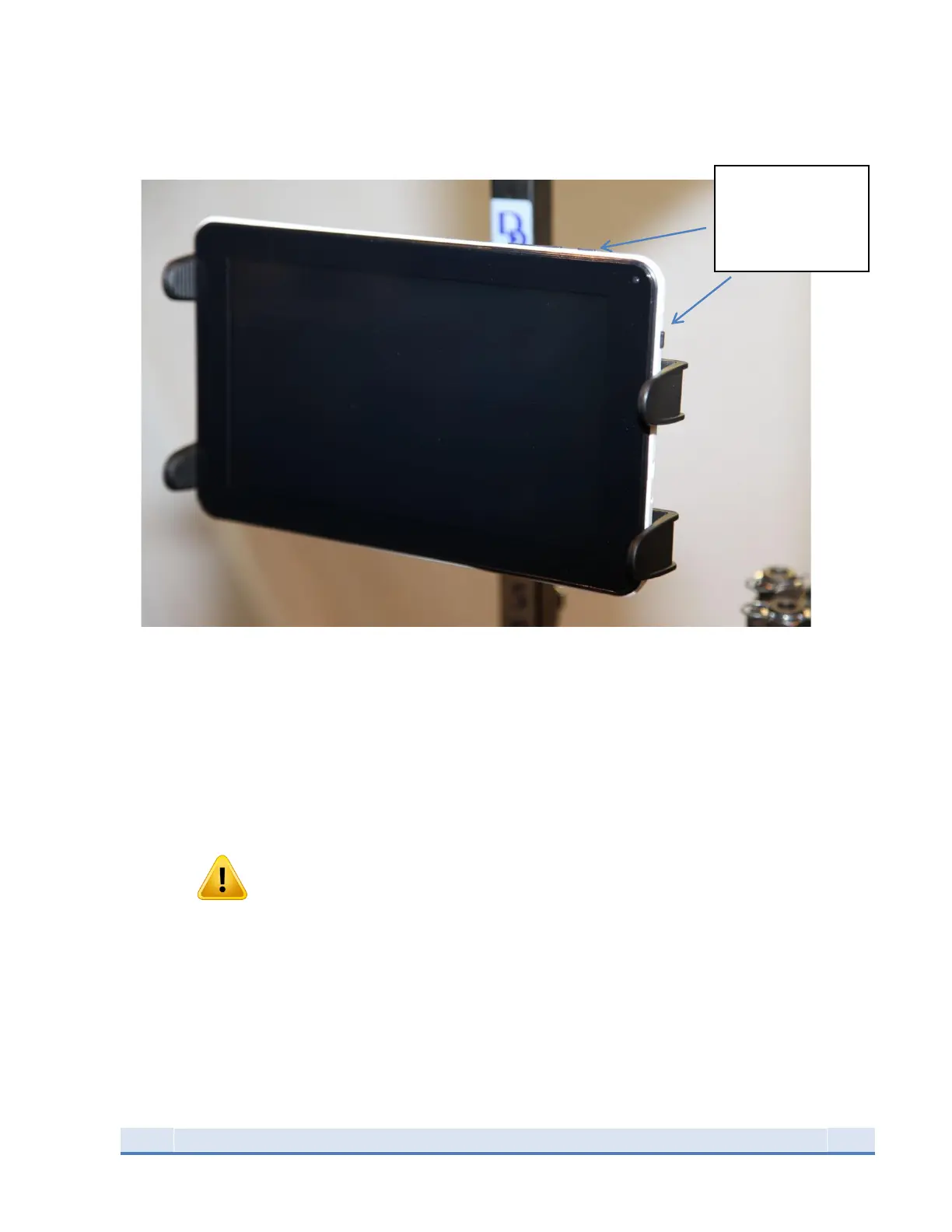
Figure 10: Tablet Installed in holder
Attach tablet holder arm to the tablet holder. The tablet holder will make a positive clicking sound when
it is seated correctly. Once attached, clamp tablet holder arm to brass feeder post at the desired
position. To power tablet, press and hold the button on the upper right side of the tablet.
Once tablet holder is positioned correctly, carefully pull tablet holder laterally (for 7” and 9”) to expand
enough to accommodate tablet as seen in picture. Be mindful that the arms do not cover the power or
the micro-USB inputs on the tablet.
WARNING
Ensure that the cables are coming from the tablet to the right of the unit. They should not interfere
with the operator’s vision of the unit and are completely out of the way of the operation of the unit. Do
not zip tie the tablet cables to Dillon case feeder pole, case feeder power cord or Mr. Bulletfeeder
power cords.


 To Next Page