9. Tablet cable outlet installation
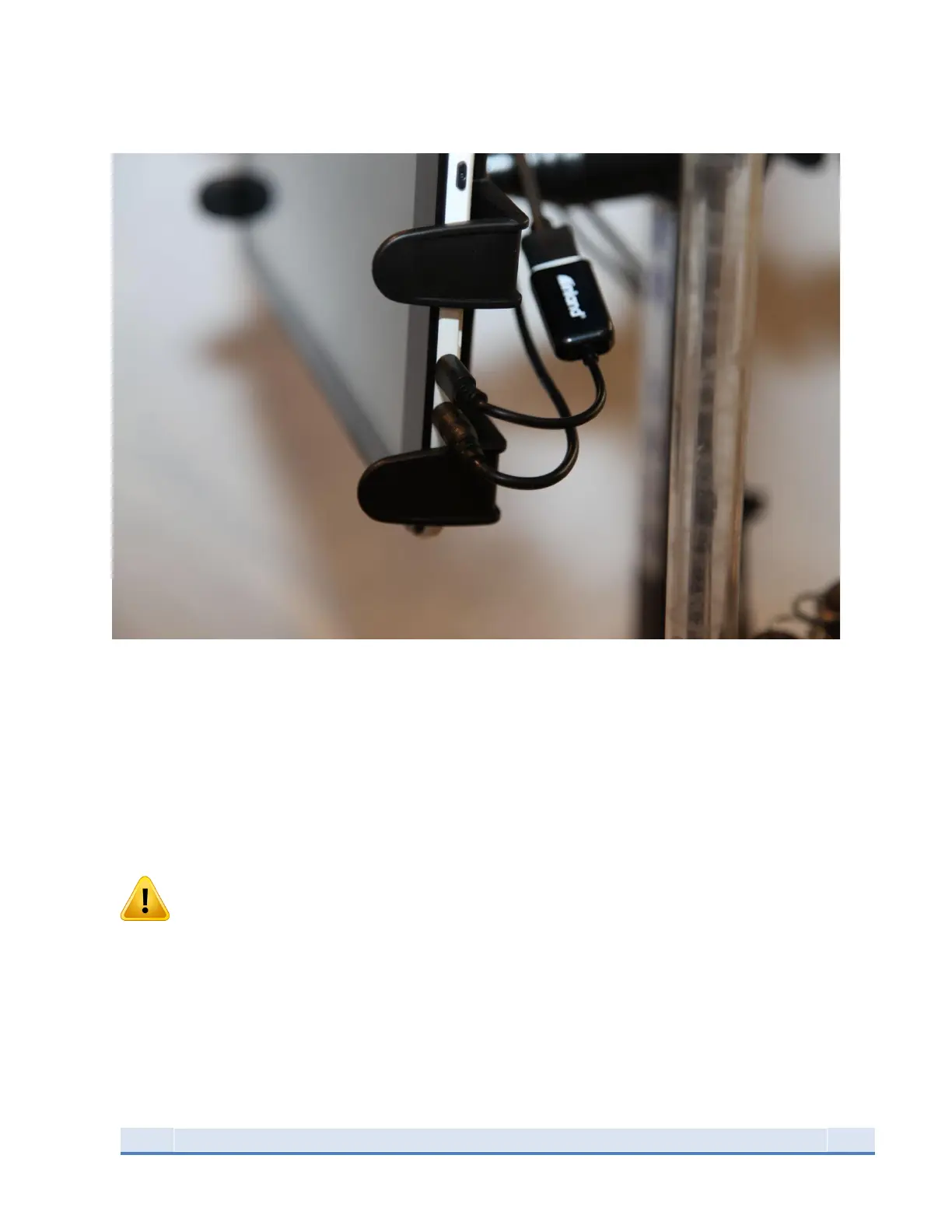
Figure 13: Tablet Connections (connections may be on top for some tablet models)
Locate and the insert power cable into the tablet’s power jack located directly below the Micro-USB.
Insert Micro-USB into the input located directly above the power jack. The Micro-USB provided with the
machine may be different from the picture above as the new version is a 1 piece micro-to-micro usb
cable that can be installed in any direction. The original Micro-USB cable is a 2-part assembly, the short
adapter with the tablet label plugs into the tablet. The long portion of the cable plugs into the
console; see section 11 or port location. The USB CONNECTION WILL ONLY WORK PLUGGED IN THIS
ORIENTATION.
WARNING -The operator of the press should always stand in front of the machine, facing the tablet with
hands near the tablet to press the STOP button in the event the press needs to stop. You should visually
see the decapping die spent primers and watch for bullets toppling or powder spilling. The best vantage
point for this is standing immediately in front of the press.


 To Next Page