24 MAC 250 Krypton/Entour
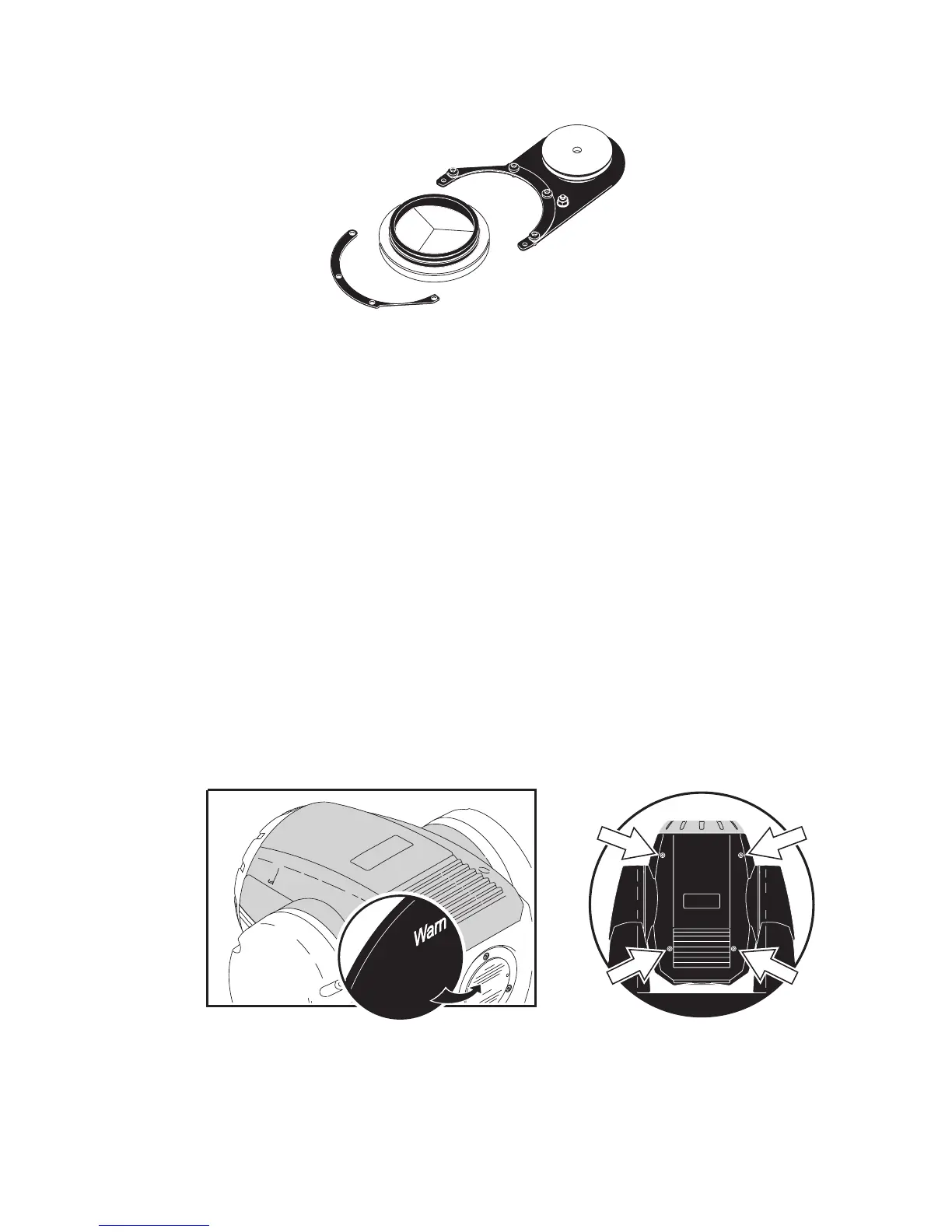
5 Using a Philips screwdriver, remove the half-circle shaped plate that holds the prism into place (as indicated
in this illustration).
6 Remove the rubber belt to free the prism and replace it with a compatible rotating prism (contact your Martin
dealer for a list of available prisms).
7 Replace the rubber drive belt over the rotating prism and screw the half-circle shaped plate into place. The
prism should be able to rotate freely.
8 Reinsert the prism module into the fixture, reattach the leads (these are numbered) to the PCBs, and screw
the retaining plates into place.
9 Replace the top cover using a flathead screwdriver to tighten the four quarter-turn screws.
10 Connect the fixture to AC power.
REPLACING THE PRISM IN A MAC 250 KRYPTON
Danger! Intense heat. Avoid contact by persons and materials. The exterior of the fixture can get
very hot - up to 120° C (248° F). Disconnect the fixture from AC power and allow it to cool
for at least 45 minutes before handling.
Do not removing covers while the fixture is powered on as this exposes dangerous live
electrical circuits, hot surfaces, and a lamp under high pressure.
1 Disconnect the fixture from AC power and allow it to cool.
2 Remove the top cover. The top and bottom cover look the same, but the top cover is found by checking if
the text on the back of the head is oriented correctly (top) or not (bottom).Remove the top cover of the
fixture head using a flathead screwdriver to loosen the four quarter-turn screws. The top and bottom cover
look the same, but the top cover is found by checking if the text on the back of the head is oriented correctly
(top) or not (bottom) as illustrated here.
Minimum
dist
ance to flammMinimum
dist
ance to flamm
Minimum
dist
ance to illumina
Maximum
ambient te
Exterior surface to















 To Next Page