Optical configuration 25
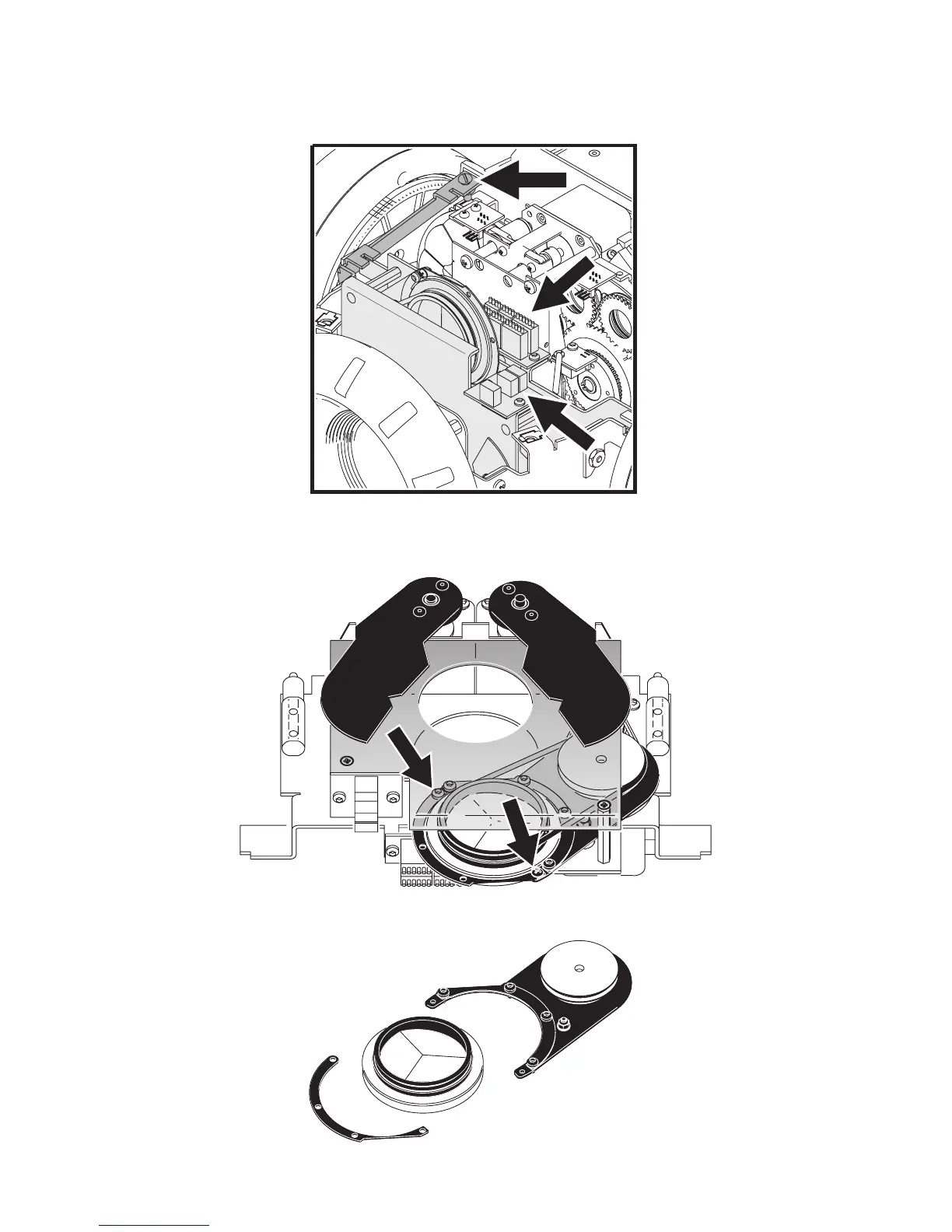
3 Using a flathead screwdriver, remove the two retaining plates (only one - at position A - is illustrated here)
holding the prism module in place. Disconnect the cables (at positions marked B) from the PCBs on the
prism module.
4 Lift the prism module out of the fixture.
5 Using a Philips screwdriver, remove the half-circle shaped plate that holds the prism into place (as indicated
in this illustration).
6 Remove the rubber belt to free the prism and replace it with a compatible rotating prism (contact your Martin
dealer for a list of available prisms).
A
B
B















 To Next Page