13
11. Check the light for freedom of movement and for any drift when positioned. Recheck the post and make
any necessary leveling adjustments. Raise the ceiling plate cover to the top of the pole and tighten the set
screw of the cover stop collar to hold the cover in place.
12. Turn on the power switch and check the light for proper operation. The switch has three positions: high,
medium, and low. The light is factory preset at a 27” focal distance. This can be adjusted to suit the op-
erators preference.
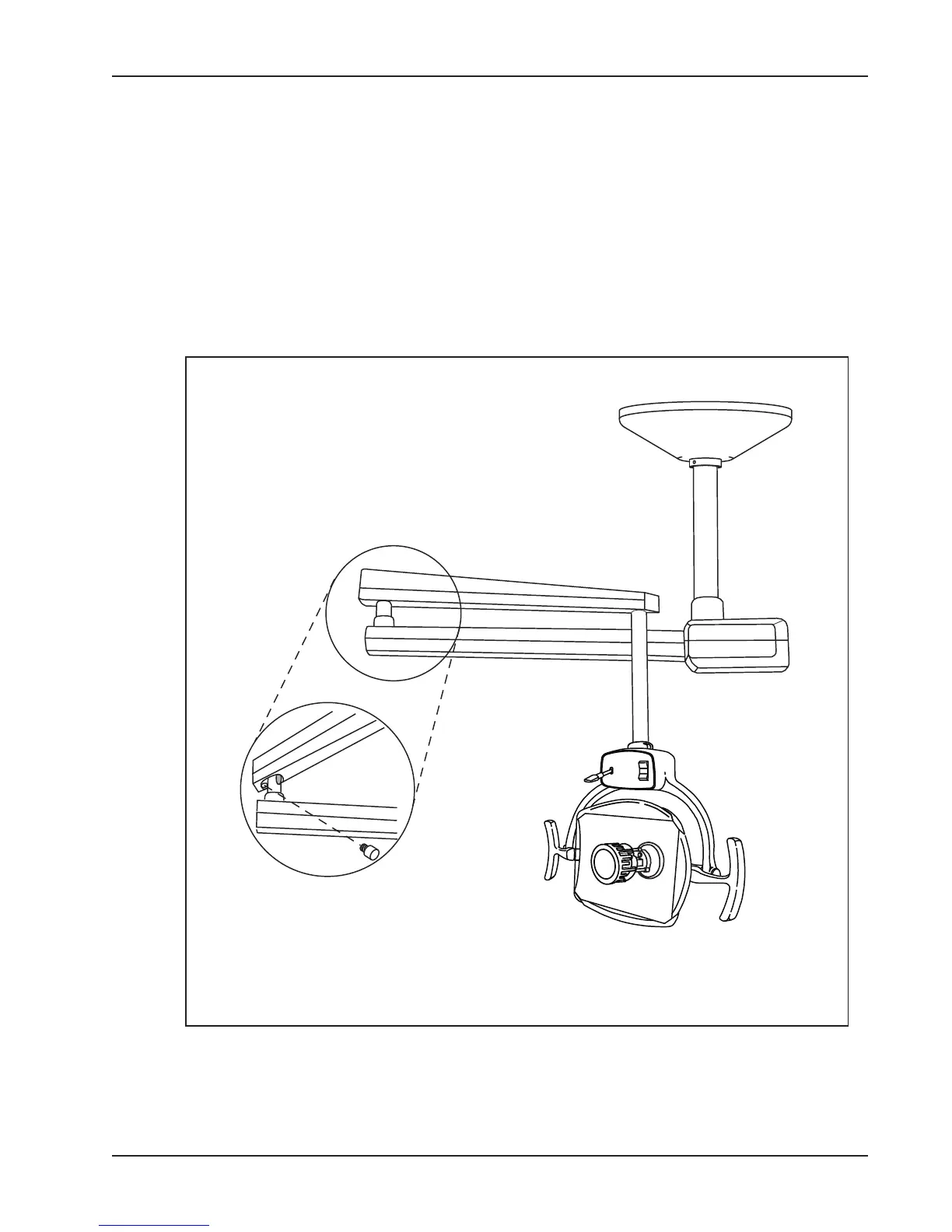
13. On some applications in ofces with low ceilings, an over travel stop may be needed to prevent contact
with the ceiling. This is supplied in the installation kit. (See gure 8).
Figure 8


 To Next Page