VIBRATION TRANSMITTER-VT7S12E
Ref No: mVTD/om/201
Issue No: 02
User’s Manual - 16 -
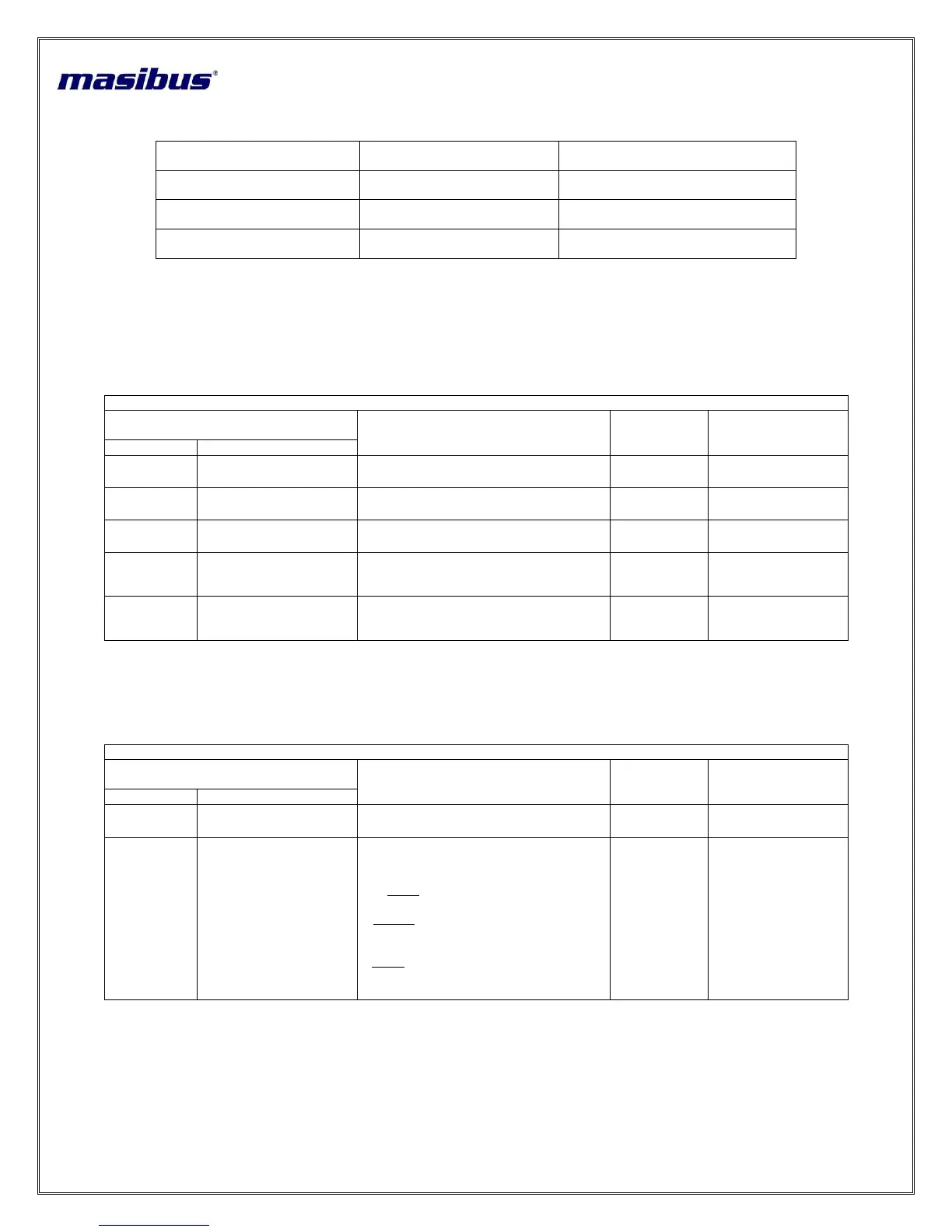
Retransmission Output number
(Decimal)
Retransmission Output
number (Hex)
Setting Name and Description
Rt.01
(Retransmission Output-1)
Rt.02
(Retransmission Output-2)
Table 12 AO (Analog Output)(Retransmission Output) description
Note: - By default For Channel-1 Retransmission output-1 and For Channel-2 Retransmission output- 2 is set.
4. Calibration mode :
Pressing MENU key, DATA window shows CAL (CAL) message. Press MENU key again, DATA window shows pwd (PWD)
message, press increment key twice to select password and then press MENU key to enter into Calibration.
Setting name and description
All Input Type Zero
Calibration
Depending on PV sensor type
selected
All input type Span
Calibration
Depending on PV sensor type
selected
Retransmission
voltage and current
Zero calibration
Depending on Retransmission
type selected
Retransmission
voltage and current
Span calibration
Depending on Retransmission
type selected
Table 13 Calibration Mode Parameter Description
5. Factory Reset Parameters :
Pressing MENU key, DATA window shows FRST (FrST) message. Press MENU key again, DATA window shows pwd (PWD)
message, press Increment key twice to select password and then press MENU key to enter into Factory Reset.
Setting name and description
C A L \P A R A \ all
(CAL)\(PARA)\(ALL)
C A L - Only calibration set to
default value
P A R A - All parameters excluding
calibration will set to default
value
A L L -Calibration and parameters
will set to default value
Table 14 Factory Reset Mode Parameter Description
Note: - Factory reset will load default parameters, as mention in MENU LAYOT (Default value). Once this function applies, user has
to switch off the instrument and again switch on the instrument to work according to Default value.


 To Next Page