Root Chapter 3- Operation
www.masimo.com 31
Masimo
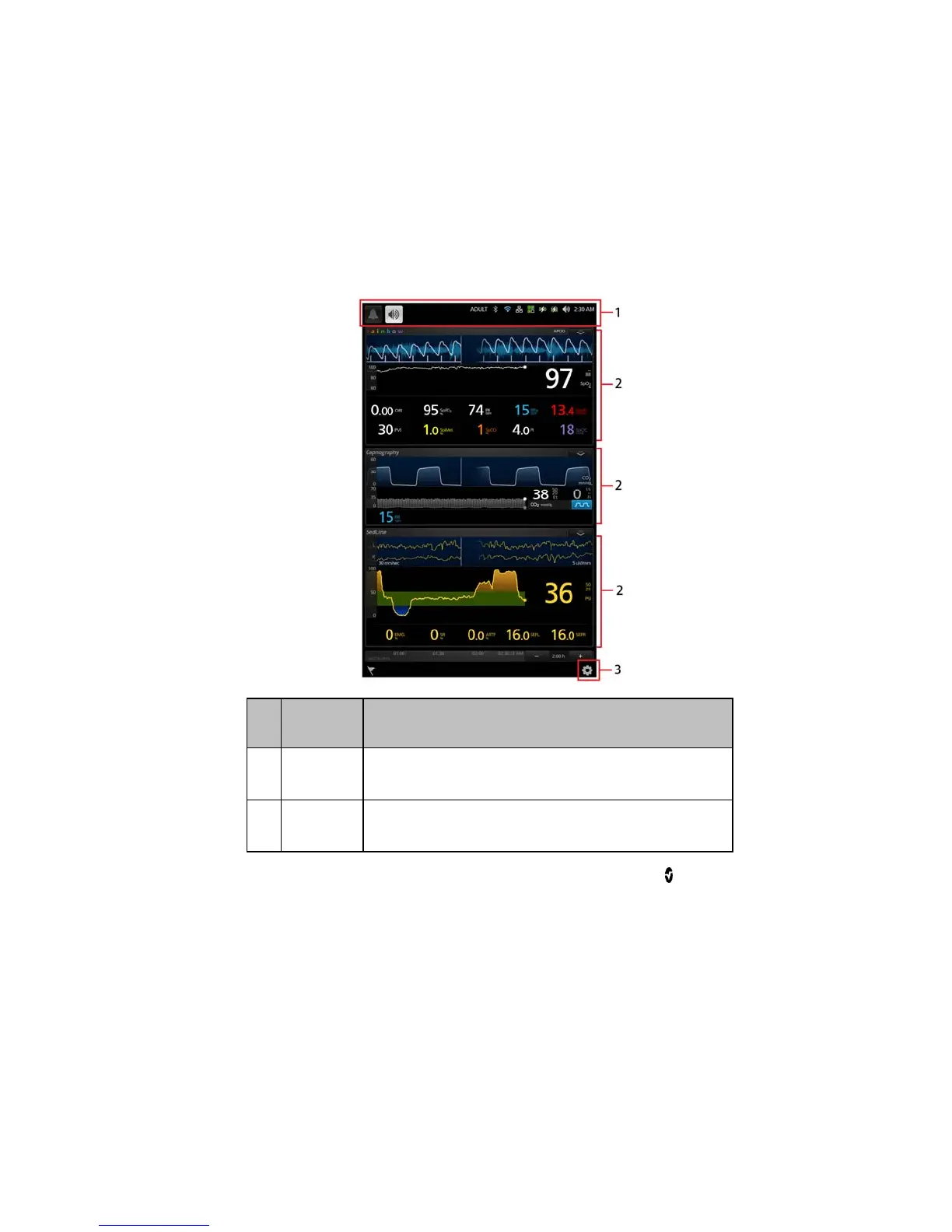
About the Main Screen
The Main Screen consists of several features. The following shows the Main Screen
when three different devices are connected, Radical-7 (top) showing rainbow®
parameters and measurements, Phasein module (middle) showing capnography
measurements and SedLine module (bottom) showing brain function measurements.
Ref. Feature Description
1
Status Bar
Displays system status as well as icons that provide shortcuts to
menu items or actions. See About the Status Bar.
2
Windows
Provides a dynamic, user-configurable display area for all the
data from connected medical devices.



 To Next Page