Administrator manual MK-TP(FP) MF (Edition 3) 2011 35
4.2 Ticket’s programming
4.2.1 Structure of ticket
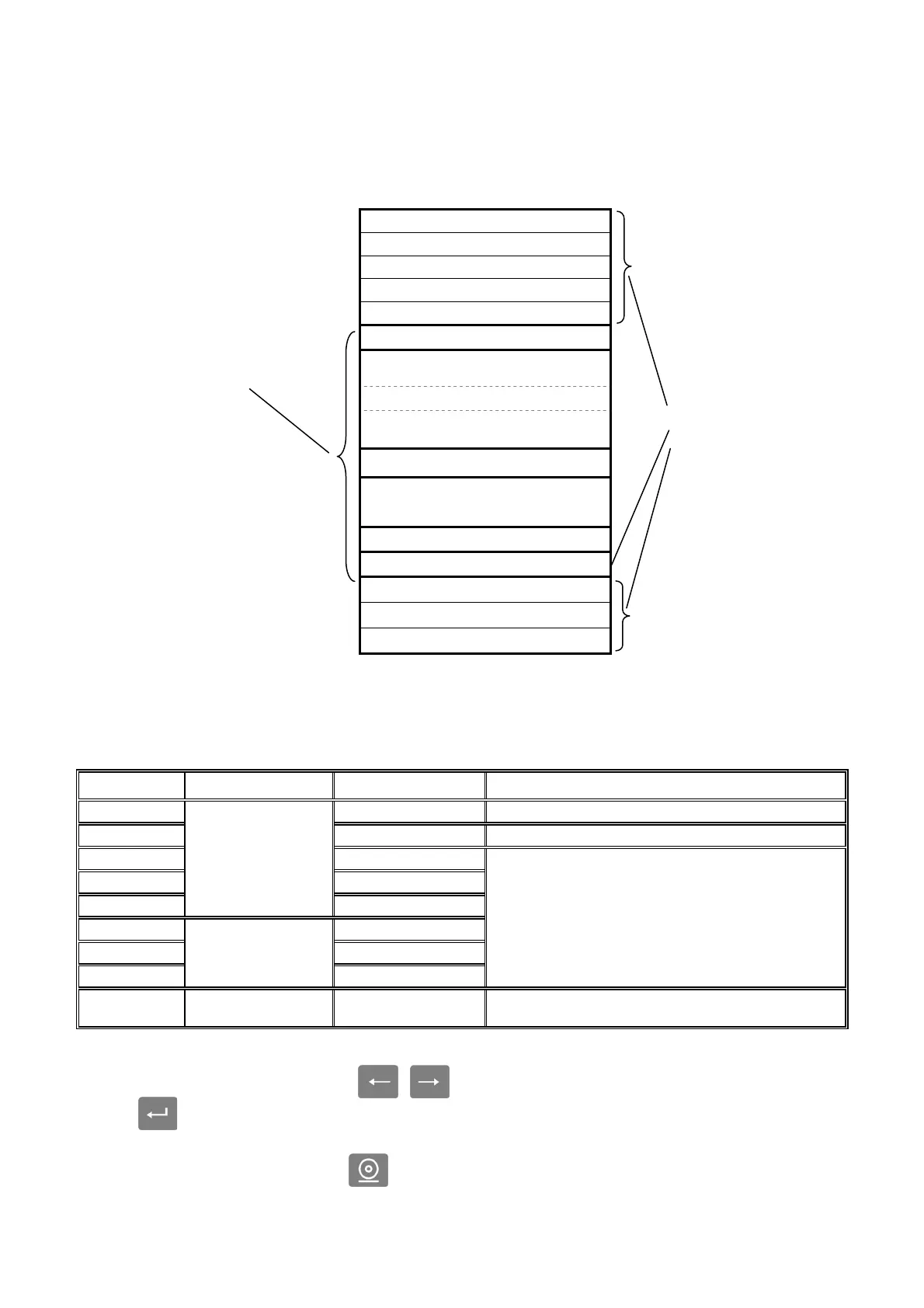
Ticket includes two groups of areas of information: necessary areas, and user area (Fig. 20). Manda-
tory areas can not be reprogrammed by the user. User area - can be programmed by the administrator.
Fig. 20. Structure of ticket
In the user area of the ticket, print only those rows that was set by administrator. Unprogrammed
rows are not printed.
Table 4. Characteristics of user areas
Row № Area name Row name Characteristic
1 Header 1 Large font. Up to 16 symbols in row
2 Header 2 Medium font. Up to 25 symbols
3 Header 3
4 Header 4
5
Header area
Header 5
6 Information 1
7 Information 2
8
Information area
Information 3
Small font. Up to 32 symbols
9 Seller area Seller details
The row contains data of seller, closed the ticket. The
data are taken from the list of sellers (4.3.1)
4.2.2 Ticket’s programming from keyboard
In the administrator’s menu, by
, buttons, select “Data input”, enter the “Data input”
menu by button. Choose “Ticket content” and enter required parameters, as shown in the diagram
(Fig. 21).
* In “Ticket content” mode by button, you can print out a sample ticket with the programmed
parameters at the moment.
Necessary areas of ticket:
- ticket №, date, time
- content
- total cost
- Cash/change
- scales serial number
Header 1
Header 2
Header 3
Header 4
Header 5
№ 001 05/10/09 12:15
Items name
00,00 х 0,000kg = 00,00
Items name
00.00 х 1 pcs. = 00.00
Total 00.00
Cash = 00.00
Change = 00.00
TPS № 0123456
Sellers details
Information 1
Information 2
Information 3
User areas:
- header area
- seller area
- information area



 To Next Page