Administrator manual MK-TP(FP) MF (Edition 3) 2011 45
Type PLU
Press button, scales display the name of item,
The price will be displayed in 3 seconds.
Place item on scales.
Press button for registration of purchase.
Type sum of money got from buyer by keyboard (point 4.6.6).
Press button, scales display change.
Press button, scales print ticket.
For print copy of ticket press button.
Note - Press for exit to the operating mode.
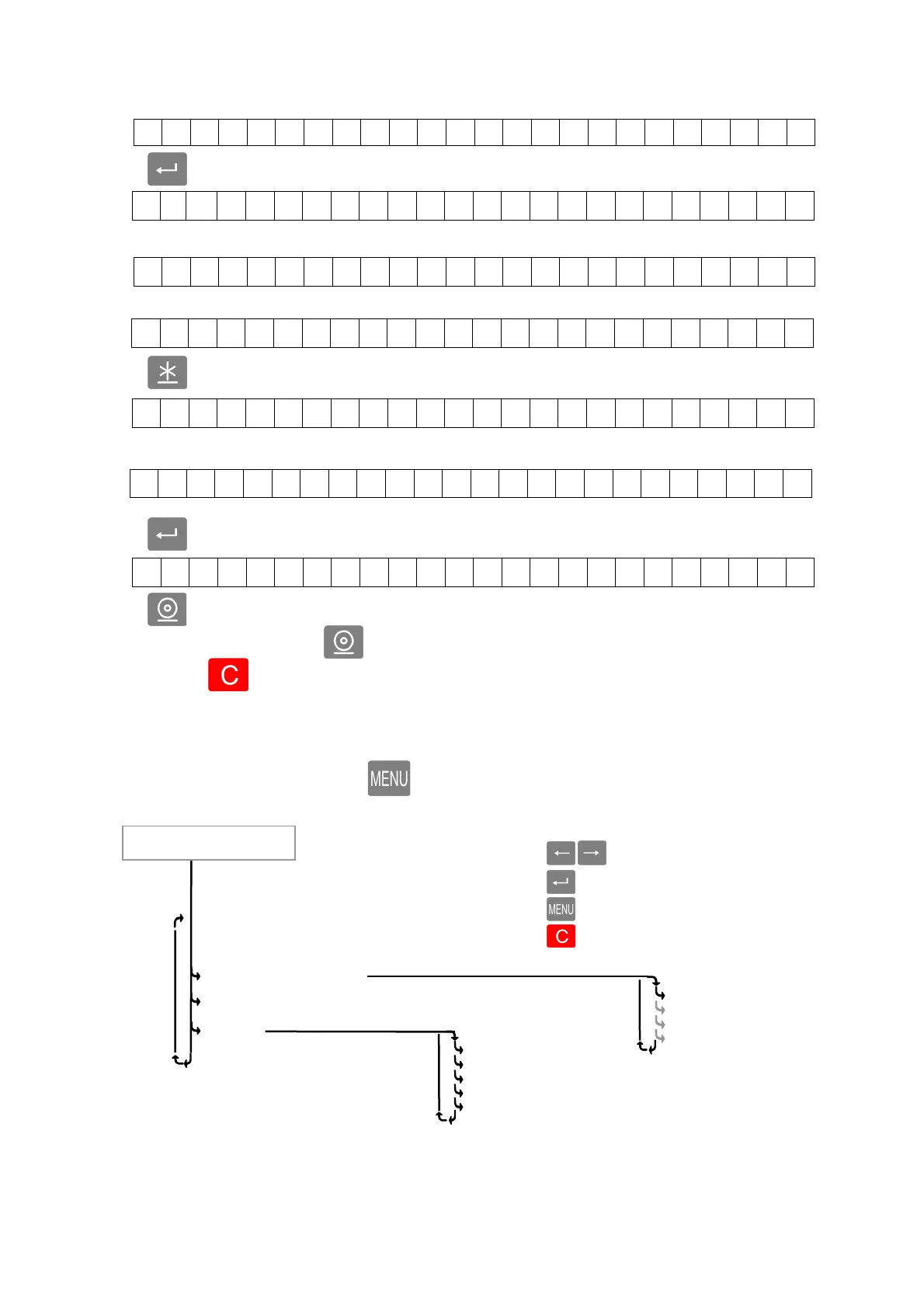
4.7 Operator’s menu
To enter to Operator’s menu, press button in operating mode.
Reports
Рис. 23. Operator’s menu
Cancel purchase. (4.7.1)
Refund (4.7.2)
Х-report (4.7.6)
Z-report (4.7.4)
10 Z-reports (4.7.5)
Goods per day (4.7.3)
Goods per month (4.7.3)
Item N
- - - - - -
Item 1
All goods
Operator’s menu
Using the keys:
- sorting menu items
- menu selection
- return on a higher level
- exit menu
P L U
2 3 5 5 5
S a u s a g e s
0 . 0 0 0 2 3 0 . 5
0
0 . 00
0 . 2 5 4 2 3 0 . 5
0
5 8 . 5 5
G O O D S 3 . T o t a l
2 9 4 . 9 3
C a s h 5 00. 00
C h a n g e 2 05 . 07



 To Next Page