8 Administrator manual MK-TP(FP) MF (Edition 3) 2011
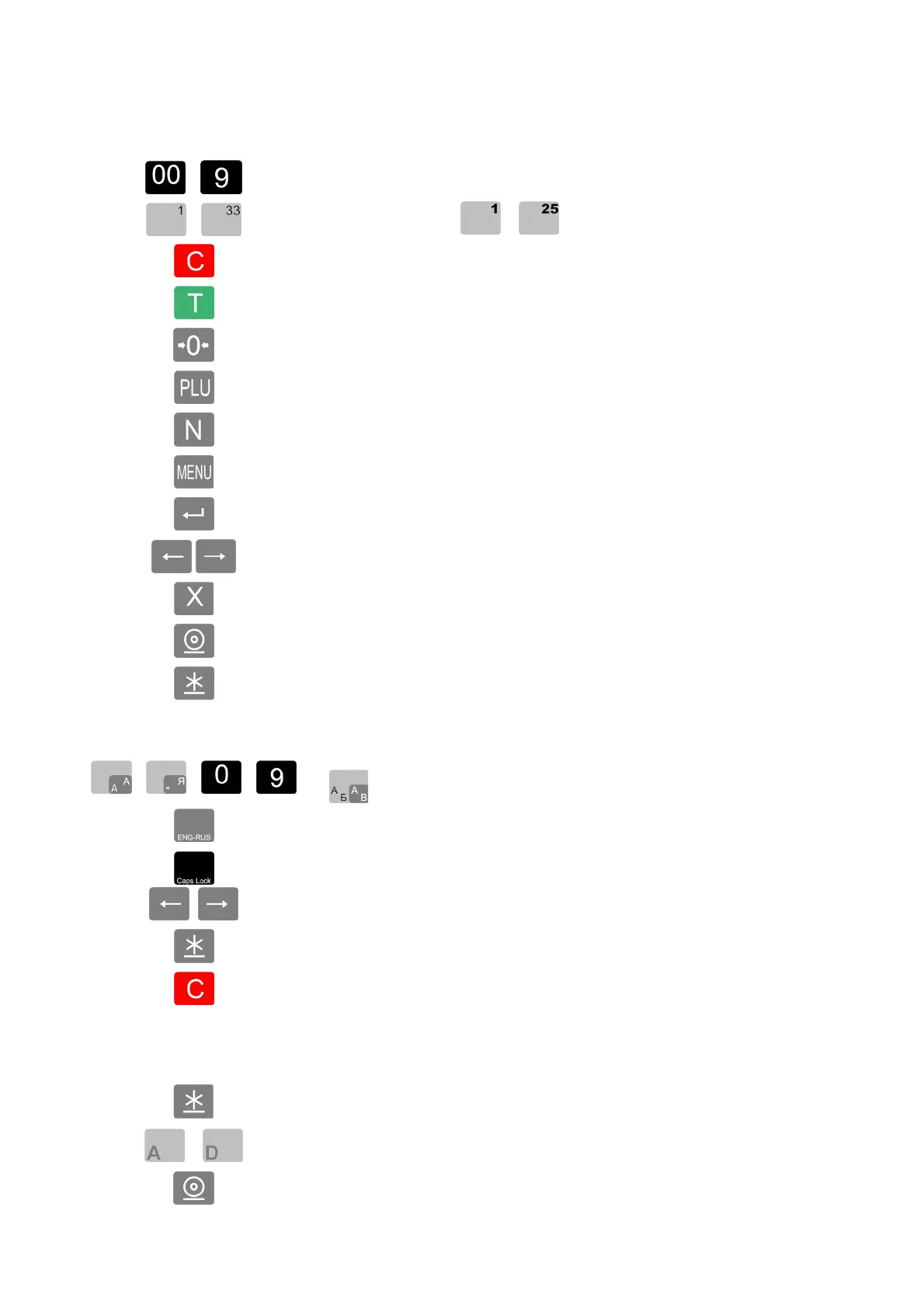
1.2.1 Purpose of keyboard buttons.
1.2.1.1 Functions of buttons in label printing mode.
…
Typing digital information.
…
Shortcut buttons. ( … - for packing scales)
Reset
Packing weight sampling
Setting zero of the scales
Item number
Name browsing
Enter menu
Enter / Save
Sorting the data or menu items
Enter to piece-item
Article label printing
Total label printing
1.2.1.2 Changing button functions when typing
… … …
Text entry keyboard
(
… … … - for packing scales)
Switching the keyboard between Latin and Russia alphabets
Switching the keyboard between small and capital letter
Moving along a row
Go to the next line
Erasing symbols
1.2.1.3 Changing the buttons in TPS mode
Purchase registration
…
Purchase registration with simultaneous operation sellers
Ticket printing



 To Next Page