44 Administrator manual MK-TP(FP) MF (Edition 3) 2011
r o a s t b e e f
For close a ticket from other modes of scales press button, scales will return to last registration.
Press
button again for ticket printing.
Notes
1 If ticket printing function is off (point 4.5.2.1), when you press
button you will see “Total”
on the indicator and total cost of all purchases. It’s the same that close of ticket. Press button for
exit.
2 In simultaneous work scales asks to identify the seller, who close the ticket (press А, В, С or D
button).
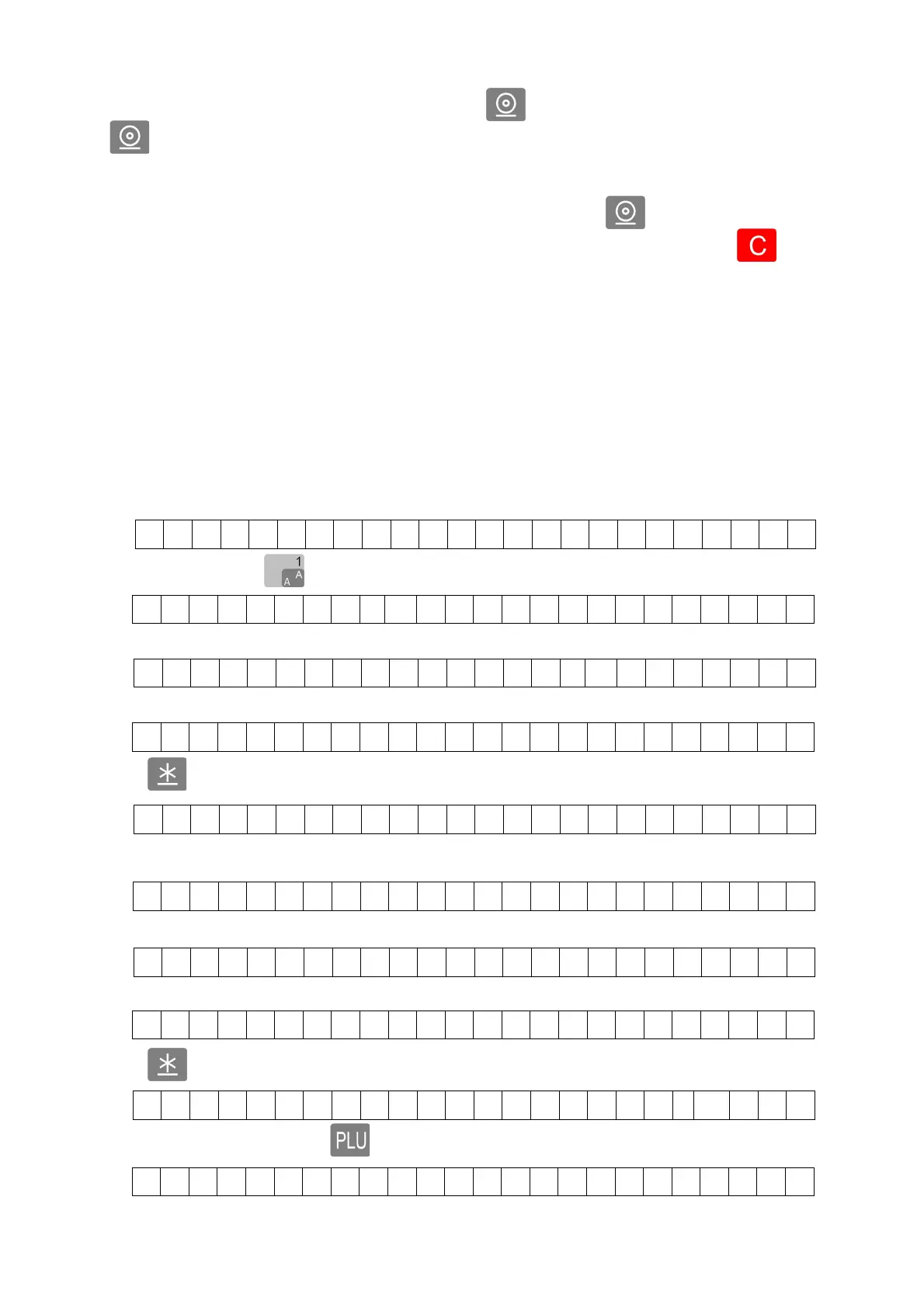
4.6.8 Example of work
As example we will use three preprogrammed items:
- roast beef (shortcut button1);
- cigarettes - 2 boxes (barcode printed on box);
- sausages (PLU number 23555).
Scales in operating mode.
Press shortcut button , scales display the name of item,
The price will be displayed in 3 seconds.
Place item on the scales.
Press
button for registration of purchase.
Read barcode from cigarettes by barcode scanner, scales display the name of item,
The price will be displayed in 3 seconds.
Type quantity by keyboard (2).
Press
button for registration of purchase.
For search item by PLU press button.
WEIGHT - kg 0 NET UNIT PRICE - eur/kg TOTAL PRICE-eur
0 . 0 0 0 0. 00 0 . 00
0 . 0 0 0 3 2 0 . 5
0
0 . 00
0 . 4 2 6 3 2 0. 5
0
1 3 6 . 3 8
G O O D S 1 . T o t a l
1 3 6 . 3 8
C i g a r e t t e s M a r l
b
o r o
1
x
5 0.
0
0 5 0 .
0
0
2
x
5 0.
0
0 1 0 0 .
0
0
G O O D S 2 . T o t a l
2 3 6 . 3 8
P L U



 To Next Page