16
stufen oder Funktionen, ist bei einer analogen
Lokomotivenichtmöglich.DieLokKongu-
ration kann in diesem Fall nicht ausgeführt
werden.EineanalogeLokwirdimDisplaymit
demBildeinesAnalogreglersdargestellt.Diese
Funktion ist auch an Analogfahrreglern nutzbar.
WICHTIGER HINWEIS
EinhochfrequentesPfeifenanalogerLokomotivenauf
demDigitalgleiswirddurchdiebesondereFormder
Digitalspannungverursacht.SieistfürdieElektronik
derLokomotivejedochprinzipiellunschädlich.(Sehen
sie hierzu in der Anleitung des Herstellers nach.)
3.5 Lokkongurieren
LegenSieinderLokKongurationden
FunktionsumfangIhrerLokomotivenfest.
DazugehörenzumBeispielAnzahlder
Fahrstufen, die Betriebsart, serielle bzw.
parallele Funktionsauslösung oder das Lokbild.
Durchlanges drücken der Taste M2 gelan-
genSieindasLokKongurationsmenü.
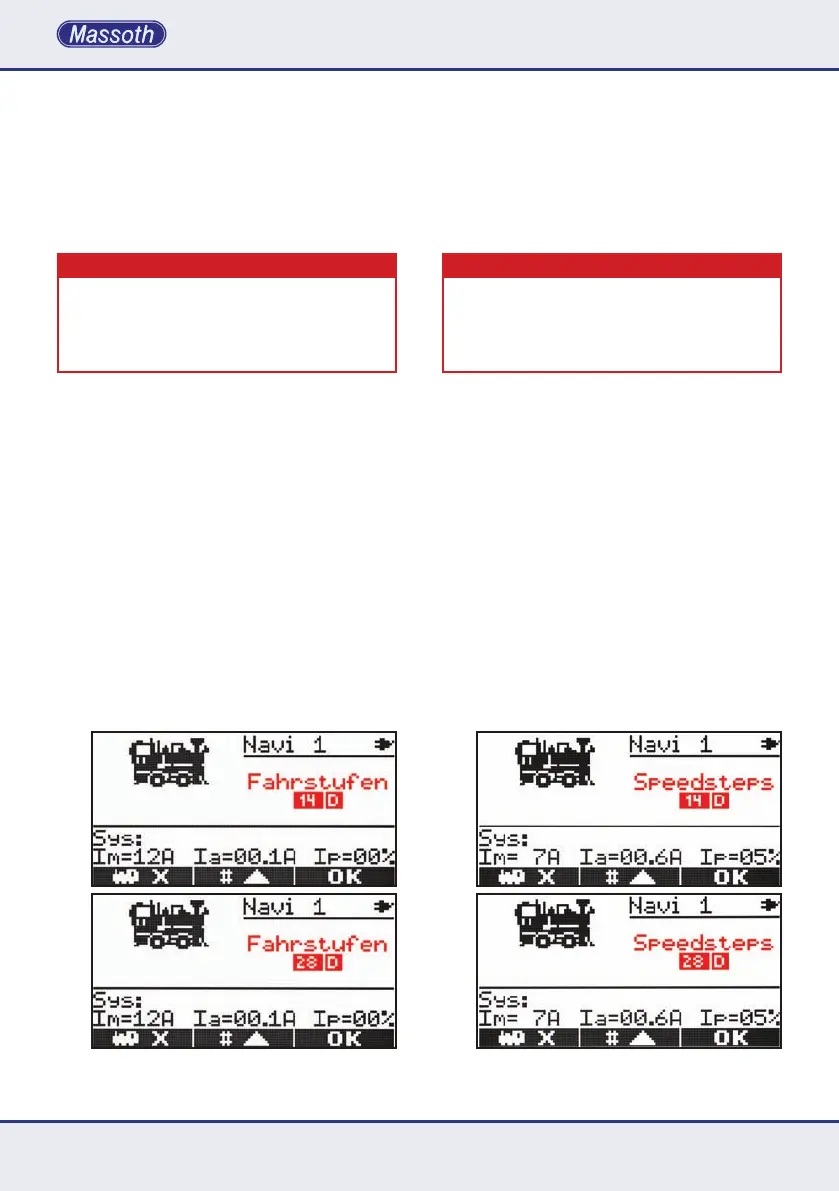
3.5.1. Einstellung der Fahrstufen
NachdemSiedieLokKongurationaufgerufen
habenbendenSiesichinderFahrstufenkon-
guration.MitM2wählenSiezwischen14D,
28Dund128DFahrstufen.DasDstehtfürDCC-
Betrieb. Bestätigen Sie anschließend Ihre Wahl
mit M3 um zum nächsten Menü zu gelangen.
Bei MZS III sind nur 14+28 Fahrstufen möglich.
analog operating feature will show an analog
throttle as loco picture. If more than one analog
locomotiveisonthelayout,theywilloperate
atthesametime!Thisfeatureisalsoavailable
withNavigatorsconnectedtosomeanalog
throttles (e.g. LGB 51070 or PIKO 35002).
IMPORTANT NOTE
Analoglocomotiveswillhaveahigh-frequencywhistle
effectcausedbytheDCCvoltageonthetrack.Thisis
usually harmless for electronics and motor. (You may
wanttocheckthelocomotivesmanualformoredetails
or contact the manufacturer for more information).
3.5 LocoConguration
Thelococongurationsetsallthelocospecic
decoder settings such as the number of speed
steps, the operation mode, serial or paral-
lel functions and the loco picture. Enter the
congurationmodeholdingM2 for a moment.
3.5.1. Setting the Speed Steps
Enteringthelococongurationwillstartwiththe
speed step setting. Use M2 to select between
14D,28D,128D(DstandsforDCCoperation).
ConrmyourselectionwithM3 to go to the
next step. MTS III only supports 14 or 28 speed
steps.


 To Next Page