18
AnschaltenoderAusschalten).DurchDrücken
der entsprechenden Taste wird diese Zahl im
Displayinversdargestellt(imBeispiel2und
4).DieseTasteistdannimDauerbetriebsmo-
dus. Solange die Taste gehalten wird, wird
die darauf programmierte Funktion ausgelöst
und nach dem loslassen wieder ausgeschaltet.
Bestätigen Sie Ihre Wahl anschließend mit M3.
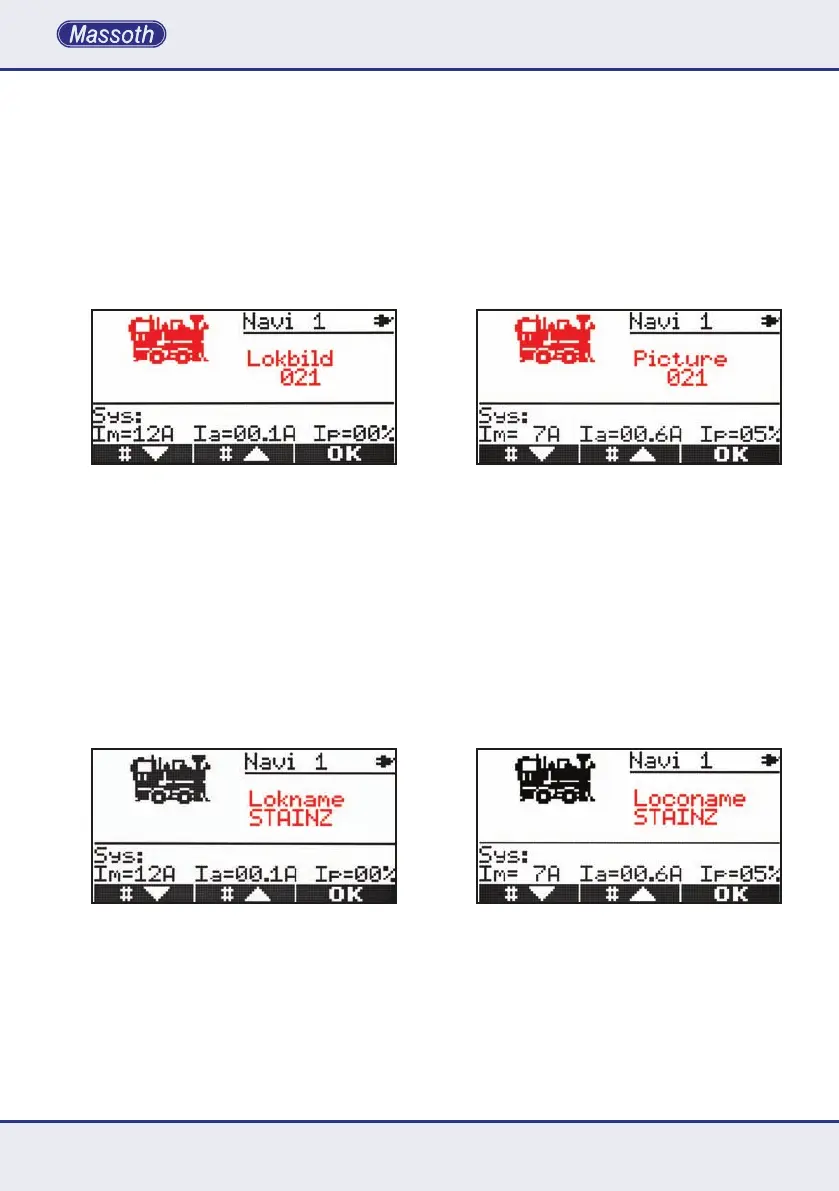
3.5.3. Auswahl des Lokbildes
Mit den Tasten M1 und M2 können Sie aus
allenvorhandenenLoksymbolendaspassende
auswählen. Zusätzlich besteht die Möglichkeit,
per Eingabe über die Nummerntasten das
Lokbild direkt anzuwählen. Bestätigen Sie Ihre
Wahl anschließend mit M3 um zum nächsten
Menüpunktzugelangen.Dieverfügbaren
LoksymbolendenSieaufeinemgesonder-
tenBeiblatt.DiesewerdenvonZeitzuZeit
aktualisiert und auf der Massoth Webseite
verfügbar.FürneueLoksymbolemussdie
Bilderdatenbank per Update aktualisiert werden.
3.5.4. Eingabe des Loknamens
HierdenierenSieIhrepersönlichbevorzugte
Lokbezeichnung, die im Fahrbetrieb unterhalb
des Loksymboles angezeigt wird. Auch bei
Nutzung der zweiten Lokfahrfunktion wird der
Lokname angezeigt. Hierbei steht der Lokname
unterhalbderLokadresse.DrückenSiedieTas-
ten M1 und M2 oder drehen Sie langsam den
DrehknopfumdurchdieverfügbarenZeichen
vate).Whenpressingthefunctionaddressthe
number will be displayed with black background
(inverted).Thisfunctionkeywillthenoper-
ate in permanent mode. The function will be
activateduntilitisturnedoffwiththefunction
keyagain.ConrmyourselectionwithM3.
3.5.3. Selecting the locomotive picture
The keys M1 and M2 will browse through
thelistofavailablelocopictures.Itisalso
possible to enter the picture number with
thekeyboarddirectly.Conrmyourselection
with M3 when ready to go to the next menu
item.Alistwiththelocopicturesisavailable
separately. It is updated from time to time and
availablefromtheMassothwebsite.Theloco
pictures can be updated with a picture update.
3.5.4. Entering a loco name
Deneyourpersonalloconamewhichis
displayedbelowthelocomotivepicturein
thedrivingmode.Theloconameisalso
displayedwhenalocomotiveisoper-
ated in the secondary function layer. The loco
name is shown below the loco address.
Press M1 and M2 or rotate the wheel knob
slowlytobrowsethroughthelistofavailable


 To Next Page