13
3.2 Binary State Funktionen
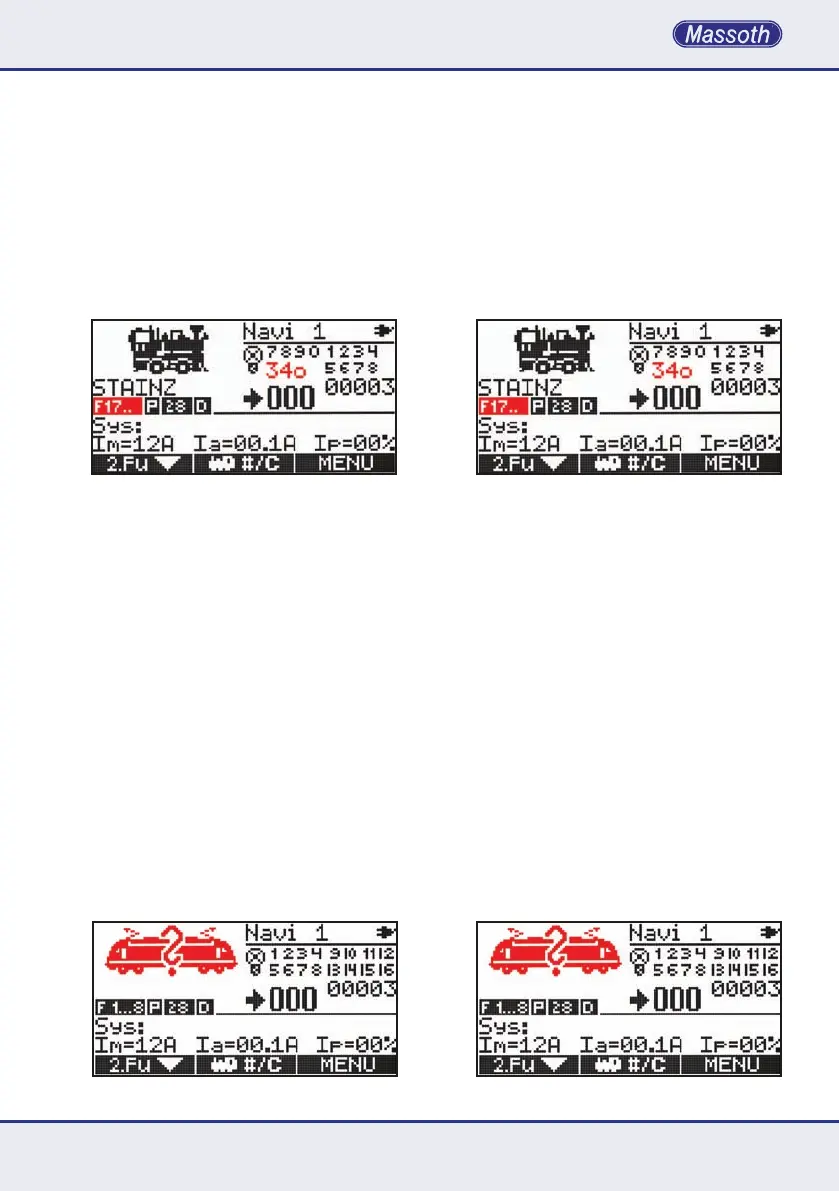
Um die Binary State Funktionen 30-99 zu
aktivieren,mussderSpezialmodusA3aktiviert
werden.DieBinaryStateFunktionensind
imBereichF17-F20perEingabeverfüg-
bar. Mit Taste 0 wird die Eingabe gestartet.
Zum Senden eines Ausschaltbefehls wird
nochmal die 0 gedrückt. (Anzeige o statt x).
DannwirddieFunktionsnummer2-stellig
(30-99) eingegeben und sofort ausgeführt.
3.3 Lokadresse wechseln
•MitkurzemDruckderLokwahltasteM2
gelangen Sie in das Eingabefenster für die
Lokadresse.DurchdieEingabeeinerLokadresse
über die Tastatur, z. B. Lokadresse 3 und einer
Bestätigung mit M3 wird die gewünschte Lok
bereitsfürdenschnellenFahrbetriebdeniert.
AnschließendspringtderNavigatorinden
Fahrmodus zurück.
•BereitsdenierteLokomotivensindinZentrale
undNavigatorgespeichertundkönnenim
Lokwahlmodus geladen werden. Gespeicherte
Loks können mit den Tasten M1 (Auf) und M2
(Ab)inderDatenbankgesuchtwerden.Istdie
gewünschte Lok gefunden, wird wieder mit M3
bestätigt.
•IstdieeingegebeneLokadressenichtdeniert,
sobendenSiesichimerstenFahrbetriebneuer
LokomotivenmitundeniertenEigenschaften
der Lok.
3.2 Binary State Functions
In order to operate Binary State Functions
from 30-99 the special mode A3 needs to be
activated.TheBinaryStatefunctionsmaybe
entered on the function address screen F17-F20.
Start the input with 0 (zero). In order to send
adeactivationcommandasecond0(zero)
is required (screen shows o instead of x).
Then enter the function address with 2 digits
(30-99). The command is sent immediately.
3.3 Changing the locomotive address
•Pressing M2 enters the loco loco selection
mode. Enter the loco address with the keyboard,
for example address 3 and press M3 to select
thelocomotive.Thelocomotiveisassignedto
theNavigatorwithastandarddecodersetting.
TheNavigatorautomaticallystartsthedriving
mode.
•Previouslyconguredlocomotivesarestoredin
theCentralStationandtheNavigatorandmay
beselectedonthelocoselectionmode.Saved
locos may be selected with M1 (up) and M2
(down)fromthedatabase.Conrmyourselec-
tion with M3.
•Iftheselectedlocoaddressisnotcongured
you will automatically start with a standard de-
codersettingwithundenedlocospecications
.



 To Next Page