31
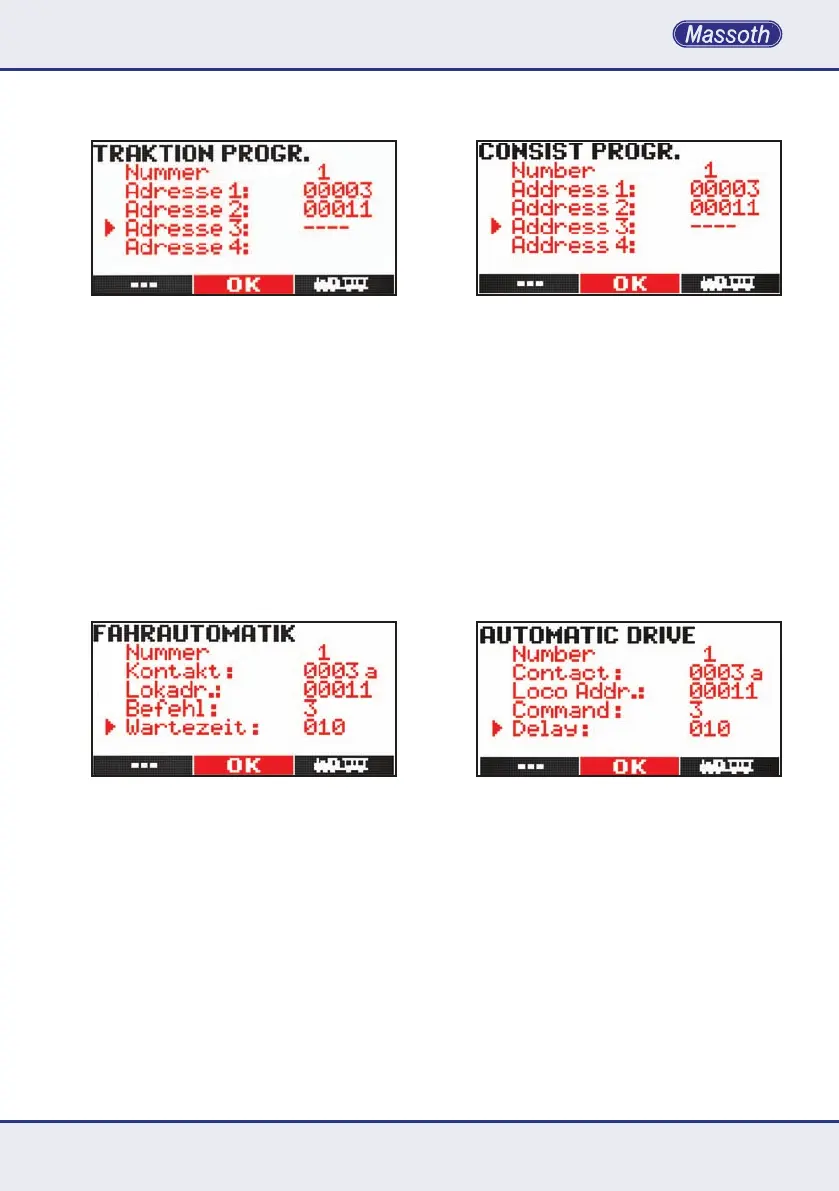
7.2 Traktionen programmieren
In der Loktraktion können bis zu 4 Loks in
einer Traktion gesteuert werden. Bis zu 16
Loktraktionen sind möglich. Geben Sie im
ersten Schritt die Nummer der Loktraktion
an. Anschließend können die Adressen der
erstenbisviertenLokeingegebenwerden.
Bestätigen Sie die Lokadresse mit der Taste
M2 und geben sie die nächste Lokadresse
der Traktion ein. Mit M3verlassenSiedas
Traktionsmenü. Wie bei der Fahrstraßenpro-
grammierung,werdendieDatenderaktu-
ellen Position und folgende gelöscht, wenn
SiedieKongurationmitM3verlassen.
7.3 Fahrautomatik
Mit der Fahrautomatik haben Sie die Mög-
lichkeit kleinere Abläufe im Fahrbetrieb zu
automatisieren ohne einen PC zu benötigen.
DazubrauchenSieGleiskontakte(8420602),
Auslösemagnete unter der Lok (8420102) und
einRückmeldemodul(8170001).Anjeder
Stelle im Gleis, an der eine Fahrtänderung
stattndensoll,wirdeinKontaktmontiert.
Berücksichtigen Sie bei der Montage die
AuslaufstreckenderLok!DerKontaktsollte
etwasvorhermontiertwerden.KlebenSieden
Schaltmagnet unter die zu automatisierende
Lok. Schließen Sie die Kontakte gemäß des
Verdrahtungsplans des Rückmeldemoduls an.
7.2 Programming Consists
Consistsholduptofour(4)lomotiveaddresses.
Atotalof16consistsmaybecongured.First
enter the number you would like to address
to the consist. Then enter the address of the
rstlocomotiveyouwouldliketocongure
intheconsist.ConrmwithM2 and enter
the next address, etc. M3 will exit the con-
sistconguration.Aswiththeturnoutroute
congurationthecongurationoftheactual
element and following elements will be deleted
whenthecongurationisleftwithM3.
7.3 Automatic Operation
Theautomaticoperationgivestheoptionto
run smaller automated train operations without
using a computer system. This requires track
contacts (8420602) and loco magnets under the
locomotive(8420102)andfeedbackmodules
(8170001). A track contact is required at any
location supposed to change the actual com-
mands.Makesuretoreserveenoughspace
for the train to roll out! The contact should
be mounted slightly earlier. Attach the loco
magnet to the motor block of the automated
locomotive.Installthecontactcorrespond-
ing to the manual of the feedback module.
Fivestepsarerequiredforprogramming:


 To Next Page
 Loading...