33
7.4 Schaltautomatik
DieSchaltautomatikerlaubtWeichenautoma-
tischzuschalten.DazubenötigenSieKontakte
im Gleis (8420602), Auslösemagnete unter der
Lok (8420102), ein Rückmeldemodul (8170001)
sowie ein Weichendecoder (z.B. 8156601). An
jederStelleimGleis,andereineAktionstattn-
densoll,wirdeinKontaktmontiert.DerKontakt
sollteetwasvorderWeichemontiertwerden.
Kleben Sie den Schaltmagnet unter die zu auto-
matisierende Lok. Installieren Sie den Weichen-
decoder. Schließen Sie die Kontakte gemäß des
Verdrahtungsplans des Rückmeldemoduls an.
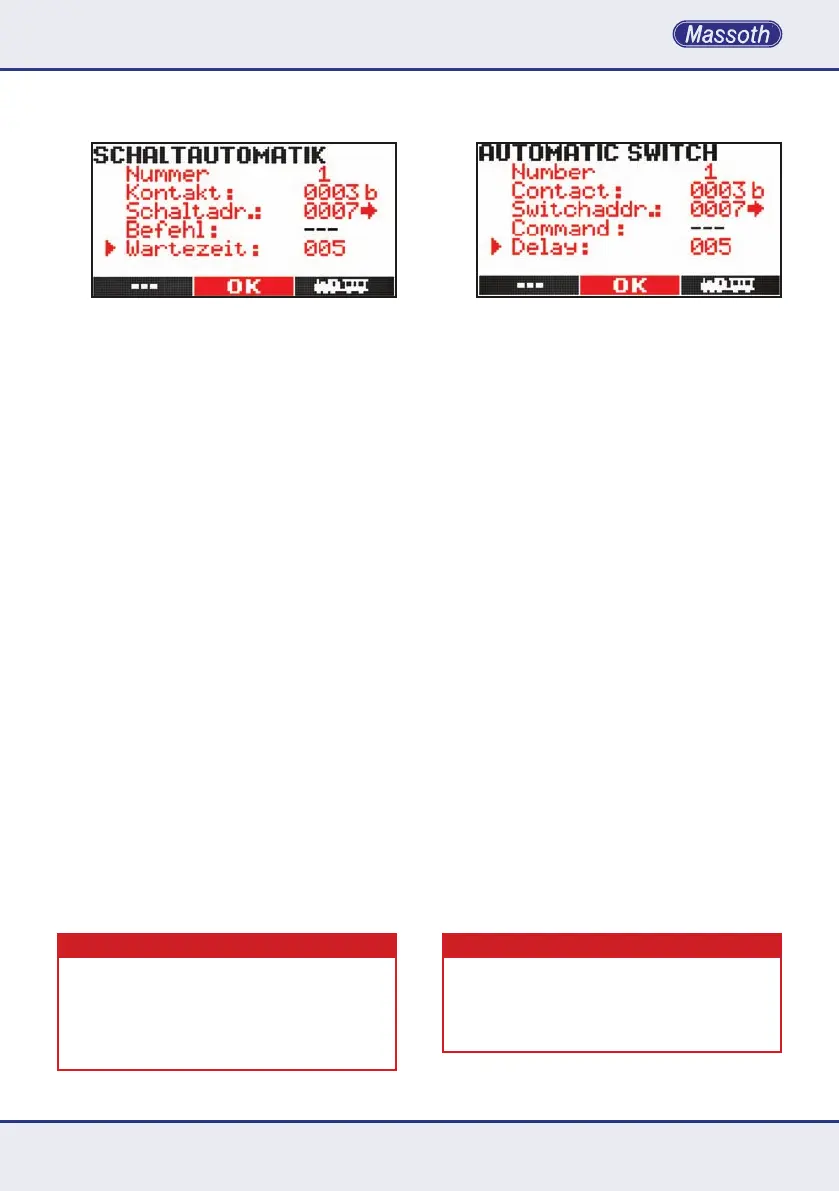
FürdieProgrammierunggibtes4Schritte:
•Fortlaufende Nummer zwischen 1...16
•Kontaktnummervergeben,dieeineFunktion
auslöst.Siehaben2048Kontaktemitje2
Richtungen zur Auswahl. (1a entspricht Kontakt
1a, 1b entspricht Kontakt 1b auf dem Rückmel-
demodul.) a oder b wird mit der entsprechenden
Pfeiltaste rechts oder links ausgewählt
•Zu schaltende Weichenadresse
mit Schaltrichtung <-- oder -->
•Ein Befehl wird nicht benötigt.
•WartezeitinSekunden(Wertvon1-255)
Nach der kompletten Eingabe werden die
Eingaben gespeichert, aber sie sind noch
nicht aktiv. Rufen Sie dazu die gewünschte
Automatik (alle Eingaben werden angezeigt)
undaktivierenSiedieFahrautomatikmit
der rechten Pfeiltaste.DeaktivierenSiedie
Funktion durch die linken Pfeiltaste.
WICHTIGER HINWEIS
DieAktivierungbzw.DeaktivierungderAutomatikfunktion
wirdimAnzeigefelddesNavigatorsnichtangezeigt.Die
DatenderAktivierungwerdennurinderDatenbankder
Zentralstation gehalten, wenn sie unter den Automa-
tikfunktionen in der Zentralstation auch gespeichert
wurden.SieheBetriebsanleitungenderDigitalzentrale.
7.4 Automatic Switch
The automatic function triggers switch
operationsautomaticallybylocomotive.
This requires track contacts (8420602),
loco magnets (8420102), feedback module
(8170001) and switch decoders connected
to the switch (8156601 or 8156001). A track
contact is required at any location supposed
to change the actual commands. The contact
should be installed slightly off the switch.
Attach the loco magnet to the motor block of
theautomatedlocomotive.Installtheswitch
decoder. Connect the contact to the feedback
module corresponding to the manual.
Fourstepsarerequiredforprogramming:
•Number of the automatic setting 1...16
•Number of the contact sending a command. Ad-
dress ranges from 1...2048 with two directions
each (1a corresponds to 1a, 1b corresponds to
1b on the feedback module). a or b are selected
with the arrow keys / secondary function keys.
•enter switch address
with switching direction <--- or --->
•no command is required
•waiting time in seconds (1...255)
After entering all details the settings are
saved, but settings are not activated. To
activatetheautomaticoperation(allcongured
detailed will be shown) reload the settings and
activateitwiththeright arrow key.Deac-
tivatetheautomaticoperationwithloading
the setting followed by the left arrow key.
IMPORTANT NOTE
TheNavigatorscreenwillnotshowactivatingor
deactivatingtheautomaticoperation.Activatedauto-
matic commands are only held in the central station
whensavedwiththecentralstationmenucommand.
Please refer to the manual of the central station.


 To Next Page
 Loading...