30
model no. 055-6768-8 | contact us 1-800-689-9928
ADJUSTMENTS
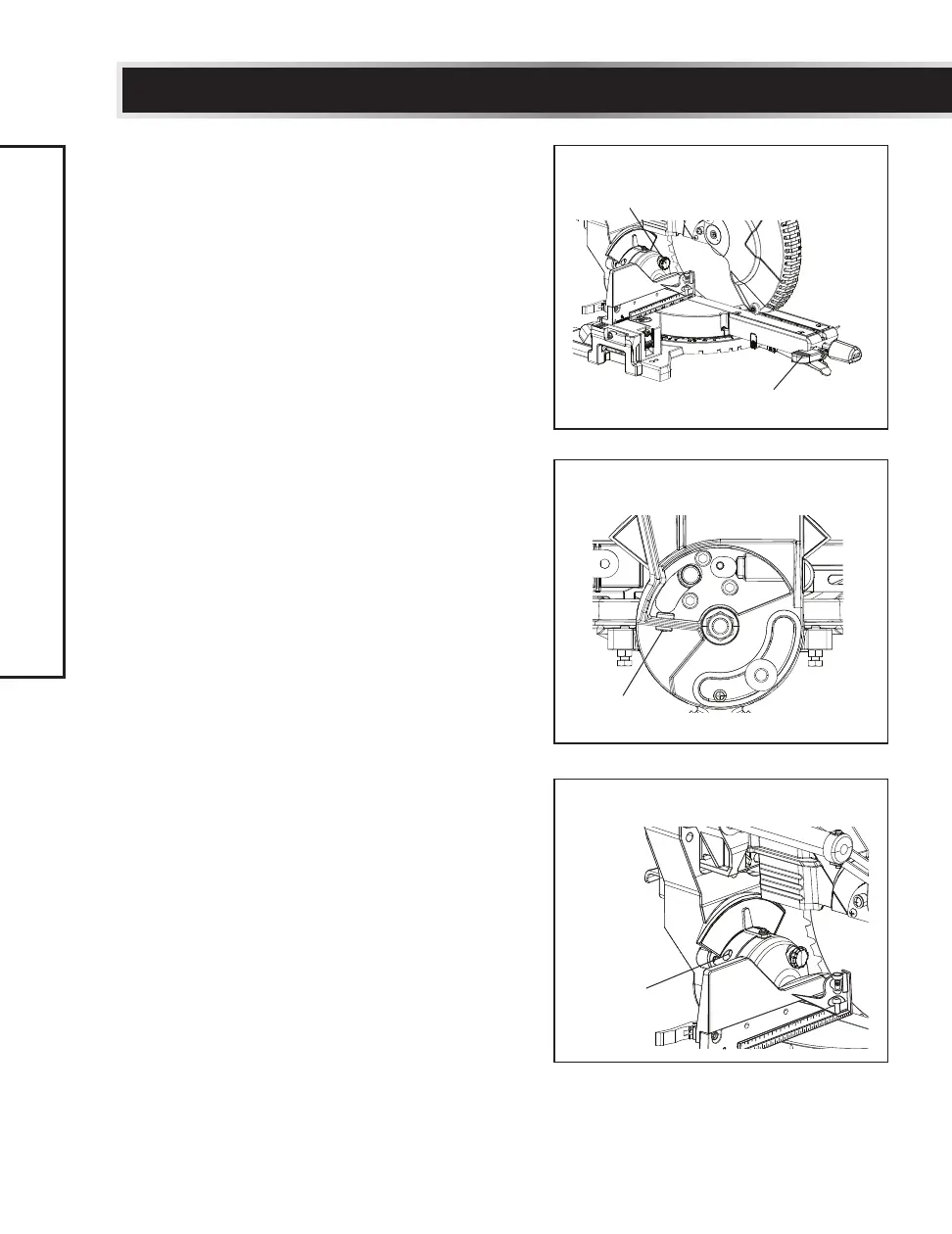
33.9° Right Bevel Adjustment (Fig. 18, 19)
• Set the mitre angle to 0°. Fully extend both
sliding fences.
• Loosen the bevel lock handle (1). (Fig. 18)
• Tilt the cutting arm to the 33.9° right
position stop by pushing in the 33.9°
bevel
detent pin (2). (Fig. 18)
• Using a combination square, check to see if
the blade is 33.9° to the table.
• If the blade is not 33.9°
to the mitre table,
tilt the cutting arm to the left, turn the hex
bolt (3) at the rear of the saw in or out with
a 3 mm hex wrench until the blade is 33.9°
to the table. (Fig. 19)
33.9° Left Bevel Adjustment (Fig. 18, 20)
• Set the mitre angle to 0°. Fully extend both
sliding fences.
• Loosen the bevel lock handle (1). (Fig. 18)
• Tilt the cutting arm to the 33.9° left
position stop by pushing in the 33.9°
bevel
detent pin (2). (Fig. 18)
• Using a combination square, check to see if
the blade is 33.9° to the table.
• If the blade is not 33.9°
to the mitre table,
tilt the cutting arm to the right, turn the
hex bolt (4) at the rear of the saw in or out
with a 3 mm hex wrench until the blade is
33.9° to the table. (Fig. 20)
Fig. 18
Fig. 19
3
1
2
Fig. 20
4



 To Next Page