Using the Scan Tool
CODE RETRIEVAL PROCEDURE
26
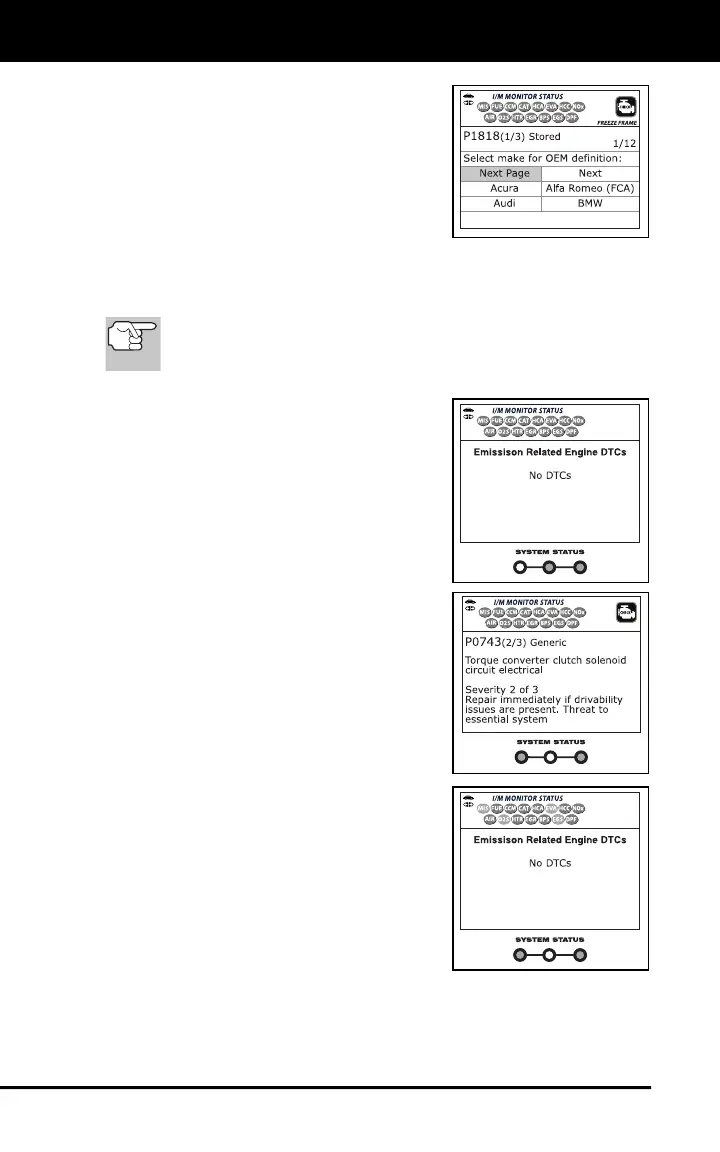
11. In cases where a “manufacturer
specific” code (P1XXX, U1XXX, etc.) is
displayed and the Scan Tool has not
determined the vehicle make and model
year (either by decoding the VIN or
through manual selection), the Select
Make for OEM Definition screen
displays. Select the desired vehicle
make to view the DTC definition for the
vehicle under test.
12. Read and interpret Diagnostic Trouble Codes/system condition
using the display and the green, yellow and red LEDs.
The green, yellow and red LEDs are used (with the LCD
display) as visual aids to make it easier to determine engine
system conditions.
Green LED – Indicates that all
engine systems are “OK” and
operating normally. All monitors
supported by the vehicle have run
and performed their diagnostic
testing, and no trouble codes are
present. All Monitor icons will be
solid.
Yellow LED - Indicates one of the
following conditions:
A. A PENDING CODE IS PRESENT –
If the yellow LED is illuminated, it
may indicate a Pending code is
present. Check the display for
confirmation. A Pending code is
confirmed by the presence of a
numeric code and the word
PENDING.
B. MONITOR NOT RUN STATUS – If
the display shows a zero (indicating
there are no DTC’s present in the
vehicle’s computer memory), but the
yellow LED is illuminated, it may be
an indication that some of the
Monitors supported by the vehicle
have not yet run and completed their
diagnostic testing. Check the display
for confirmation. All Monitor icons that
are blinking have not yet run and
completed their diagnostic testing; all
Monitor icons that are solid have run
and completed their diagnostic testing.



 To Next Page