Using the FixAdvisor
™
CODE RETRIEVAL PROCEDURE
MD70 37
If replacing the fuse(s) does not correct the problem, consult
your vehicle’s repair manual to identify the proper computer
(PCM) fuse/circuit, and perform any necessary repairs before
proceeding.
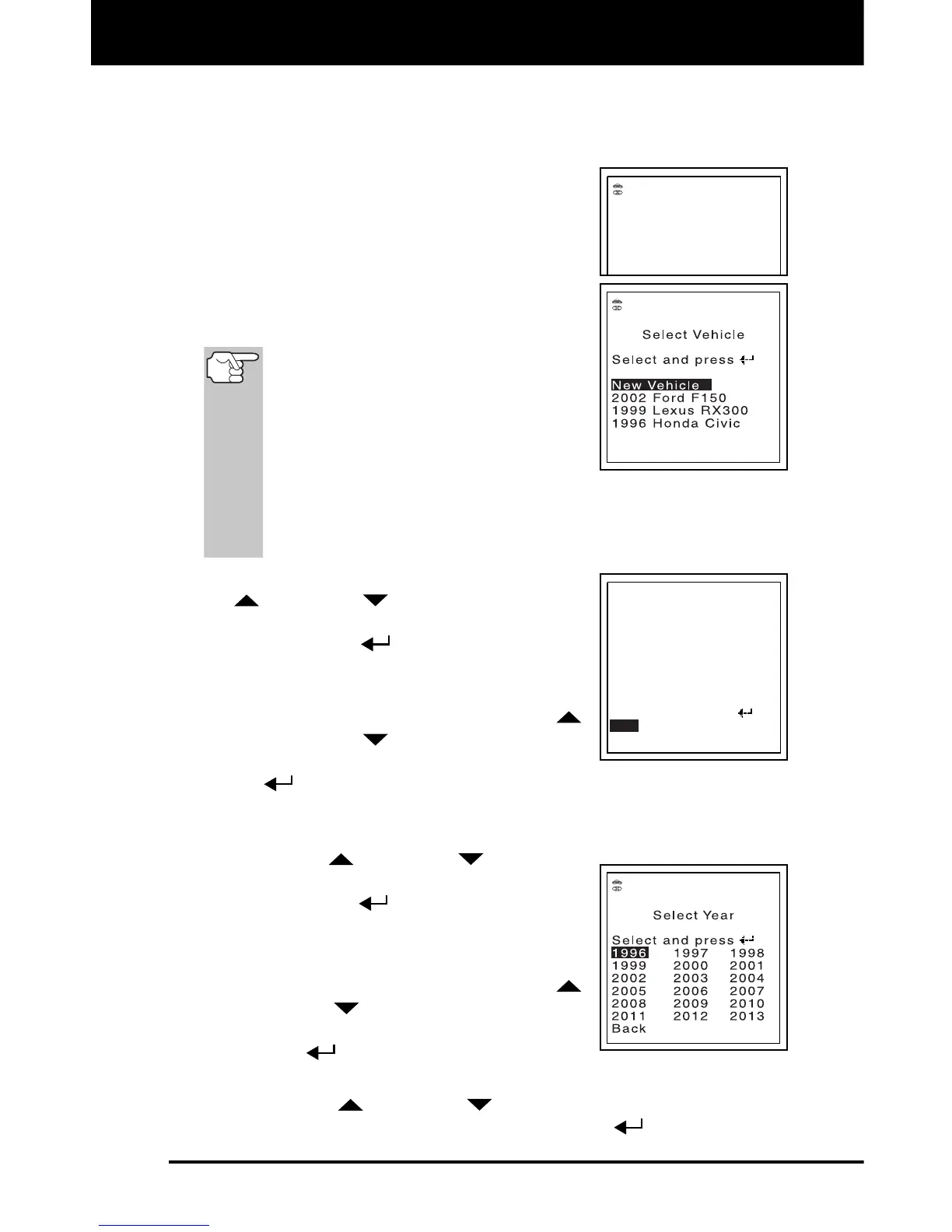
6. The FixAdvisor will automatically start a
check of the vehicle’s computer to determine
which type of communication protocol it is
using. When the FixAdvisor identifies the
computer’s communication protocol, a
communication link is established, and the
Select Vehicle screen displays. The screen
lists the three most recently selected vehicles.
A PROTOCOL is a set of rules and
procedures for regulating data
transmission between computers,
and between testing equipment
and computers. As of this writing,
five different types of protocols
(ISO 9141, Keyword 2000, J1850
PWM, J1850 VPW and CAN) are in use by vehicle
manufacturers. The FixAdvisor automatically identifies the
protocol type and establishes a communication link with the
vehicle’s computer.
7. To select an existing vehicle, use the UP
and DOWN buttons, as necessary,
to highlight the desired vehicle, then press
the ENTER
button. A vehicle
confirmation screen displays.
If the information shown is not correct
for the selected vehicle, use the UP
and DOWN
buttons, as necessary,
to highlight No, then press the ENTER
button. The Select Vehicle screen displays. Reselect the
desired vehicle.
If the information shown is correct for the selected vehicle, use
the UP
and DOWN buttons, as
necessary, to highlight Yes, then press
the ENTER
button.
- The Select System screen displays.
Proceed to step 14.
8. To select a new vehicle, use the UP
and DOWN
buttons, as necessary, to
highlight New Vehicle, then press the
ENTER
button. The Select Year
screen displays.
9. Use the UP
and DOWN
buttons, as necessary, to highlight
the desired model year, then press the ENTER
button.


 To Next Page