Live Data Mode
RECORDING (CAPTURING) LIVE DATA
64 MD70
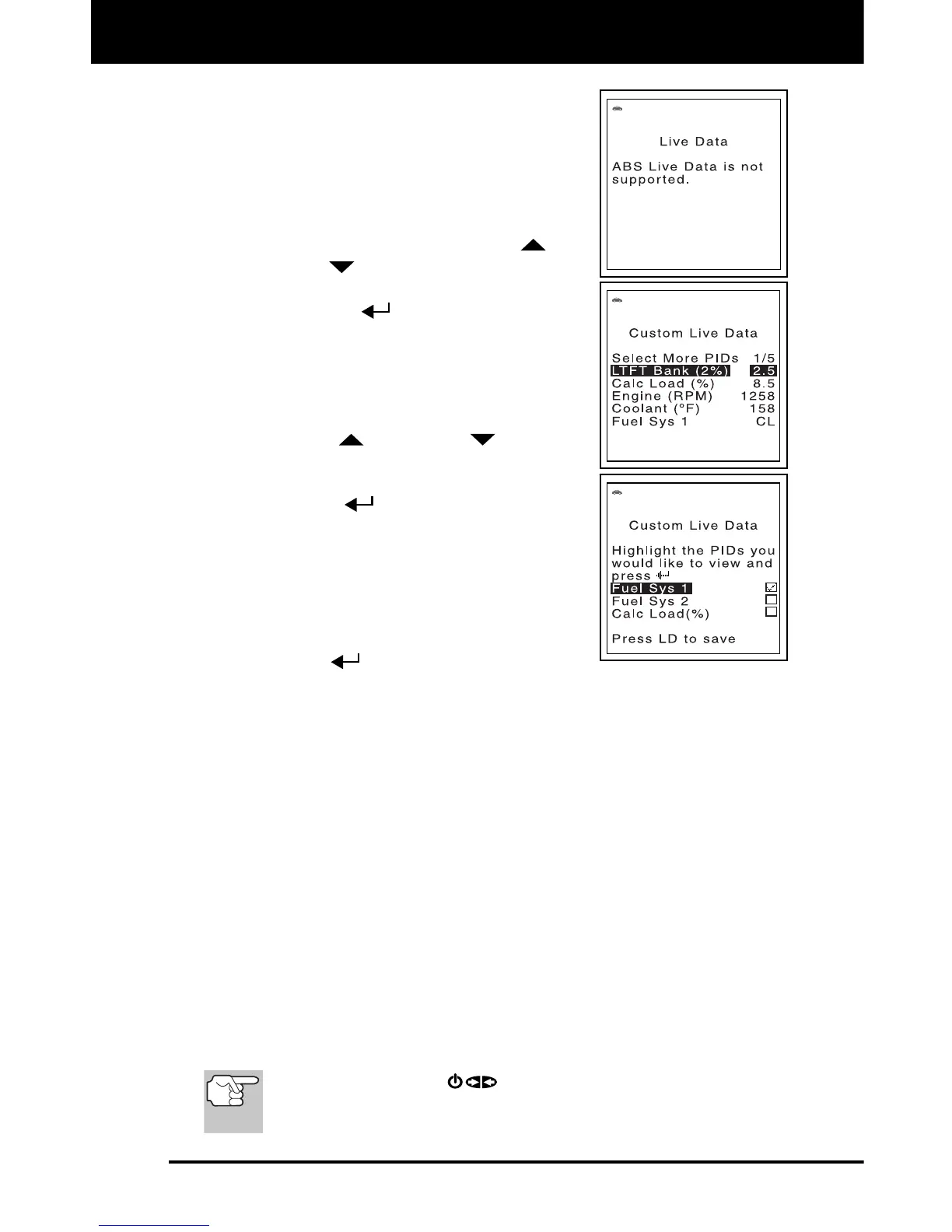
If Live Data is not supported by the
currently selected module, an advisory
message shows on the FixAdvisor’s
display.
If custom Live Data was previously
selected, the display shows the
currently selected PIDs. To reselect
custom Live Data, use the UP
and
DOWN
buttons, as necessary, to
highlight Select More PIDs, then press
the ENTER
button.
If custom Live Data was not previously
selected, the Custom Live Data menu
displays, with the first PID in the menu
highlighted.
4. Use the UP
and DOWN buttons to
scroll through the available PIDs. When the
PID you wish to display is highlighted, press
the ENTER
button to select it (a
"checkmark" will show in the checkbox to the
right of the PID to confirm your selection).
Repeat the procedure until only the PIDs you
want to display have all been selected.
To deselect a currently selected PID,
highlight the PID, then press the
ENTER
button. The checkmark will
be removed from the checkbox.
5. When you are finished making your selection(s), press the LD
button to save your changes.
The Scan Tool is now in "Custom Live Data" mode. Only the
PIDs you selected are shown on the Scan Tool’s display.
6. To exit the "Custom Live Data" mode, press the LD button.
RECORDING (CAPTURING) LIVE DATA
You can record and save several frames of Live Data information for
each PID supported by the vehicle in the FixAdvisor’s memory.
Recorded Live Data can serve as valuable information to help you in the
troubleshooting of vehicle problems.
There are two ways that the FixAdvisor can "record" Live Data:
Record by DTC Trigger
Record by Manual Trigger
If the POWER/LINK
button is pressed at any time while
in Live Data mode, any stored (recorded) Live Data will be
cleared (erased) from the FixAdvisor’s memory.


 To Next Page