Using the FixAdvisor
™
VIEWING OEM ENHANCED DTCs
MD70 45
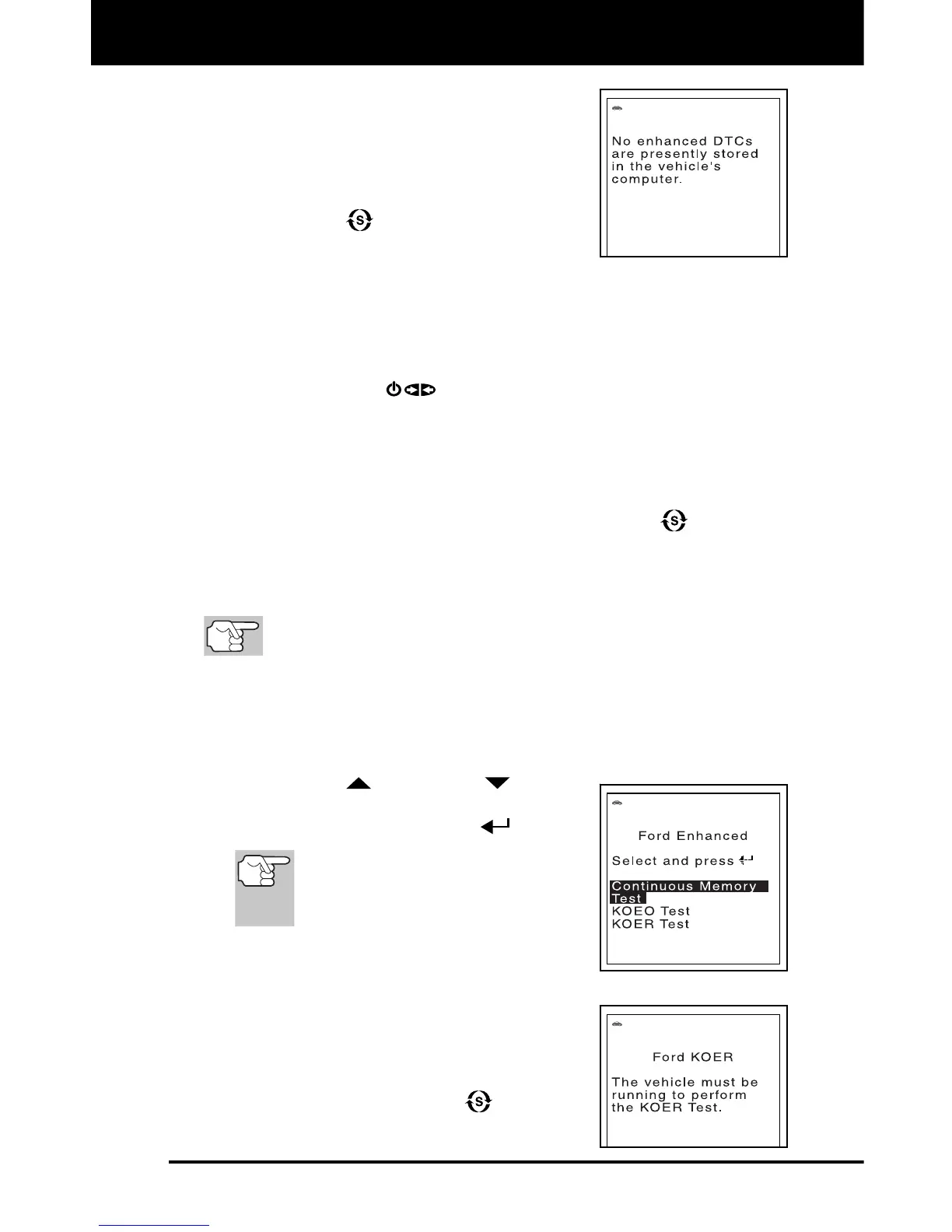
The FixAdvisor will display a code only if
codes are present in the vehicle’s
computer memory. If no codes are
present, a “No Enhanced DTC’s are
presently stored in the vehicle’s
computer” is displayed. Press the
SYSTEM
button to return to the
System Menu.
3. If more than one code was retrieved press the DTC/FF
button, as
necessary, to display additional codes one at a time.
Whenever the Scroll function is used to view additional codes,
the FixAdvisor’s communication link with the vehicle’s computer
disconnects. To re-establish communication, press the
POWER/LINK
button again.
4. When the last retrieved DTC has been displayed and the DTC/FF
button is pressed, the FixAdvisor returns to the Chrysler Enhanced
menu.
To view additional enhanced DTCs, repeat steps 1 through 4, above.
To exit the enhanced mode, press the SYSTEM button. The
FixAdvisor returns to the System Menu.
Ford/Mazda OEM Enhanced DTCs
Mazda Enhanced DTCs are available for Mazda-branded
Ford vehicles only.
When OEM Enhanced is selected from the System Menu (and the
manufacturer selected during the code retrieval procedure was Ford or
Mazda), the Ford/Mazda Enhanced menu displays. You may view DTCs
for either the “Continuous Memory Test”, “KOEO (Key On Engine Off)
Test” or “KOER (Key On Engine Running) Test.”
1. Use the UP
and DOWN buttons,
as necessary, to highlight the desired
option, then press the ENTER
button.
When choosing to view KOER
Test DTCs, start the vehicle’s
engine before making your
selection.
A “One moment please” message
displays, while the FixAdvisor retrieves
the selected DTCs.
If the KOER Test was selected, and
the vehicle’s engine is not running, an
advisory message shows on the
FixAdvisor’s display.
- Press the SYSTEM
button to
return to the System Menu.


 To Next Page