OM-248 440 Page 8
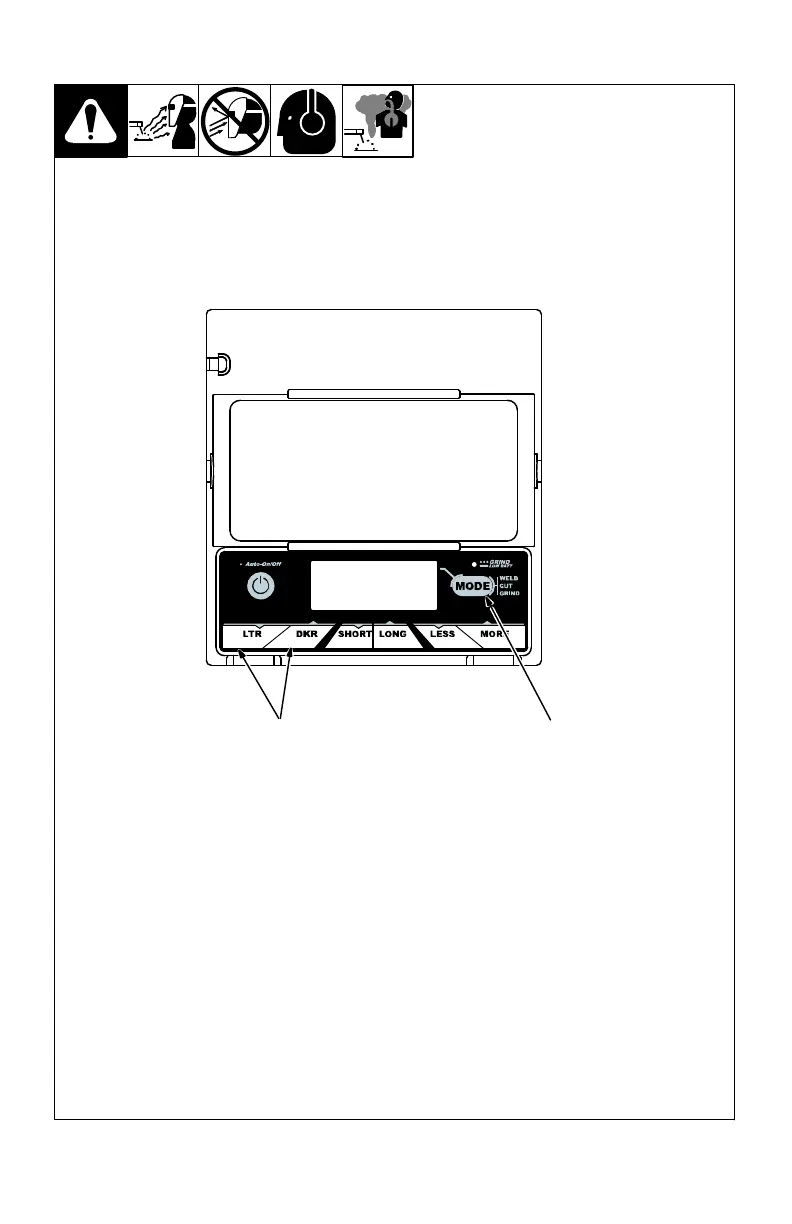
3-4. Variable Shade Control (Variable Shade Helmets)
1 Variable Shade
Adjustment Buttons
2 Mode Control Button
Use the LTR and DKR ad-
justment buttons to adjust
the lens shade in the dark-
ened state. Use the table in
Section 1-4 to select proper
shade control setting based
on your welding process.
The shade ranges for each
mode are as follows:
Weld − No. 8 − No. 13
Cut − No. 5 − No. 8
Grind − No. 3 only
Start at the highest setting
and adjust lighter to suit the
application and your person-
al preference.
Variable Shade Adjust-
ment Procedure
Press Auto On/Off but-
ton to turn lens On. Hel-
met lens will darken
twice and then clear.
Press Mode Control
Button to select desired
function: Weld, Cut, or
Grind mode.
Cut mode is not present
on 62V or 52F helmets.
Use LTR and DKR ad-
justment buttons to se-
lect desired shade.
Begin welding or contin-
ue with other lens ad-
justments.
21
(73V) Variable Shade Lens Assembly



 To Next Page