OM-248 440 Page 15
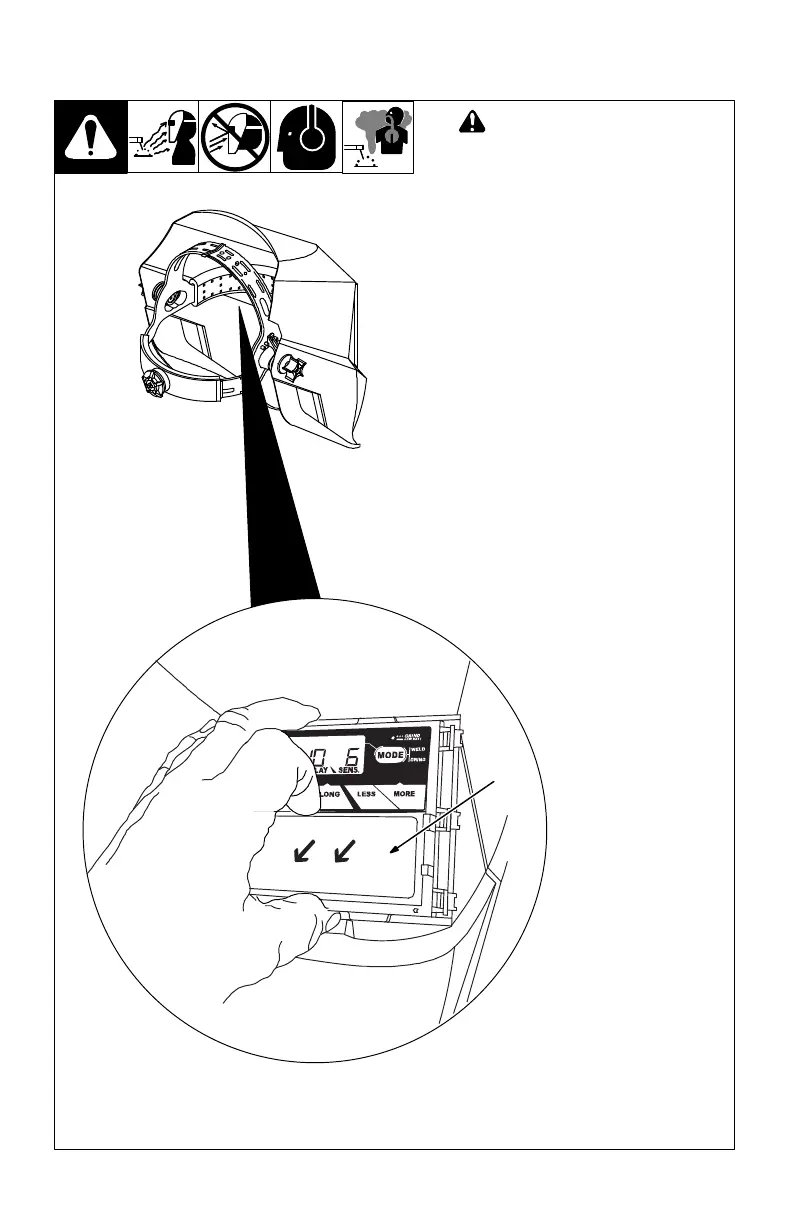
5-3. Replacing Inside Lens Cover
! Never use the auto-darkening
lens without the inside and out-
side lens covers properly
installed. Welding spatter will
damage the auto-darkening
lens and void the warranty.
1 inside Lens Cover
Remove the inside lens cover by pry-
ing the lens up at the thumbnail open-
ing located at the top center of the lens
cover.
Replace the lens cover by gently bow-
ing it in the center and inserting it, one
end at a time, into the retaining clips
located on the outside of the auto-
darkening lens assembly.
Be sure the cover lens is seated
properly (flat) to prevent fogging.
804 793 / 804 794
1



 To Next Page