OM-248 440 Page 9
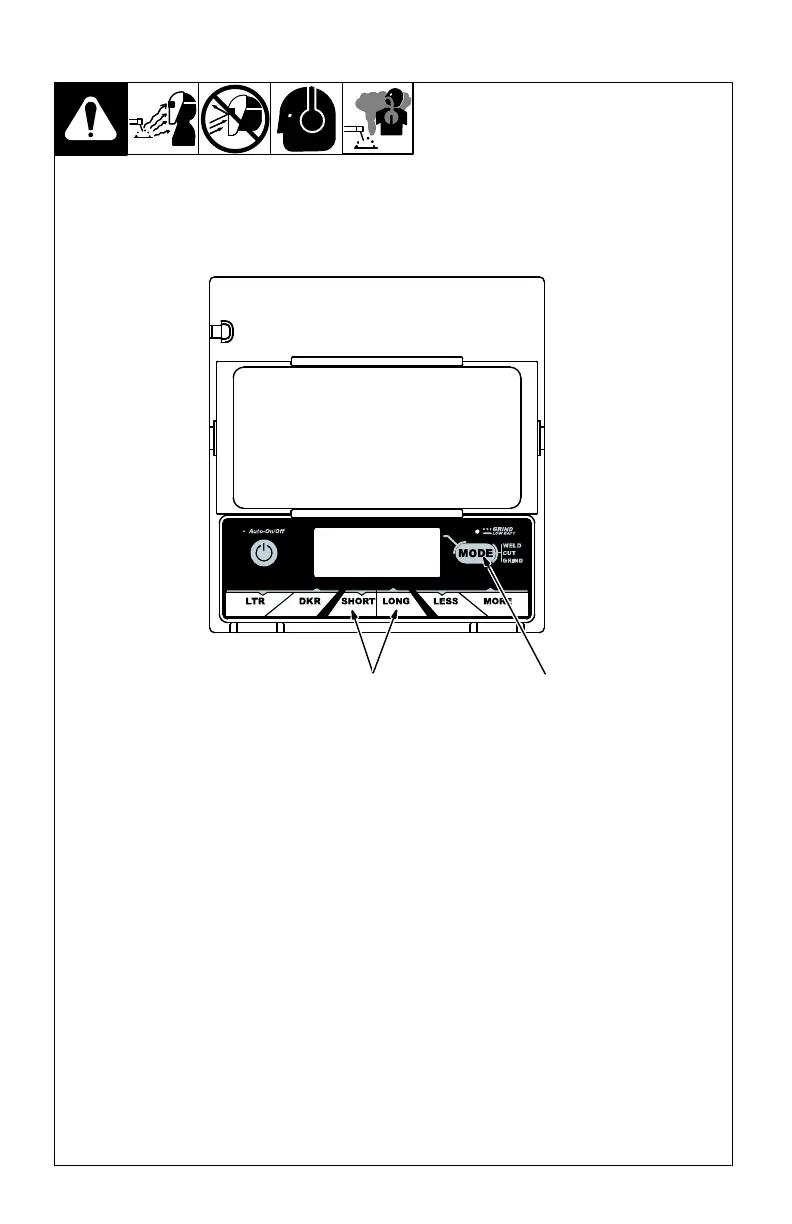
3-5. Lens Delay Control (Variable Shade Helmets)
1
1 Lens Delay Adjustment
Buttons
2 Mode Control Button
Use the Lens Delay Short
and Long buttons to adjust
the time for the lens to switch
to the clear state after weld-
ing or cutting.
The delay is particularly use-
ful in eliminating bright af-
ter-rays present in higher am-
perage applications where
the molten puddle remains
bright momentarily after
welding. Use the Lens Delay
Control buttons to adjust
delay from 0 to 10 (0.1 to 1.0
second).
The delay ranges for each
mode are as follows:
Weld And Cut Modes − 0 −
10
Grind Mode − No delay ad-
justment
There is no lens delay
adjustment in the Grind
mode, and in the Cut
mode (when sensitivity is
set to 10).
Lens Delay Adjustment
Procedure
Press Auto On/Off but-
ton to turn helmet On.
Helmet lens will darken
twice and then clear.
Press Mode button to se-
lect desired function:
Weld or Cut mode.
Use Short and Long ad-
justment buttons to se-
lect desired delay.
Begin welding or contin-
ue with other lens adjust-
ments.
2
(73V) Variable Shade Lens Assembly



 To Next Page