Matrix Audio Designs
19
Getting Started in Programming
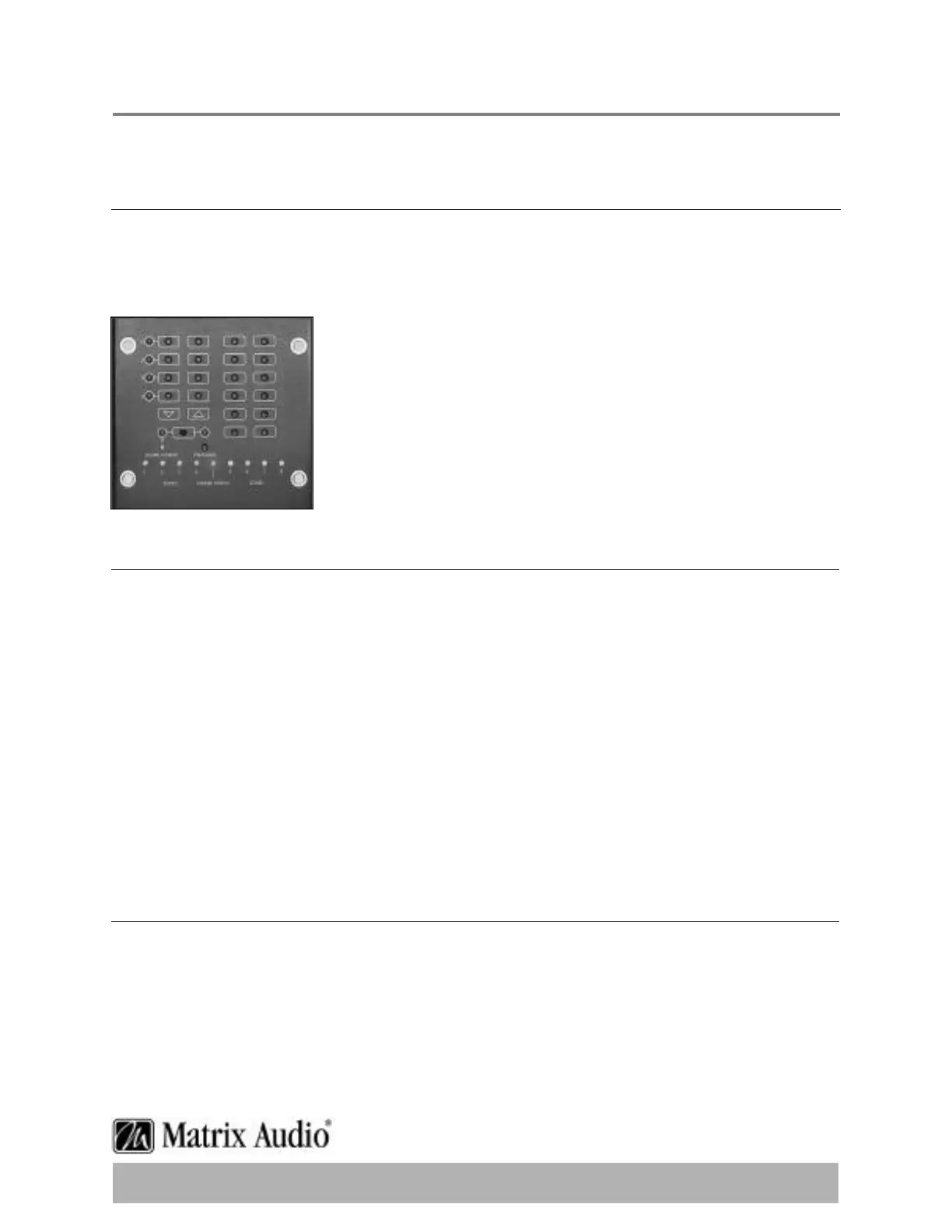
The Programming Panel
The programming controls are located by removing the cover plate on the MRC- 8e/ 8.4e.
This cover is located front and centre to the unit,and is simply held in place with several
small magnets.To remove,firmly grasp the small cover,and pull directly away from the unit.
You will find underneath a keypad that resembles the layout of the
KP- 22 remote keypad.This will aid you in working with the
correct keys for programming.Note that these keys are unlabeled,
since each key can be programmed for multiple functions are
not labelled to avoid confusion.
This is where the programming worksheets will assist you in
keeping track of the keys you program,and what function they
perform.
Placement of the Remote
The audio source remote (donor remote) should be located about 6 inches away from the
infrared port on the MRC- 8e/ 8.4e,the path between the devices should be unobstructed
with a clear line of sight.
The general steps you will follow for each device will be:
1.) Enter programming mode
2.) Select the source device to program
3.) Program the Special Commands (Play,Power On & Power Off)
4.) Program basic & advanced functions (next,back,pause/ stop,etc…)
5.) Exit programming mode
6.) Test the program
The Most Important Indicator:
Training consists of first identifying which keypad key you want to program,and then getting
the MRC- 8e/ 8. 4e to recognize an infrared signal.The LEARN/ ERROR LED is the most
important indicator of this process.


 To Next Page