Matrix Audio Designs
30
Power
Power Connections
Check to make sure you are attached to a functioning live electrical circuit (plug in a lamp or
something similar).Ensure that both ends of all power cords are firmly seated in all of the
component devices.If you’re plugged into power bars,check them for operation as well.
If the branch circuit is dead,look for the breaker, or a light switch that may be controlling
power to the outlet.If it’s on a switched circuit,then try to obtain power elsewhere.
Power Switches
There is a power switch located at the rear of the MRC- 8e/ 8.4e, check to see that it is in the
ON or (1) position,and if you have a power bar plugged into the switched outlet on the unit,
make sure the power bar switch (if present) is in the on position and any mini- breakers on
the power bars are on.
Fuses
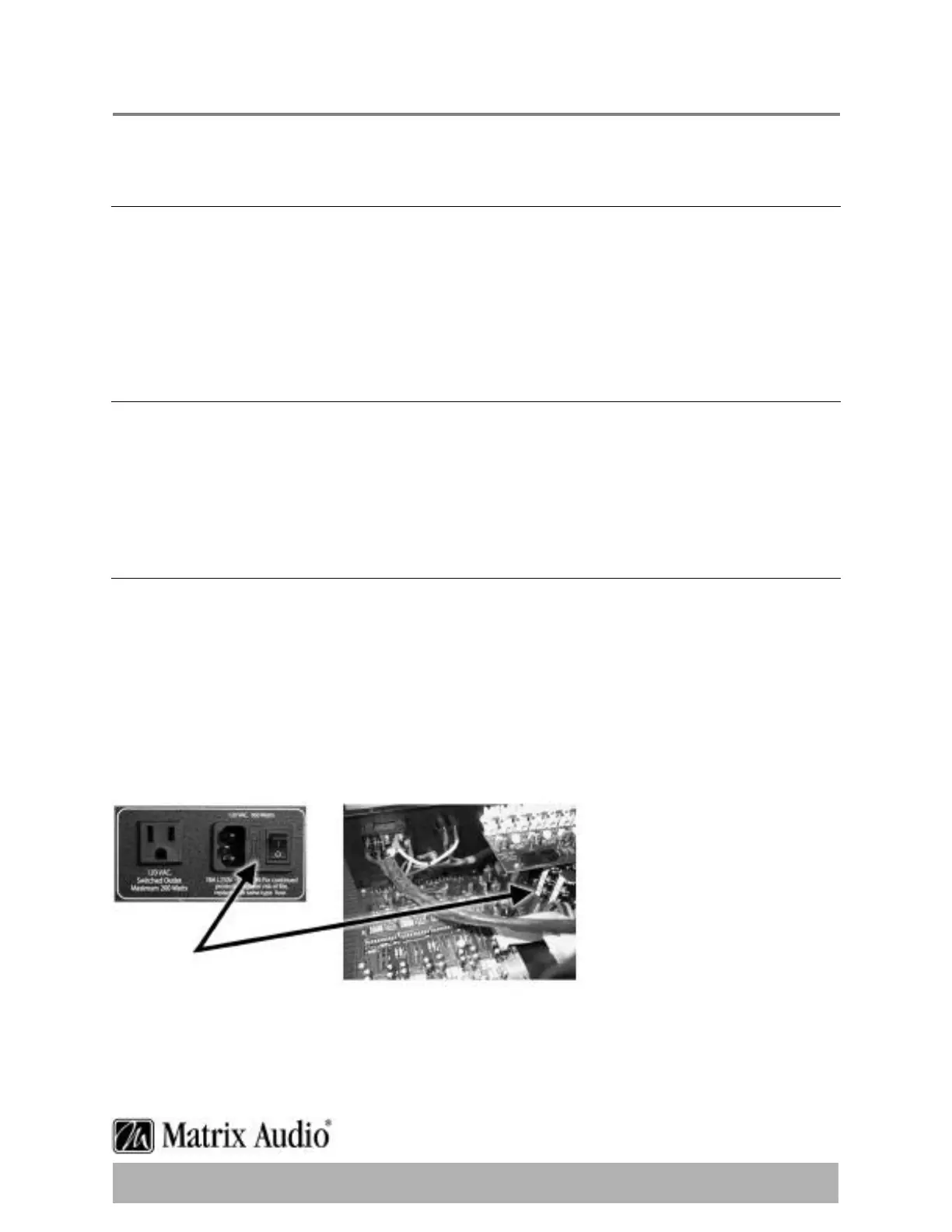
There is a fuse beside the power switch at the back of the MRC-8e/ 8.4e.Remove the fuse and
inspect it to see that it is intact.If you have an ohmmeter,test for continuity across the fuse
(sometimes they look good,but they’re really broken near one of the ends).If you are using a
power bar they often have mini-breakers on them,and you should check to ensure that all is
well.An internal 2 Amp fuse protects the switched outlet.Removing the external cover will
provide access to the fuse.Please observe all safety precautions and ensure power has been
disconnected from the unit before removing the cover.
Fuses


 To Next Page