Matrix Audio Designs
32
Source Connections
Problems in source cabling display some of the following characteristics.
The source cannot be heard in any zone.
The source doesn’t seem to respond to keypad commands.
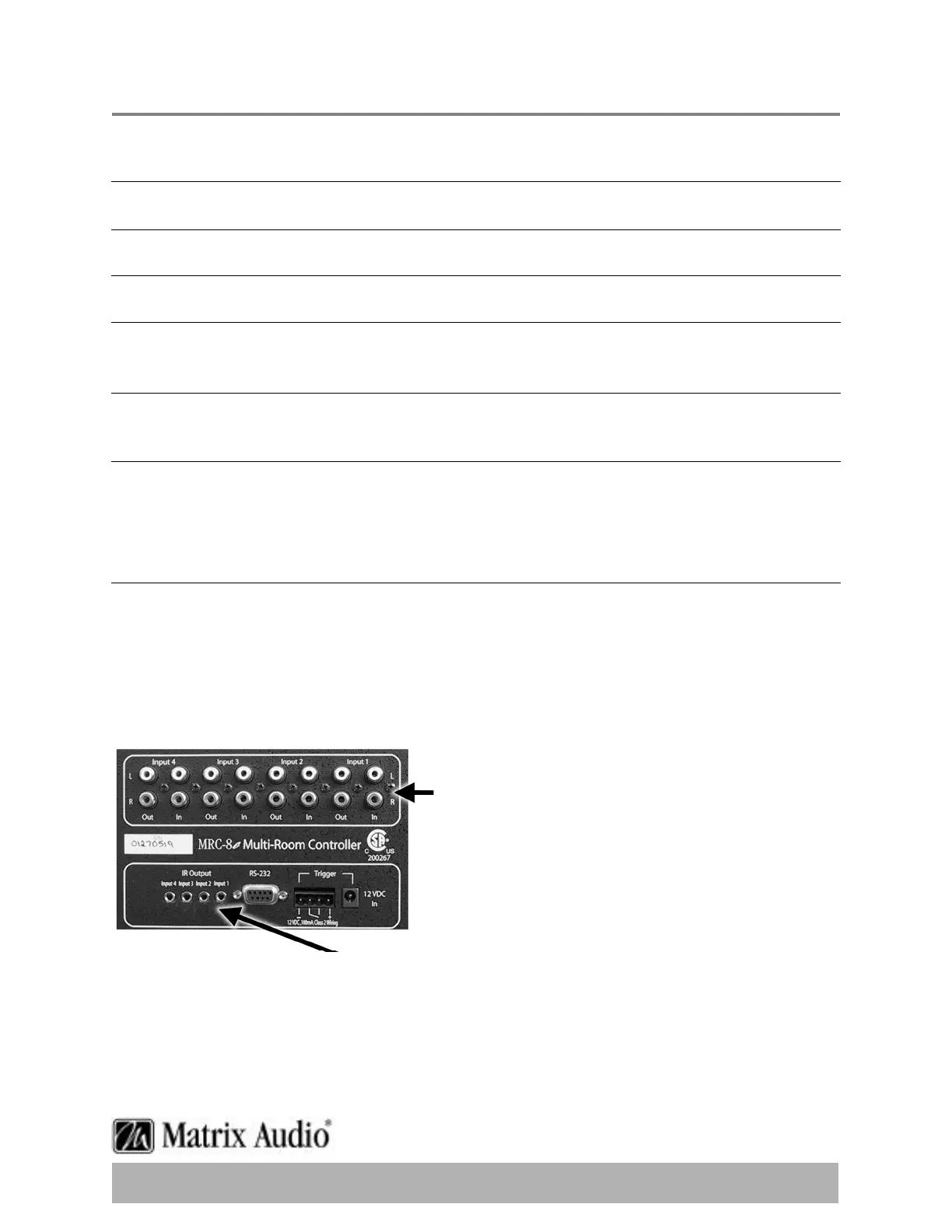
Ensure that the sources LINE OUT connection are connected to the MRC-8e/8.4e LINE IN
connection for the correct device.
Check to see that the I/R emitter lead is secured to the IR source infrared window and that
you have the correct lead plugged into the appropriate control jack.
When a keypad command is received and communicated to the source device,there is a LED
that lights on the front of the MRC8e/8.4e indicating the processing of the command.
If the LED does not light with a keypad press,then it is possible that the device has not been
programmed.If the LED does light,there may be a problem with the infrared emitter lead.
Techniques you can use to help isolate a sources problem include swapping the source with
another on the MRC-8e/8.4e to see if the problem stays with the MRC-8e/8.4e device,or
follows the movement of the source.Try swapping I/R emitter leads.Take a look at the source
to ensure that any MUTE functions have not accidentally been activated.
To Source OUTPUT
Connectors
To INFRARED Window on Source


 To Next Page